
Asus A4110 Disassembly

Last updated on Nov 19, 2025
Views: 5.8K
View statistics:
- Past 24 Hours:
- 16
- Past 7 Days:
- 57
- Past 30 Days:
- 188
- All Time:
- 5,805
Comments: 1
1 guide comment.
Go to guide commentsCompleted: 1 2
1 person has marked this guide "completed." Will you be next?
2 people have marked this guide "completed." Including you — great job!
Favorites: 0 1
No one has favorited (and subscribed to) this guide. Will you be the first?
1 person has favorited (and subscribed to) this guide — and that's you!
Community-Contributed Guide
An awesome member of our community made this guide. It was not created by iFixit staff.
What you need
Tools
-
-
Plastic prying tools$5.954.8Optional
To more easily separate the cover on the back from the screen in order to access the components inside.
-
-
Spudger4.9Optional
Usefull for removing antenna cables, or the rubber plugs that cover the 2 screws on the back
-


-
-
-
Remove screws at the circles
-
Remove gum strap and screw 5 screws out
-
Use a big screwdriver or some plastic to softly open the entire case around, starting at one down corner where your removed the screws before. The plastic clips will click a little. Don't be to hard.
-
Then you can lay the back next to the front, see second picture.
 Ask FixBot
-
-
-
You can now remove and/or replace harddrive easily. (This can be done in later steps, but will be necessary before attempting to move the motherboard)
-
If you're only replacing the drive, then you're done here. Retrace your steps to get the device back to and assembled product.
-
If you are replacing or fixing something else as well, please continue with the steps.
-
-
-
-
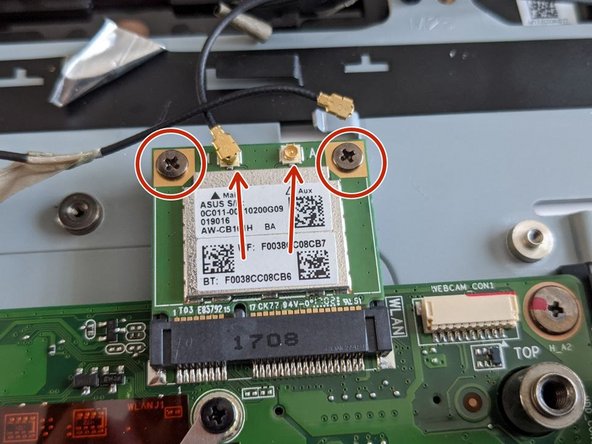
Remove the antenna cables from the Wi-Fi Module.
-
Remove the 2 screws to unfasten the Wi-Fi Module, then angle it upwards and pull it out, away from the socket to continue disassembly.
-
-
-
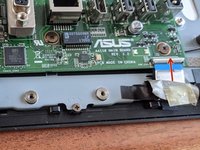
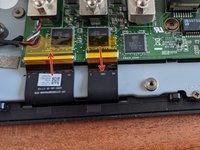
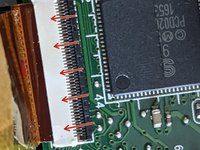
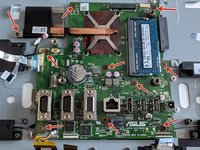
Remove display cables by pulling the white plastic clip up from the cable side
-
Pull up the left clip same as the right one from first picture from cable side.
-
-






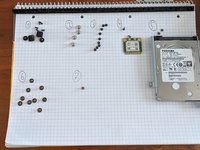
To reassemble your device, follow these instructions in reverse order.
Cancel: I did not complete this guide.
One other person completed this guide.

