Free Shipping on Domestic Orders $75+

Archos 70b 0.3 MP Camera Replacement

What you need

    1. Archos 70b 0.3 MP Camera Replacement, Back plate: step 1, image 1 of 1
      • Remove all the tape and plugs to access the screws beneath.

      Ask FixBot

      Add Comment

    2. Archos 70b 0.3 MP Camera Replacement: step 2, image 1 of 1
      • Unscrew all 5 of the .3mm t4 screws from the back plate of the device.

      Ask FixBot

      Add Comment

    3. Archos 70b 0.3 MP Camera Replacement: step 3, image 1 of 1
      • Gently go around the outside of the back plate and pry the back cover off.

      Ask FixBot

      Add Comment

    1. Archos 70b 0.3 MP Camera Replacement, 0.3 MP Camera: step 4, image 1 of 1
      • Locate the camera on the motherboard.

      Ask FixBot

      Add Comment

    2. Archos 70b 0.3 MP Camera Replacement: step 5, image 1 of 1
      • Remove the plastic cover from the camera.

      • Removal of the plastic cover makes disassembly easier.

      Ask FixBot

      Add Comment

    3. Archos 70b 0.3 MP Camera Replacement: step 6, image 1 of 2 Archos 70b 0.3 MP Camera Replacement: step 6, image 2 of 2
      Tool used on this step:
      Tweezers
      $4.99
      Buy
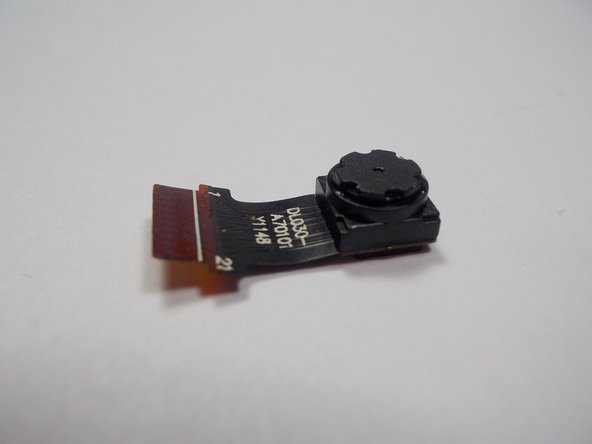
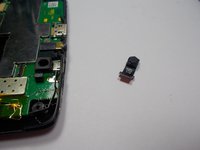
      • Using tweezers remove the camera by the pins from the motherboard.

      Ask FixBot

      Add Comment

Conclusion

To reassemble your device, follow these instructions in reverse order.

Cancel: I did not complete this guide.

3 other people completed this guide.

Joshua Stoddard

Member since: 10/28/15

541 Reputation

3 Guides authored

Team

UMass Dartmouth, Team 1-3, Miles Fall 2015 Member of UMass Dartmouth, Team 1-3, Miles Fall 2015

UMASSD-MILES-F15S1G3

3 Members

6 Guides authored

0 Guide Comments

Add Comment

View Statistics:

Past 24 Hours: 0

Past 7 Days: 3

Past 30 Days: 20

All Time: 996