Free Shipping on Domestic Orders $75+

Apple iPod Hi-Fi iPod Dock Inserts Replacement

What you need

    1. Apple iPod Hi-Fi iPod Dock Inserts Replacement, Grille: step 1, image 1 of 1
      • Warm up the glue by using the hair dryer on the grille for 5-10 minutes.

      • You can skip this step if you don't have access to a hair dryer. However, if you skip this step, the next step will take longer and will be harder.

      Ask FixBot

      Add Comment

    2. Apple iPod Hi-Fi iPod Dock Inserts Replacement: step 2, image 1 of 1
      • Take one spudger and fit it under the grille.

      • Use your first spudger to pry up and make room to insert a second one.

      • Sever the glue connections between the grille and the device by moving one spudger around, cutting through the glue.

      • Use the other spudger to raise the grille, allowing you to see where you're working.

      • Since you're cutting the glue, the grille may not stick as well when reassembled.

      Ask FixBot

      Add Comment

    3. Apple iPod Hi-Fi iPod Dock Inserts Replacement: step 3, image 1 of 1
      • Pull the grille off the Apple iPod Hi-Fi with your hands.

      Ask FixBot

      Add Comment

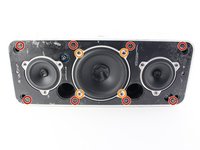
    1. Apple iPod Hi-Fi iPod Dock Inserts Replacement, Front Panel and Speaker Connections: step 4, image 1 of 2 Apple iPod Hi-Fi iPod Dock Inserts Replacement, Front Panel and Speaker Connections: step 4, image 2 of 2
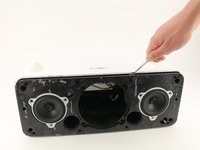
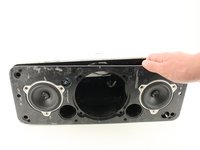
      • Remove all eight 3.3mm JIS #1 screws holding the front panel in place by placing the screwdriver in the head of the screw and rotating counterclockwise.

      • Remove the four 3.3mm JIS #1 screws holding the large speaker in place by placing the screwdriver in the head of the screw and rotating counterclockwise.

      Ask FixBot

      Add Comment

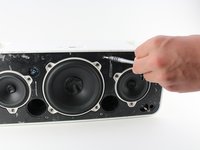
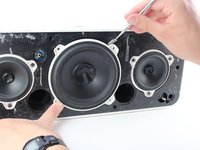
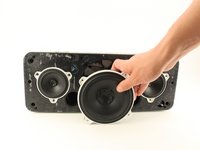
    2. Apple iPod Hi-Fi iPod Dock Inserts Replacement: step 5, image 1 of 2 Apple iPod Hi-Fi iPod Dock Inserts Replacement: step 5, image 2 of 2
      • Pry out the large speaker with a metal spudger around the edge.

      • Remove the speaker slowly from its socket with your hands.

      • Turning the speaker on its side will make this step much easier.

      • The speaker is still attached by several connections at this point so the speaker will not be able to be removed completely at this step.

      Ask FixBot

      Add Comment

    3. Apple iPod Hi-Fi iPod Dock Inserts Replacement: step 6, image 1 of 2 Apple iPod Hi-Fi iPod Dock Inserts Replacement: step 6, image 2 of 2
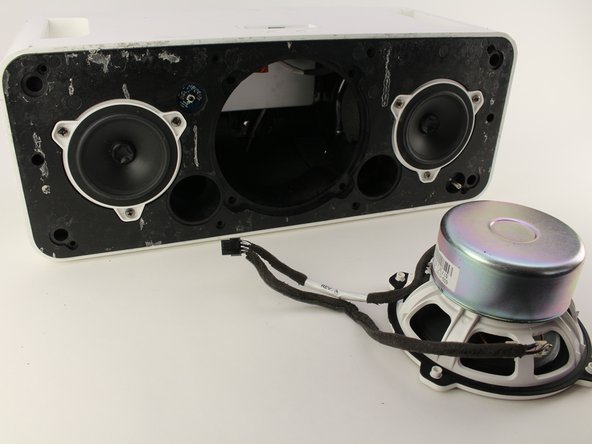
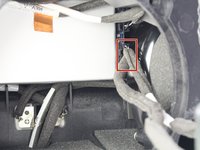
      • Press down on the tab and pull out with your hands to remove the cable connecting the large speaker from the rest of the unit.

      • Pull the large speaker completely out and set aside.

      Ask FixBot

      Add Comment

    4. Apple iPod Hi-Fi iPod Dock Inserts Replacement: step 7, image 1 of 1
      • Remove the sensor connection by pulling it straight out with your hand.

      Ask FixBot

      Add Comment

    5. Apple iPod Hi-Fi iPod Dock Inserts Replacement: step 8, image 1 of 3 Apple iPod Hi-Fi iPod Dock Inserts Replacement: step 8, image 2 of 3 Apple iPod Hi-Fi iPod Dock Inserts Replacement: step 8, image 3 of 3
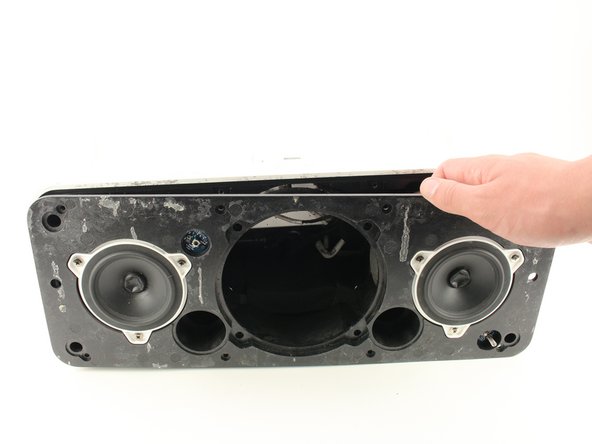
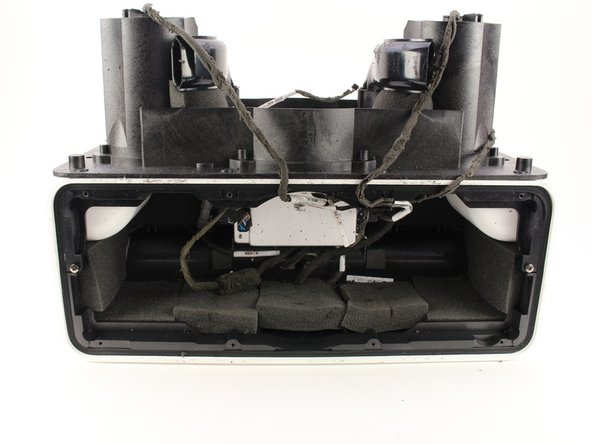
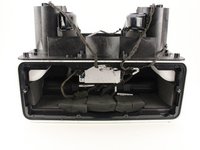
      • Pull the entire front assembly off by prying it up with the spudger and lifting the assembly off with your hands towards the top of the Hi-Fi.

      • There are still connections attached at this stage so the front assembly will not completely disconnect from the rest of the device .

      Ask FixBot

      Add Comment

    6. Apple iPod Hi-Fi iPod Dock Inserts Replacement: step 9, image 1 of 2 Apple iPod Hi-Fi iPod Dock Inserts Replacement: step 9, image 2 of 2
      • Remove the clips for the remaining two speakers by repeating step 6.

      • Remove the last connection that connects the speakers to the power box.

      • Remove the front panel completely.

      • When reassembling, the ports are labeled "right" and "left" to help you plug in the right speaker to the right port.

      Ask FixBot

      Add Comment

    1. Apple iPod Hi-Fi iPod Dock Inserts Replacement, iPod Dock Inserts: step 10, image 1 of 1
      • Place the speaker on its back with the dock facing away from you.

      Ask FixBot

      Add Comment

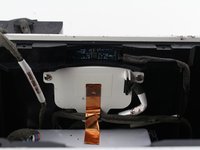
    2. Apple iPod Hi-Fi iPod Dock Inserts Replacement: step 11, image 1 of 1
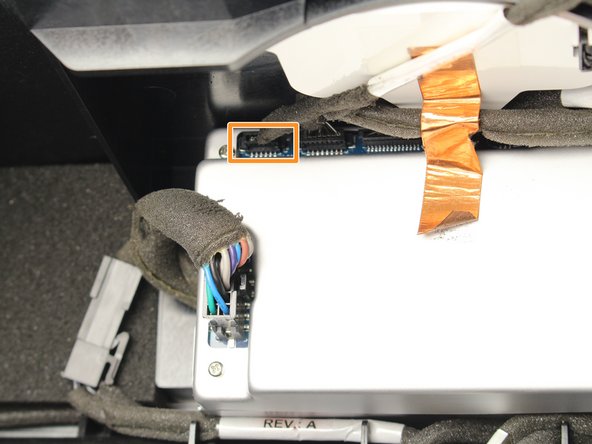
      • Remove the cable connected to the dock insert by pulling the cable straight out.

      Ask FixBot

      Add Comment

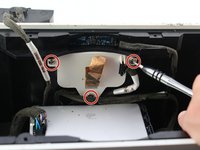
    3. Apple iPod Hi-Fi iPod Dock Inserts Replacement: step 12, image 1 of 2 Apple iPod Hi-Fi iPod Dock Inserts Replacement: step 12, image 2 of 2
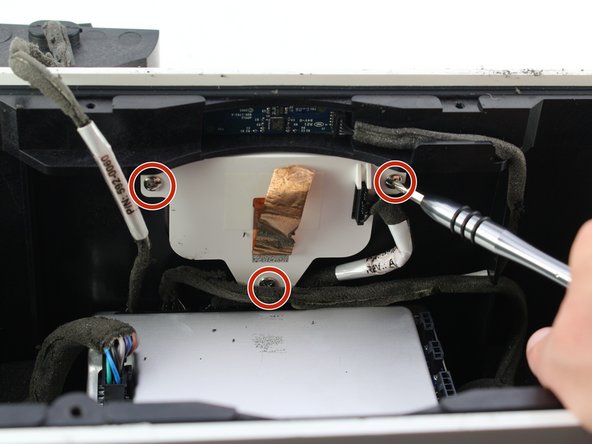
      • Remove the gold tape attaching the insert to the unit.

      • Remove the three 2mm Phillips #1 screws holding the dock inserts in by placing the screwdriver in the head of the screw and rotating counterclockwise.

      Ask FixBot

      Add Comment

    4. Apple iPod Hi-Fi iPod Dock Inserts Replacement: step 13, image 1 of 1
      • Remove the dock insert with your hands.

      Ask FixBot

      Add Comment

Conclusion

To reassemble your device, follow these instructions in reverse order.

Cancel: I did not complete this guide.

5 other people completed this guide.

Timothy Scheuermann

Member since: 04/18/18

710 Reputation

3 Guides authored

Team

Cal Poly, Team S16-G1, Livingston Spring 2018 Member of Cal Poly, Team S16-G1, Livingston Spring 2018

CPSU-LIVINGSTON-S18S16G1

5 Members

60 Guides authored

1 Guide Comment

If I need broken part of Apple iPod Hi-Fi iPod Dock were to get and how to get it part

wyzman nyawo - Reply Share

Add Comment

View Statistics:

Past 24 Hours: 3

Past 7 Days: 28

Past 30 Days: 120

All Time: 7,137