Free Shipping on Domestic Orders $75+

Apple Wireless Keyboard Logic Board Replacement

Views: 51K

View statistics:

Past 24 Hours:
2
Past 7 Days:
24
Past 30 Days:
135
All Time:
51,127
Comments: 10

1 comment on steps, 9 guide comments.

Go to guide comments
Completed: 20

20 people have marked this guide "completed." Will you be next?

Favorites: 9

9 people have favorited (and subscribed to) this guide. Will you be next?

Time Required: 5 - 20 minutes
Difficulty: Moderate
Needs Better Images

Better photos will improve this guide. Help out by taking, editing, or uploading new ones!

Community-Contributed Guide

An awesome member of our community made this guide. It was not created by iFixit staff.

Apple Wireless Keyboard Logic Board Replacement

Introduction

Go to step 1 ↓

You need a Metal spudger and a screwdriver

What you need

Tools

    1. Apple Wireless Keyboard Logic Board Replacement, Logic Board: step 1, image 1 of 2 Apple Wireless Keyboard Logic Board Replacement, Logic Board: step 1, image 2 of 2
      • Insert a metal spudger to open the plastic part under the Keyboard

      Ask FixBot

      Add Comment

    2. Apple Wireless Keyboard Logic Board Replacement: step 2, image 1 of 1
      • Remove the screw

      Ask FixBot

      Add Comment

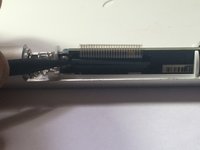
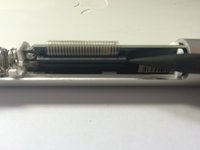
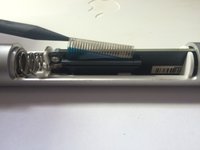
    3. Apple Wireless Keyboard Logic Board Replacement: step 3, image 1 of 3 Apple Wireless Keyboard Logic Board Replacement: step 3, image 2 of 3 Apple Wireless Keyboard Logic Board Replacement: step 3, image 3 of 3
      • Pull the lock up and disconnect the connection cable

      Ask FixBot

      Add Comment

    4. Apple Wireless Keyboard Logic Board Replacement: step 4, image 1 of 1
      • Keeping the connection cable, push out the logic board's placement

      Ask FixBot

      Add Comment

    5. Apple Wireless Keyboard Logic Board Replacement: step 5, image 1 of 1
      • Unlock the latch of the logic board

      Ask FixBot

      Add Comment

    6. Apple Wireless Keyboard Logic Board Replacement: step 6, image 1 of 1
      • Remove the logic board from the placement

      Ask FixBot

      Add Comment

Conclusion

To reassemble your device, follow these instructions in reverse order.

Cancel: I did not complete this guide.

20 other people completed this guide.

Nicola

Member since: 11/14/13

638 Reputation

1 Guide authored

9 Guide Comments

Hi, anyone know where its possible to buy this logic board? My bluetooth chip is apparently broken

steve - Reply Share

Which model of keyboard is this, because my A1255 doesn't disassemble like this - the battery terminal is solidly restrained inside the tube by means of a metal expansion ring. Doesn't seem user repairable :(

gordon jackson - Reply Share

My power button was stuck. The shell was dented. This was an easier way to access and remove the button so I was able to file the inside of the tube smooth so the button would move freely.

Tony - Reply Share

I have disassembled my keyboard as shown above, but now I need a replacement Wireless Keyboard Logic Board. I have not been able to find one. Any suggestions?

Martin Rubio - Reply Share

Very nice! in my case the flat cable was not properly connecting. I only found out when i opened the cap to the logic board and saw the cable sitting slanted in its connector. Put it back straight and now it works again. Cheers!!

mollymol - Reply Share

Add Comment

View Statistics:

Past 24 Hours: 2

Past 7 Days: 24

Past 30 Days: 135

All Time: 51,127