Introduction
This guide will instruct you on how to replace the battery in your Anker Soundcore Life Q20 headphones. The battery provides power to the device, significantly impacting the device's functionality if damaged. When working properly, the battery is capable of 720 mAh and up to 60 hours of playtime. When damaged, your headphones will become unresponsive or die quicker than usual.
What you need
-
-
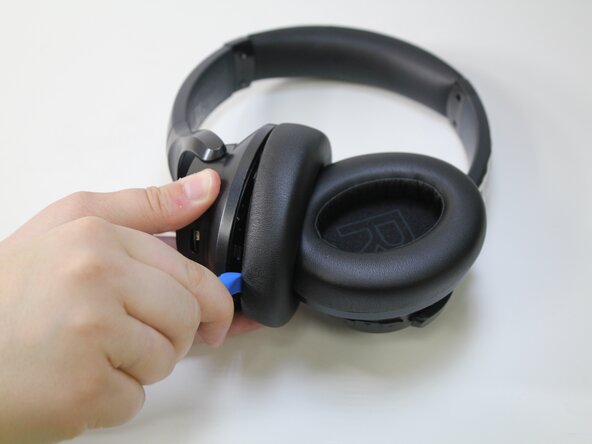
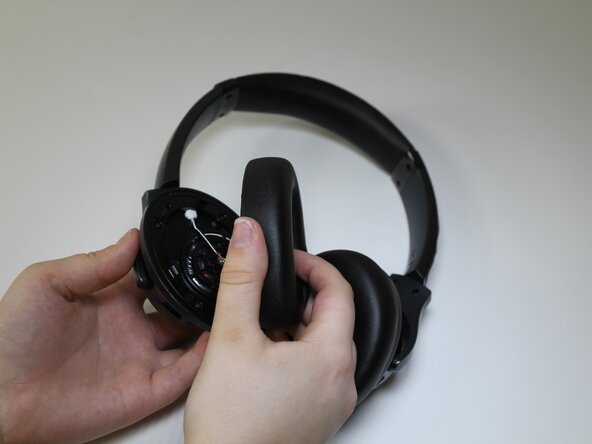
Choose the desired ear cushion to replace.
-
Orient the headphones so that the side of the ear cushion is accessible.
-
-
-
-
Use a Phillips #00 screwdriver to remove the four 10 mm screws from the cover.
-
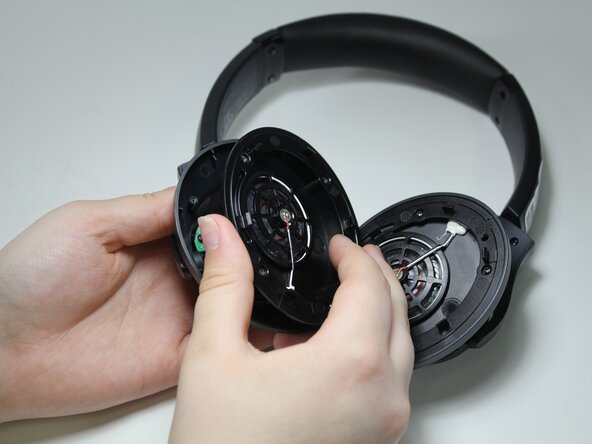
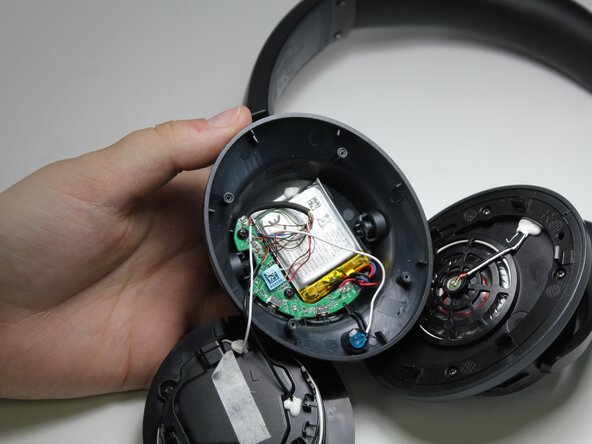
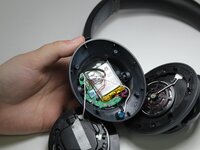
Remove the cover to expose the battery.
-
-
-
Use your index finger to lift the battery and remove it from the base.
-
Desolder the battery from the board, following the instructions from the iFixit soldering guide: How To Solder and Desolder Connections
-






To reassemble your device, follow these instructions in reverse order.


Team

Carson-Newman University, Team 1-2, Sobiech Spring 2025 Member of Carson-Newman University, Team 1-2, Sobiech Spring 2025
CNU-SOBIECH-S25S1G2
3 Members
5 Guides authored
