Introduction
This is a step by step guide on how to replace the charging port in the Anker SoundCore 2 bluetooth speaker. There are a few reasons on why you may need to replace the charging port, including if your speaker will no longer charge or no longer achieve a full charge. Take a look at the troubleshooting page to see if you need to replace the charging port or not. For this guide, you will need a screwdriver and a soldering tool.
What you need
-
-
-
Insert a spudger between the front panel and the body of the speaker.
-
Pry around the edges of the front panel with the spudger to pry it away from the speaker body.
 Ask FixBot
-
-
-
-
-
Remove eight 10 mm screws from the speaker mount using a Phillips #0 screwdriver.
-
Insert a spudger in the gap between the speaker mount and speaker body to remove the speaker mount.
-
Use your hand to remove the speakers.
-
-
-
-
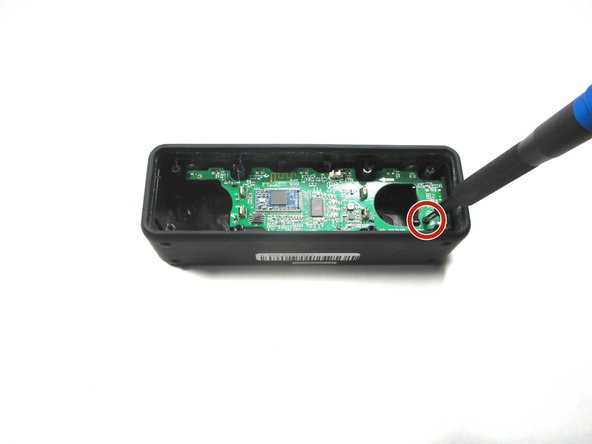
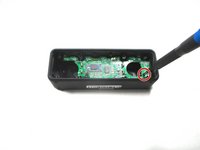
Remove the 10 mm screw that is holding the motherboard in place using a Phillips #0 screwdriver.
-
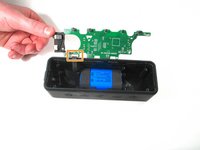
Flip up the motherboard and disconnect the cord that connects the motherboard and the battery.
-
-
-
-
-
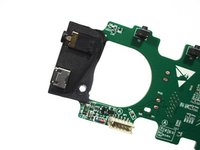
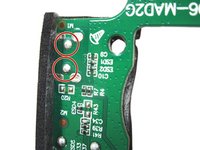
Desolder the charging port from the motherboard and solder a new one on.
-
-





To reassemble your device, follow these instructions in reverse order.
Cancel: I did not complete this guide.
5 other people completed this guide.

Team

Illinois Wesleyan University, Team S1-G2, Bullock Spring 2021 Member of Illinois Wesleyan University, Team S1-G2, Bullock Spring 2021
IWU-BULLOCK-S21S1G2
3 Members
60 Guides authored
4 Guide Comments
Hello please what's the model of the ESD4 and C34 close to the charging port?
what's the micro usb port part number? I want to replace it but can't find info on it anywhere.
