Ambient Weather WS-5000 - Identify Sensor Gen

  1. Ambient Weather WS-5000 - Identify Sensor Gen, Ambient Weather WS-5000 - Identify Sensor Gen: step 1, image 1 of 2 Ambient Weather WS-5000 - Identify Sensor Gen, Ambient Weather WS-5000 - Identify Sensor Gen: step 1, image 2 of 2
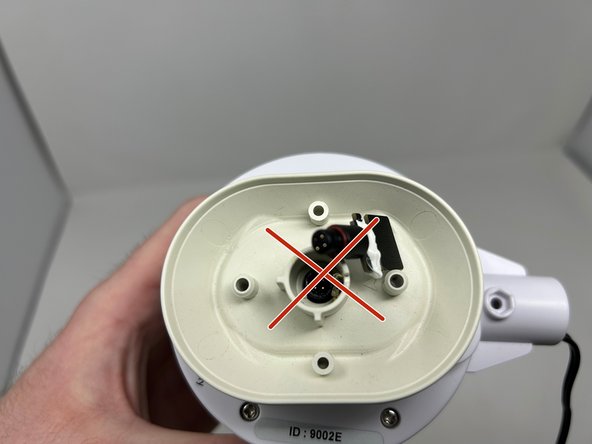
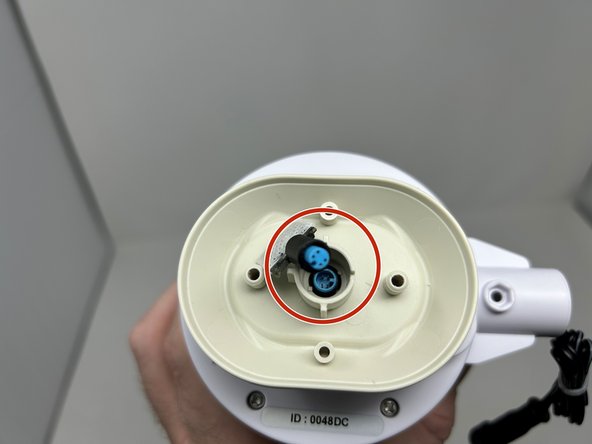
    • Identify the connection between the Thermo-Hygrometer sesnor and the body of the array.

    • The 1st Generation of array does NOT have a removable sensor. It is covered in a white glue.

    • The 2nd and 3rd Generation DO have removable sensor chips. You will see a small black ring, which is the bottom of the sensor mount.

  2. Ambient Weather WS-5000 - Identify Sensor Gen: step 2, image 1 of 2 Ambient Weather WS-5000 - Identify Sensor Gen: step 2, image 2 of 2
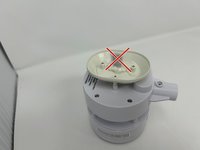
    • Remove the screws attaching the Solar Radiation Shield to the body of the array.

    • Remove Solar Radiation Shield fins and set aside.

  3. Ambient Weather WS-5000 - Identify Sensor Gen: step 3, image 1 of 3 Ambient Weather WS-5000 - Identify Sensor Gen: step 3, image 2 of 3 Ambient Weather WS-5000 - Identify Sensor Gen: step 3, image 3 of 3
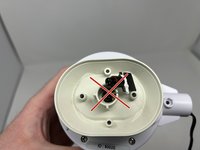
    • Identify which Generation of Chip the array has.

    • The 1st Generation is NOT removable, and the entire array will need to be replaced.

    • The 2nd Generation IS removable, however, the chip is not replaceable. The entire array will need to be replaced.

    • The 3rd Generation IS removable, and replaceable. A new chip should get the unit up and running again.

Finish Line

2 other people completed this guide.

Tim Elafros

Member since: 01/23/24

493 Reputation

2 Guides authored

0 Guide Comments

Add Comment

View Statistics:

Past 24 Hours: 1

Past 7 Days: 5

Past 30 Days: 23

All Time: 169