Shop the Holiday Gift Guide
Free Shipping on Domestic Orders $75+

AmazonBasics B00Q3KFX8U Drive Gear Replacement

Views: 2.6K

View statistics:

Past 24 Hours:
3
Past 7 Days:
20
Past 30 Days:
115
All Time:
2,647
Comments: 6

1 comment on steps, 5 guide comments.

Go to guide comments
Completed: 0

No one has marked this guide "completed." Will you be the first?

Favorites: 0

No one has favorited (and subscribed to) this guide. Will you be the first?

Time Required: 2 - 6 minutes
Difficulty: Moderate
AmazonBasics B00Q3KFX8U Drive Gear Replacement

Introduction

Go to step 1 ↓

This repair would be necessary if the plastic drive gears within the AmazonBasics stripped, meaning the teeth were either ground down or broke off. A telltale sign of this is if you can hear the motor spinning, but the shredding blades do not move.

What you need

Parts

Tools

    1. AmazonBasics B00Q3KFX8U Drive Gear Replacement, Drive Gear: step 1, image 1 of 1
      • Remove the shredder assembly from the paper scrap bin.

      Ask FixBot

      Add Comment

    2. AmazonBasics B00Q3KFX8U Drive Gear Replacement: step 2, image 1 of 1
      • Remove the two 10mm PH1 screws holding the small black panel in place.

      Ask FixBot

      Add Comment

    3. AmazonBasics B00Q3KFX8U Drive Gear Replacement: step 3, image 1 of 2 AmazonBasics B00Q3KFX8U Drive Gear Replacement: step 3, image 2 of 2
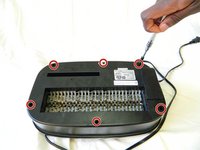
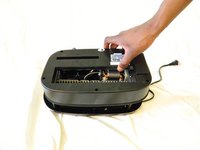
      • Remove the six 14mm PH1 screws holding the bottom cover in place.

      • Remove the cover by lifting straight upwards.

      • One of the screws will be hidden beneath a warranty sticker. Simply push the head of the screwdriver through the sticker to access the screw.

      Ask FixBot

      Add Comment

    4. AmazonBasics B00Q3KFX8U Drive Gear Replacement: step 4, image 1 of 1
      • Remove the blade/motor assembly from the top cover by lifting straight upwards. Do not disconnect any wiring just yet.

      • The blades are sharp. Coming into contact with them may result in injury.

      Ask FixBot

      Add Comment

    5. AmazonBasics B00Q3KFX8U Drive Gear Replacement: step 5, image 1 of 2 AmazonBasics B00Q3KFX8U Drive Gear Replacement: step 5, image 2 of 2
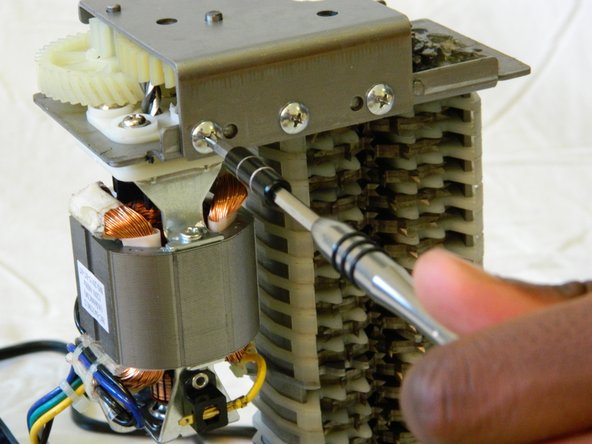
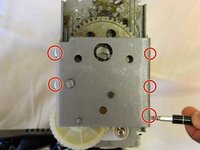
      • Remove the five 8mm PH2 screws from the bracket holding the gears in place.

      Ask FixBot

      Add Comment

    6. AmazonBasics B00Q3KFX8U Drive Gear Replacement: step 6, image 1 of 1
      • Use a metal spudger to pry the bracket from the main shredder assembly.

      • If the bracket is attached too tightly for the spudger, carefully use a metal screwdriver to pry it loose.

      Ask FixBot

      Add Comment

    7. AmazonBasics B00Q3KFX8U Drive Gear Replacement: step 7, image 1 of 2 AmazonBasics B00Q3KFX8U Drive Gear Replacement: step 7, image 2 of 2
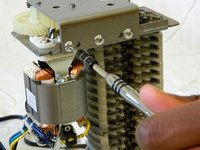
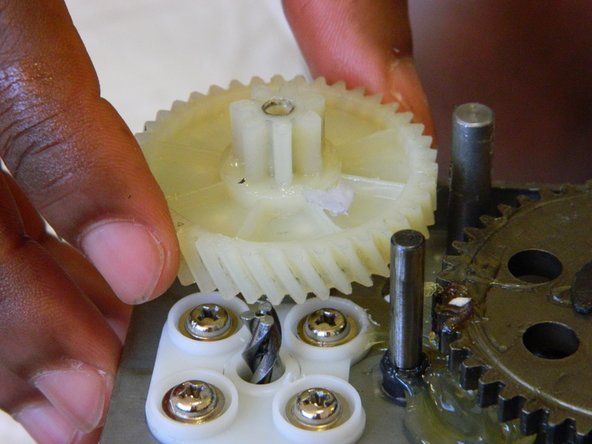
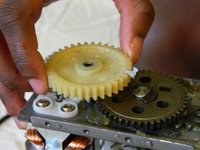
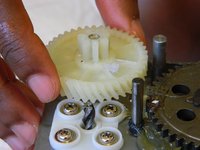
      • Remove the two plastic drive gears from the shredder assembly by lifting straight upwards.

      Ask FixBot

      Add Comment

Conclusion

To reassemble your device, follow these instructions in reverse order.

Cancel: I did not complete this guide.

William Foley

Member since: 03/25/16

548 Reputation

4 Guides authored

Team

5 Guide Comments

Where does one buy these gear parts?

opticdreams - Reply Share

Hi, you can buy the gear here: https://www.ebay.com/itm/116169745117

Mr. Master - Reply Share

I need big wheel for Bonsaii C220-A and need a duel gear wheel (1.6 inches and 0.5 inches) Apelila Apelila paper shredder

Raju Nivarthi - Reply Share

Send me a message on eBay, https://www.ebay.com/usr/krunkz, I will recreate your damaged gears for free if you can mail them to me.

Shredder Gears - Reply Share

I would not buy the gears from that link on ebay. I paid 10 dollars for 2 3D printed gears. Both stripped almost immediately. I applied new grease and do not think it was my error, but rather poor quality gear replacements. Not worth the time or money.

acoest - Reply Share

Add Comment

View Statistics:

Past 24 Hours: 3

Past 7 Days: 20

Past 30 Days: 115

All Time: 2,647