Introduction
As your Kindle gets older the battery life for it gets worse. This guide will teach you how to replace the battery for your Kindle, so you can enjoy hours of reading without having to charge it as often.
What you need
-
-
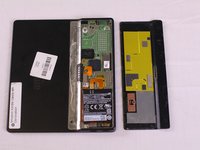
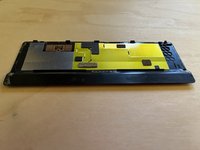
Carefully wedge the plastic opening tool between the back panel and the device to free the clips holding the back panel and the device together.
-
-
-
Tool used on this step:Tweezers$4.99
-
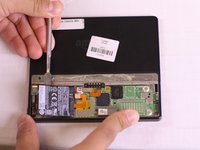
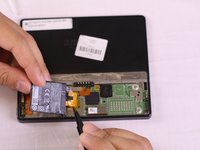
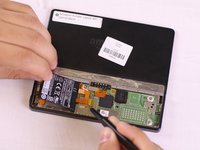
Using tweezers, lift the orange bridge connector off.
-







To reassemble your device, follow these instructions in reverse order.
Cancel: I did not complete this guide.
22 other people completed this guide.



Team

USF Tampa, Team S16-G5, Eyestone Fall 2017 Member of USF Tampa, Team S16-G5, Eyestone Fall 2017
USFT-EYESTONE-F17S16G5
4 Members
16 Guides authored
24 Guide Comments
Grate explanation. where can I find the battery? couldn’t find it anywhere
thanks
Hi, same comment: great and interesting but I can’t find the battery anywhere…
You can find the battery here
https://www.nextbatteries.com/products/a...
890 mAH Li-Polymer 3.7V 61.60 x 53.32 x 2.78mm
