
Amazon Kindle DX Battery Replacement

Lori White and 10 other contributors
Last updated on Oct 29, 2023
Views: 15K
View statistics:
- Past 24 Hours:
- 3
- Past 7 Days:
- 57
- Past 30 Days:
- 269
- All Time:
- 14,703
Comments: 5
1 comment on steps, 4 guide comments.
Go to guide commentsCompleted: 14 15
14 people have marked this guide "completed." Will you be next?
15 people have marked this guide "completed." Including you — great job!
Favorites: 1 2
1 person has favorited (and subscribed to) this guide. Will you be next?
2 people have favorited (and subscribed to) this guide — including you!
Introduction
Go to step 1 ↓This guide will show you how to replace the battery in an Amazon Kindle DX. Kindle batteries can last many years, but it may be necessary to replace a battery if its performance is at an unbearable level. Rechargeable batteries of any kind can be tricky, and there can be many causes to the worsening of a battery’s health.
Some of these causes could be overcharging or undercharging. Overcharging may result from frequent usage of a device and undercharging may result from an extended period of time without access to a charger. Other possible issues may result from charging the battery to full capacity too often and also using the battery until it dies on a regular basis. Batteries are still not perfectly understood, however, so it is not often easy to pinpoint causes for deterioration of battery health.
What you need
Parts
Tools


-
-
-
Push an opening tool against the bottom cover edge of the device. Move the tool's edge around the bottom plastic piece to pop it open.
-
-
-
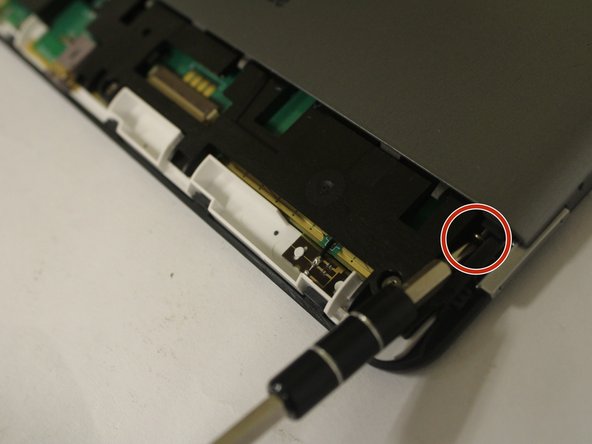
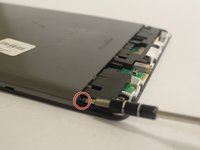
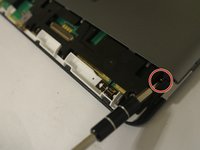
Remove two 40 mm screws (one on each corner) using a Phillips #00 screwdriver.
-
-
-
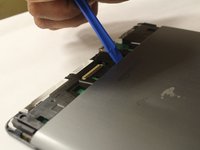
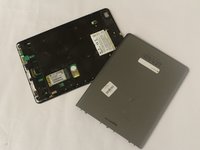
Use the edges of the opening tool, get in between the seams of the front and back panel, and use the tool to separate the pieces. Once loose, lift back panel off of the device.
-
-
-
-
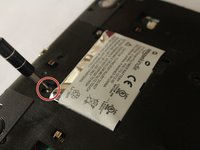
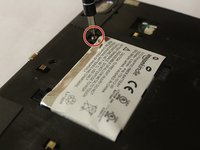
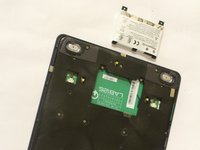
Remove two 30 mm screws securing the battery with a Phillips #00 screwdriver.
-

 Ask FixBot








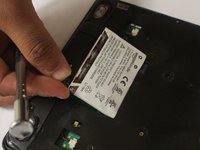
To reassemble your device, follow these instructions in reverse order.
Cancel: I did not complete this guide.
14 other people completed this guide.

Team

USF Tampa, Team 1-5, Cagle Fall 2016 Member of USF Tampa, Team 1-5, Cagle Fall 2016
USFT-CAGLE-F16S1G5
3 Members
48 Guides authored
4 Guide Comments
Thank you very much for a comprehensive guide. Especially the measurements for where to insert the screwdrivers were very helpful! Kind regards - Jakob
Anybody got a working link to a battery that fits?
@mzandrew https://ebay.io/m/BYxk8c worked for me. I found that prying from near the power slide switch is easier than from the back.
