Shop the Holiday Gift Guide
Free Shipping on Domestic Orders $75+

Alienware M15x RAM Replacement

Views: 1.1K

View statistics:

Past 24 Hours:
6
Past 7 Days:
22
Past 30 Days:
93
All Time:
1,100
Comments: 0

No one has left comments on this guide. Will you be first?

Go to guide comments
Completed: 0

No one has marked this guide "completed." Will you be the first?

Favorites: 0

No one has favorited (and subscribed to) this guide. Will you be the first?

Time Required: 5 minutes
Difficulty: Easy
Alienware M15x RAM Replacement

Introduction

Go to step 1 ↓

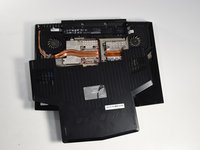
This guide will explain how to carefully and safely remove the RAM from an Alienware M15x laptop.

What you need

Parts

Tools

    1. Alienware M15x RAM Replacement, Battery: step 1, image 1 of 3 Alienware M15x RAM Replacement, Battery: step 1, image 2 of 3 Alienware M15x RAM Replacement, Battery: step 1, image 3 of 3
      • Remove the battery by sliding the latch to the left and pulling the battery up.

      Ask FixBot

      Add Comment

    1. Alienware M15x RAM Replacement, Compartment Door: step 2, image 1 of 2 Alienware M15x RAM Replacement, Compartment Door: step 2, image 2 of 2
      • Remove the two 4-mm screws that hold the compartment door to the rest of the computer using a PH#0 screwdriver tip.

      Ask FixBot

      Add Comment

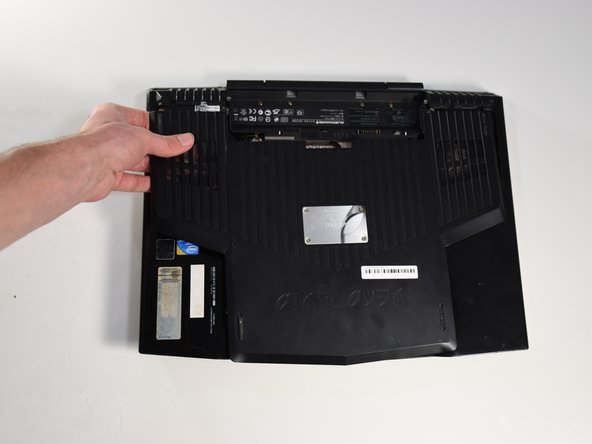
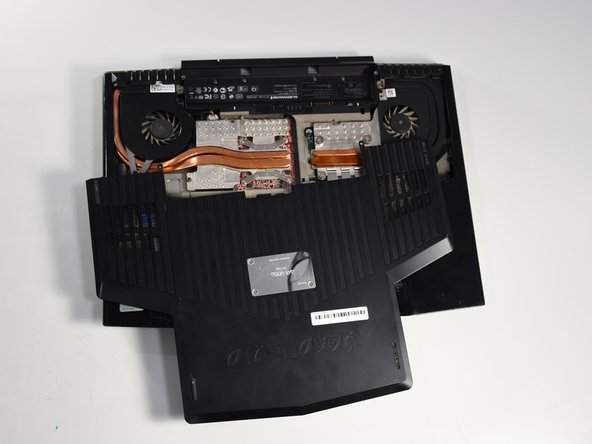
    2. Alienware M15x RAM Replacement: step 3, image 1 of 3 Alienware M15x RAM Replacement: step 3, image 2 of 3 Alienware M15x RAM Replacement: step 3, image 3 of 3
      • Slide the compartment door towards the front of the computer and lift.

      Ask FixBot

      Add Comment

    1. Alienware M15x RAM Replacement, RAM: step 4, image 1 of 1
      • Remove the two indicated screws for the RAM cover.

      Ask FixBot

      Add Comment

    2. Alienware M15x RAM Replacement: step 5, image 1 of 1
      • Push the two retaining clips on either side of the ram outwards, allowing the RAM chip to pop up.

      Ask FixBot

      Add Comment

    3. Alienware M15x RAM Replacement: step 6, image 1 of 1
      • Pull it straight out of its pocket.

      Ask FixBot

      Add Comment

    4. Alienware M15x RAM Replacement: step 7, image 1 of 1
      • Repeat the same process if there are additional RAM chips.

      Ask FixBot

      Add Comment

Conclusion

To reassemble your device, follow these instructions in reverse order.

Cancel: I did not complete this guide.

Author

with

Aria Saberi

Member since: 01/22/18

121 Reputation

1 Guide authored

Team

Cal Poly, Team S11-G3, Banghart Winter 2018 Member of Cal Poly, Team S11-G3, Banghart Winter 2018

CPSU-BANGHART-W18S11G3

5 Members

60 Guides authored

0 Guide Comments

Add Comment

View Statistics:

Past 24 Hours: 6

Past 7 Days: 22

Past 30 Days: 93

All Time: 1,100