Free Shipping on Domestic Orders $75+

Alienware M15x Display Assembly Replacement

Prerequisite Only
This is a prerequisite-only guide! This guide is part of another procedure and isn’t meant to be used alone.

What you need

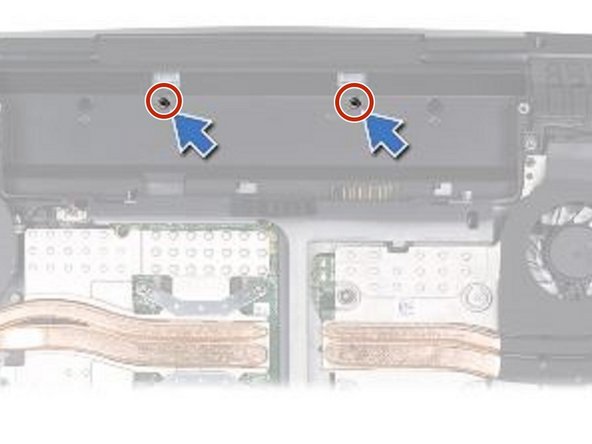
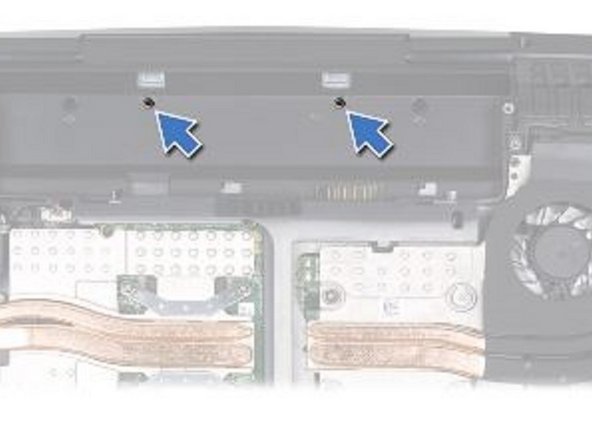
    1. Alienware M15x Display Assembly Replacement, Remove the Two Screws: step 1, image 1 of 1
      • WARNING: Before working inside your computer, read the safety information that shipped with your computer.

      • CAUTION: To avoid electrostatic discharge, ground yourself by using a wrist grounding strap or by periodically touching an unpainted metal surface (such as a connector on the back of the computer).

      • Remove the two screws from the battery bay.

      Ask FixBot

      Add Comment

    2. Alienware M15x Display Assembly Replacement, Turn the Computer Up: step 2, image 1 of 1
      • Turn the computer top side up and open the display as far as possible.

      Ask FixBot

      Add Comment

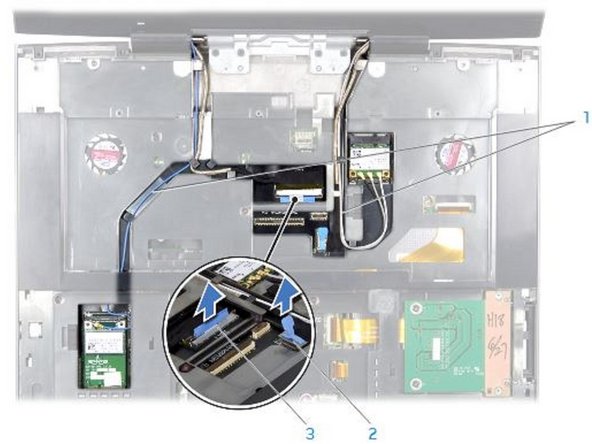
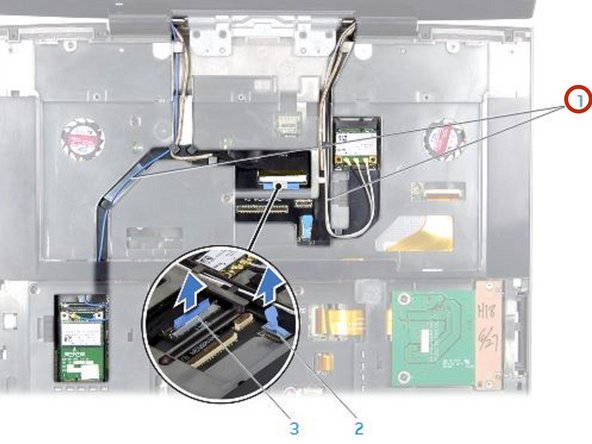
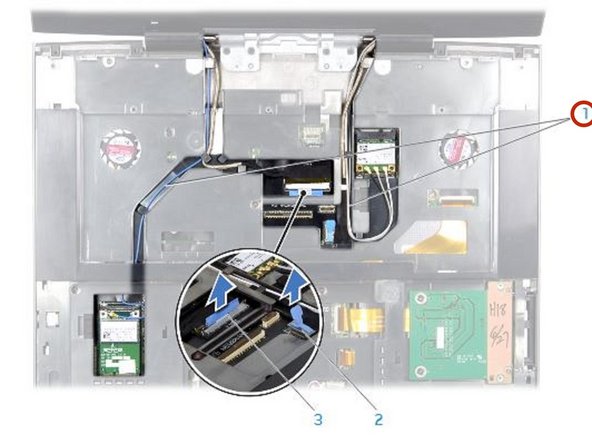
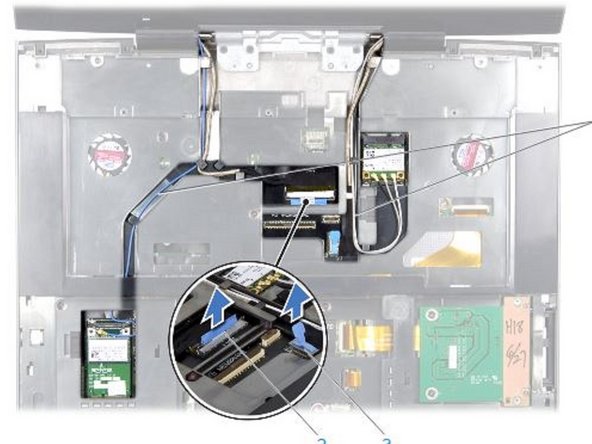
    3. Alienware M15x Display Assembly Replacement, Disconnect the Cables: step 3, image 1 of 1
      • Disconnect the antenna cables from the respective Mini-Cards and remove these cables from their routing guides.

      Ask FixBot

      Add Comment

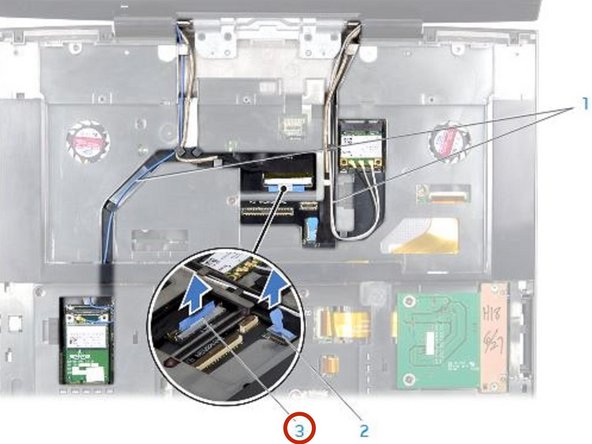
    4. Alienware M15x Display Assembly Replacement, Disconnecting the Display Cable: step 4, image 1 of 1
      • Disconnect the display cable and the camera cable from the respective 12. system board connectors, and remove these cables from their routing guides.

      Ask FixBot

      Add Comment

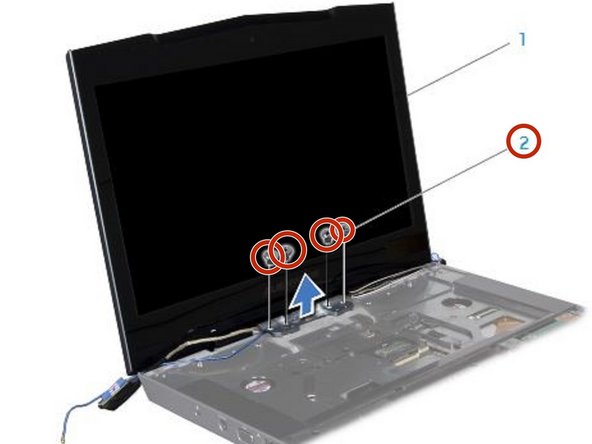
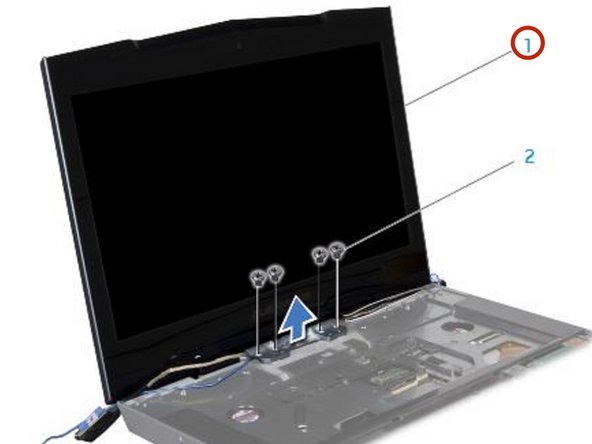
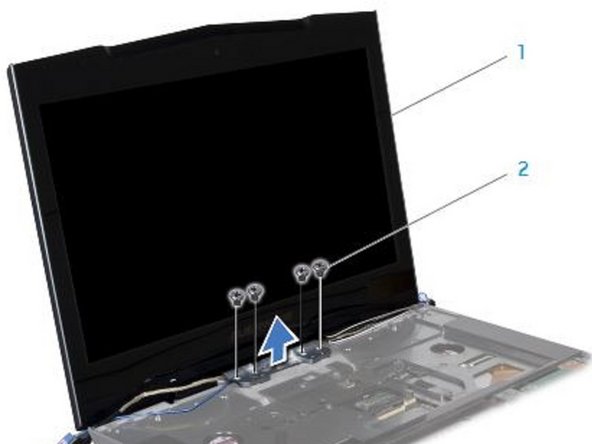
    5. Alienware M15x Display Assembly Replacement, Remove the Four Screws: step 5, image 1 of 1
      • Remove the four screws (two from each hinge) that secure the display assembly to the computer base.

      Ask FixBot

      Add Comment

    6. Alienware M15x Display Assembly Replacement, Tilting the Display Assembly: step 6, image 1 of 1
      • Tilt the display assembly towards the computer base at a 45-degree angle and lift the display assembly off the computer.

      Ask FixBot

      Add Comment

    7. Alienware M15x Display Assembly Replacement, Align the Screw Holes: step 7, image 1 of 1
      • Align the screw holes on the display hinges with the screw holes on the computer base.

      Ask FixBot

      Add Comment

    8. Alienware M15x Display Assembly Replacement, Routing the Antenna Cables: step 8, image 1 of 1
      • Route the Mini-Card antenna cables through the routing guides and connect them to the respective Mini-Cards.

      Ask FixBot

      Add Comment

    9. Alienware M15x Display Assembly Replacement, Route the Display and Camera Cables: step 9, image 1 of 1
      • Route the display and camera cables through the routing guides and connect them to the system board connectors.

      Ask FixBot

      Add Comment

    10. Alienware M15x Display Assembly Replacement, Replace the Two Screws: step 10, image 1 of 1
      • Replace the two screws in the battery bay.

      Ask FixBot

      Add Comment

Conclusion

To reassemble your device, follow these instructions in reverse order.

Cancel: I did not complete this guide.

Terrence15

Member since: 12/18/17

80,137 Reputation

441 Guides authored

Team

RampUP America, Inc. Member of RampUP America, Inc.

Community

45 Members

12,277 Guides authored

0 Guide Comments

Add Comment

View Statistics:

Past 24 Hours: 0

Past 7 Days: 1

Past 30 Days: 7

All Time: 91