
Alienware AW610M Battery Replacement

Darby Brandt and 2 other contributors
Last updated on Dec 22, 2025
Views: 747
View statistics:
- Past 24 Hours:
- 6
- Past 7 Days:
- 31
- Past 30 Days:
- 139
- All Time:
- 747
Comments: 0
No one has left comments on this guide. Will you be first?
Go to guide commentsCompleted: 0 1
No one has marked this guide "completed." Will you be the first?
1 person has marked this guide "completed." It's you — great job!
Favorites: 0 1
No one has favorited (and subscribed to) this guide. Will you be the first?
1 person has favorited (and subscribed to) this guide — and that's you!
Featured Student Guide
This guide has been the hard work of our awesome students and is found to be exceptionally cool by the iFixit staff.
Introduction
Go to step 1 ↓If your Alienware AW610M mouse won’t power on, can’t hold a charge, or it drains rapidly, then the built-in rechargeable battery likely needs replacement. Our guide will walk you through disassembling the mouse and installing a new battery. Before beginning the guide, make sure to power off the device and unplug it from any charging cables. If you are unsure about the battery being the source of the problem, refer back to our troubleshooting Alienware AW610M Doesn’t Power On page before you continue.
What you need
Parts
Tools


-
-
-
-
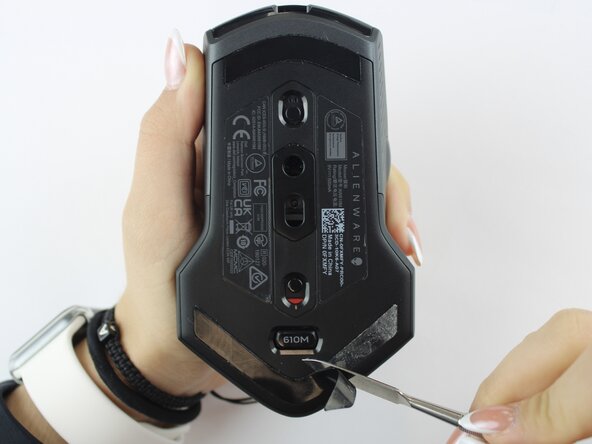
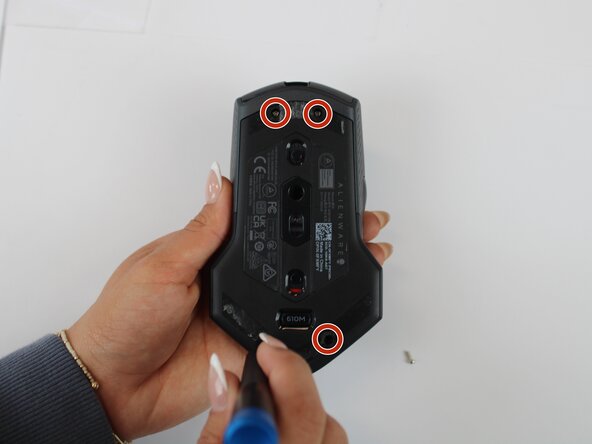
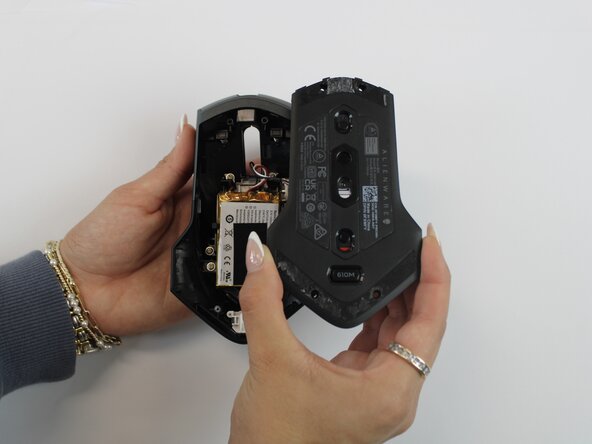
Using an opening tool, gently pry apart the two halves of the mouse case. Start at the seam and work your way around until the housing is separated.
-
-
-
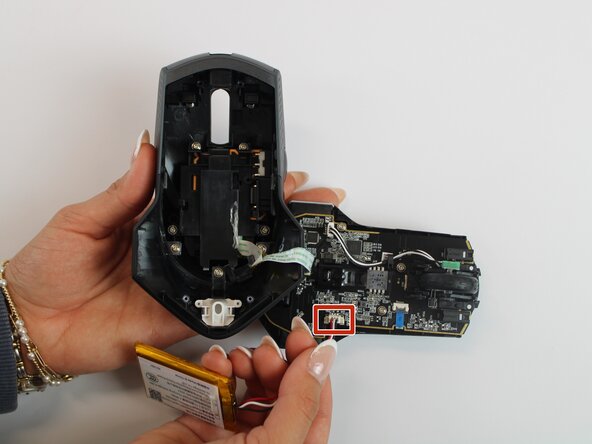
Remove the old battery from its spot. Lift the wire connector away from the mainboard to disconnect it.
-


 Ask FixBot









To reassemble your device, follow these instructions in reverse order.

Team

Texas Tech, Team 46-4, Johansen Fall 2025 Member of Texas Tech, Team 46-4, Johansen Fall 2025
TTU-JOHANSEN-F25S46G4
4 Members
60 Guides authored
