Introduction
Before using this guide, you will want to refer to the trouble shooting guide: Alienware AW510H Audio Has Unbalanced Sound. You should also inspect the headphone port for debris that may be interfering with sound quality. Typically, a small buildup of dust can be removed using an ESD-safe brush or small dust blower. If none of this has helped, you may then want to look at replacing the audio port.
The audio port carries the audio and microphone signals.
Things that may warrant replacement are it gets corroded or has debris build up that could not be removed, or it could be a broken plug snapping off inside.
CAUTION: This process involves soldering. Review this soldering technique guide for guidance.
What you need
-
-
-
Hold the earcup with one hand and firmly grip the ear pad with the other.
 Ask FixBot
-
-
-
-
-
Remove the four 8.5mm screws found on the base of the left ear cup housing using a Phillips #0 screwdriver.
-
-
-
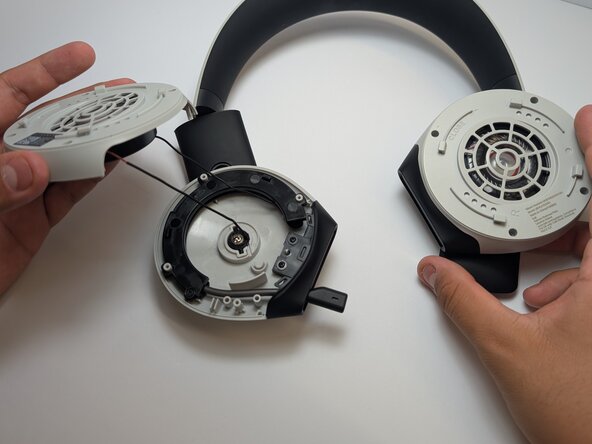
Gently lift the plastic shell, being cautious of the wire that is still attached.
-
-
-
-
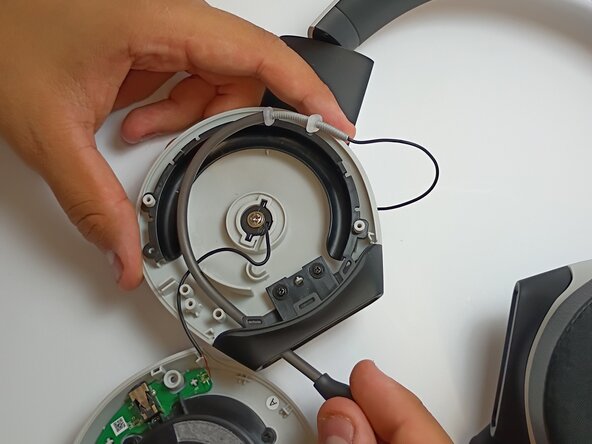
Remove the 5mm screw from the microphone cover using a Phillips #1 screwdriver.
-
Follow the microphone boom connection to the driver and motherboard.
-
-
-
If there is a protective plastic or glue coating on top of the solder, scrape it off using a metal spudger before desoldering.
-
-
-
Use a soldering iron to disconnect the wire connecting the microphone to the motherboard.
-
-
-
-






To reassemble your device, follow these instructions in reverse order.

Team

Austin Community College, Team 2-1, Watkins Spring 2026 Member of Austin Community College, Team 2-1, Watkins Spring 2026
AUSTINCC-WATKINS-S26S2G1
4 Members
60 Guides authored
