
Akko MOD 007 v2 Keyboard Switch Replacement

Farhan and 2 other contributors
Last updated on Dec 27, 2022
Views: 2.7K
View statistics:
- Past 24 Hours:
- 2
- Past 7 Days:
- 18
- Past 30 Days:
- 115
- All Time:
- 2,657
Comments: 0
No one has left comments on this guide. Will you be first?
Go to guide commentsCompleted: 0 1
No one has marked this guide "completed." Will you be the first?
1 person has marked this guide "completed." It's you — great job!
Favorites: 0 1
No one has favorited (and subscribed to) this guide. Will you be the first?
1 person has favorited (and subscribed to) this guide — and that's you!
Introduction
Go to step 1 ↓If your Akko MOD 007 v2 has a switch not working correctly, you will need to replace the keyboard switch to restore its functionality. These keyboard switches wear down over time, rendering them inoperable as they no longer register. Before replacing the switch, inspect the keyboard to confirm that it is the switch and not the PCB malfunctioning.
In this guide, you'll learn how to replace the keyboard switch through on your Akko MOD 007 v2. It has two features that make it simple. The keyboard is hot-swappable, which allows you to replace the switch without soldering. In addition, when buying a replacement keyboard switch, the Akko MOD 007 v2 is compatible with both PCB-mounted (5-pin) and, Plate-mounted (3-pin) switches.
Replacing more than one switch can be reproduced by repeating these instructions.
What you need
Tools


-
-
-
Flip the keyboard over so the backside is facing up.
-
Remove the three longer 20.2 mm screws using the T5 Torx screwdriver.
-
Remove the three 8 mm screws using the T5 Torx screwdriver.
-
-
-
-
Orientate the new switch to align the pins to the board's sockets.
-
Push the switch down into the sockets.
-


 Ask FixBot


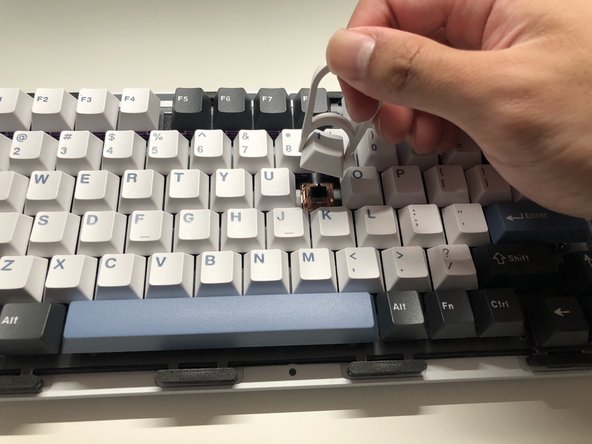


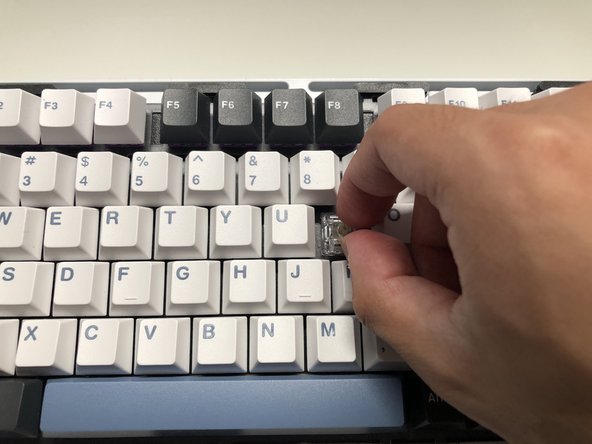


To reassemble your device, follow these instructions in reverse order.
Test the switch by opening a keyboard tester website, like 'keyboardtester.com,' and press the key to see if it activates.

Team

York University, Team A-2, Morris Fall 2022 Member of York University, Team A-2, Morris Fall 2022
YORK-MORRIS-F22SAG2
2 Members
12 Guides authored
