Free Shipping on Domestic Orders $75+

Acer Chromebook C720-2827 Motherboard Replacement

Views: 898

View statistics:

Past 24 Hours:
3
Past 7 Days:
19
Past 30 Days:
101
All Time:
898
Comments: 1

1 guide comment.

Go to guide comments
Completed: 0

No one has marked this guide "completed." Will you be the first?

Favorites: 0

No one has favorited (and subscribed to) this guide. Will you be the first?

Time Required: 20 minutes
Difficulty: Moderate
Acer Chromebook C720-2827 Motherboard Replacement

Introduction

Go to step 1 ↓

This guide explains how to remove the motherboard. All parts that are connected to the motherboard must be disconnected before disconnecting the motherboard itself. This guide will show you how to remove every prerequisite part as well as the motherboard.

What you need

Tools

    1. Acer Chromebook C720-2827 Motherboard Replacement, Back Panel Assembly: step 1, image 1 of 2 Acer Chromebook C720-2827 Motherboard Replacement, Back Panel Assembly: step 1, image 2 of 2
      • Remove the thirteen 6.0mm screws on the back panel using your Phillips #1 screwdriver.

      Ask FixBot

      Add Comment

    2. Acer Chromebook C720-2827 Motherboard Replacement: step 2, image 1 of 2 Acer Chromebook C720-2827 Motherboard Replacement: step 2, image 2 of 2
      • Pry the back panel open with the plastic opening tool.

      Ask FixBot

      Add Comment

    1. Acer Chromebook C720-2827 Motherboard Replacement, Battery: step 3, image 1 of 1
      • Remove the two 6.0mm screws securing the battery with your Phillips #1 screwdriver.

      Ask FixBot

      Add Comment

    2. Acer Chromebook C720-2827 Motherboard Replacement: step 4, image 1 of 2 Acer Chromebook C720-2827 Motherboard Replacement: step 4, image 2 of 2
      • Carefully pull out the battery wire connected to the battery port.

      Ask FixBot

      Add Comment

    3. Acer Chromebook C720-2827 Motherboard Replacement: step 5, image 1 of 1
      • Slowly lift the battery to remove it from the Chromebook.

      Ask FixBot

      Add Comment

    1. Acer Chromebook C720-2827 Motherboard Replacement, Solid State Drive: step 6, image 1 of 2 Acer Chromebook C720-2827 Motherboard Replacement, Solid State Drive: step 6, image 2 of 2
      • Remove the single 3.0mm screw securing the solid state drive using a Phillips #1 screwdriver.

      Ask FixBot

      Add Comment

    2. Acer Chromebook C720-2827 Motherboard Replacement: step 7, image 1 of 2 Acer Chromebook C720-2827 Motherboard Replacement: step 7, image 2 of 2
      • Carefully pull out the solid state drive using two fingers.

      Ask FixBot

      Add Comment

    1. Acer Chromebook C720-2827 Motherboard Replacement, Speakers: step 8, image 1 of 2 Acer Chromebook C720-2827 Motherboard Replacement, Speakers: step 8, image 2 of 2
      • Unplug the speaker wire from the motherboard.

      Ask FixBot

      Add Comment

    2. Acer Chromebook C720-2827 Motherboard Replacement: step 9, image 1 of 2 Acer Chromebook C720-2827 Motherboard Replacement: step 9, image 2 of 2
      • Carefully pull out the speakers from each side of the Chromebook.

      Ask FixBot

      Add Comment

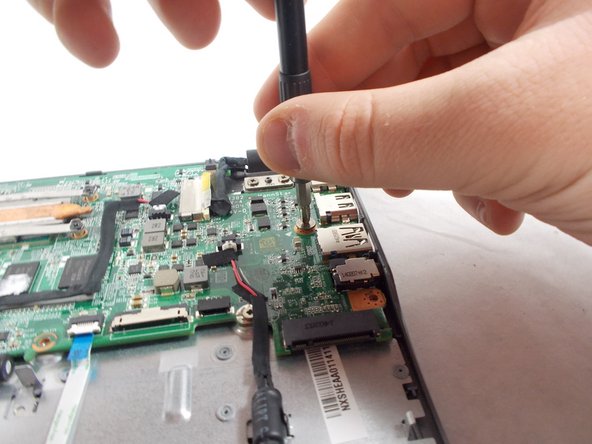
    1. Acer Chromebook C720-2827 Motherboard Replacement, USB Port/SD Card Reader: step 10, image 1 of 3 Acer Chromebook C720-2827 Motherboard Replacement, USB Port/SD Card Reader: step 10, image 2 of 3 Acer Chromebook C720-2827 Motherboard Replacement, USB Port/SD Card Reader: step 10, image 3 of 3
      • Remove the three 6.0mm screws using the Phillips #1 screwdriver.

      • Remove the two 3.0mm screws using the Phillips #1 screwdriver.

      Ask FixBot

      Add Comment

    2. Acer Chromebook C720-2827 Motherboard Replacement: step 11, image 1 of 2 Acer Chromebook C720-2827 Motherboard Replacement: step 11, image 2 of 2
      • Position the spudger under the switch that connects the ribbon cable to the motherboard.

      • Flick the spudger up to flip the switch up.

      Ask FixBot

      Add Comment

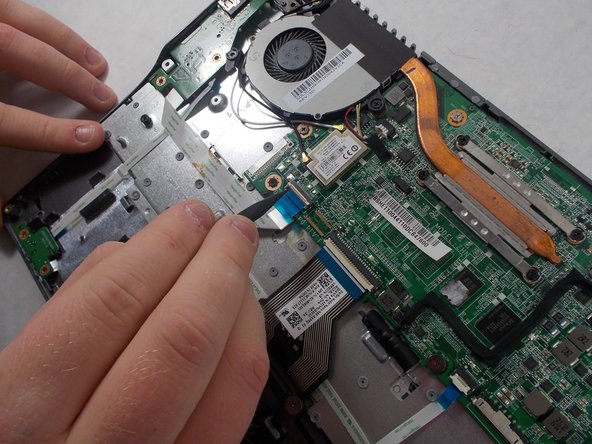
    3. Acer Chromebook C720-2827 Motherboard Replacement: step 12, image 1 of 2 Acer Chromebook C720-2827 Motherboard Replacement: step 12, image 2 of 2
      • Pull the blue tab on the ribbon cable to remove it.

      Ask FixBot

      Add Comment

    4. Acer Chromebook C720-2827 Motherboard Replacement: step 13, image 1 of 2 Acer Chromebook C720-2827 Motherboard Replacement: step 13, image 2 of 2
      • Grab the edges of each piece of circuitry that is included with the SD Card Reader and USB Port.

      • Pull each piece of circuitry out of the Chromebook and remove it from the device.

      Ask FixBot

      Add Comment

    5. Acer Chromebook C720-2827 Motherboard Replacement: step 14, image 1 of 2 Acer Chromebook C720-2827 Motherboard Replacement: step 14, image 2 of 2
      • Position the spudger under the switch.

      • Flick the spudger up to flip the switch up.

      Ask FixBot

      Add Comment

    6. Acer Chromebook C720-2827 Motherboard Replacement: step 15, image 1 of 2 Acer Chromebook C720-2827 Motherboard Replacement: step 15, image 2 of 2
      • Pull on the blue tab of the ribbon cable to remove the ribbon cable.

      • Repeat the previous step and this step with the other ribbon cable that is attached to the SD Card Reader/USB Port.

      Ask FixBot

      Add Comment

    1. Acer Chromebook C720-2827 Motherboard Replacement, Motherboard: step 16, image 1 of 2 Acer Chromebook C720-2827 Motherboard Replacement, Motherboard: step 16, image 2 of 2
      • Using the Phillips #1 screwdriver, remove the four 3.0mm screws.

      • Loosen the six 3.0mm CPU screws using the Phillips #1 screwdriver.

      • The six 3.0mm CPU screws do not come out of the motherboard.

      Ask FixBot

      Add Comment

    2. Acer Chromebook C720-2827 Motherboard Replacement: step 17, image 1 of 2 Acer Chromebook C720-2827 Motherboard Replacement: step 17, image 2 of 2
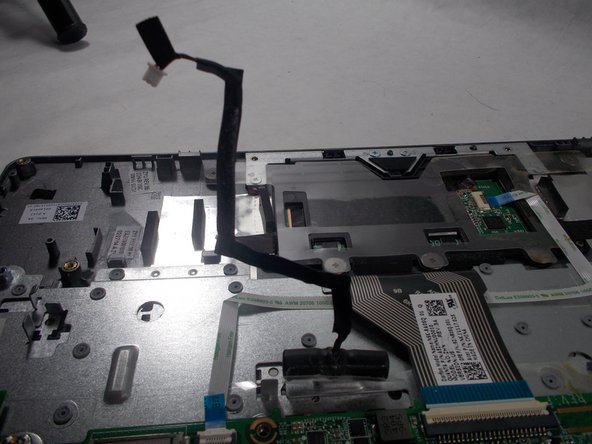
      • Grab the wire for the two pin connector.

      • Pull the wire to disconnect it from the motherboard.

      Ask FixBot

      Add Comment

    3. Acer Chromebook C720-2827 Motherboard Replacement: step 18, image 1 of 2 Acer Chromebook C720-2827 Motherboard Replacement: step 18, image 2 of 2
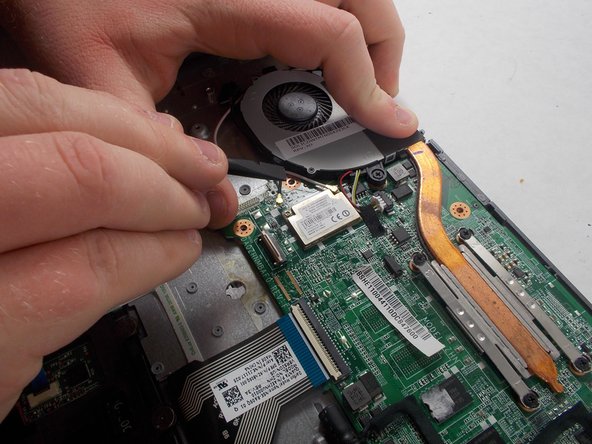
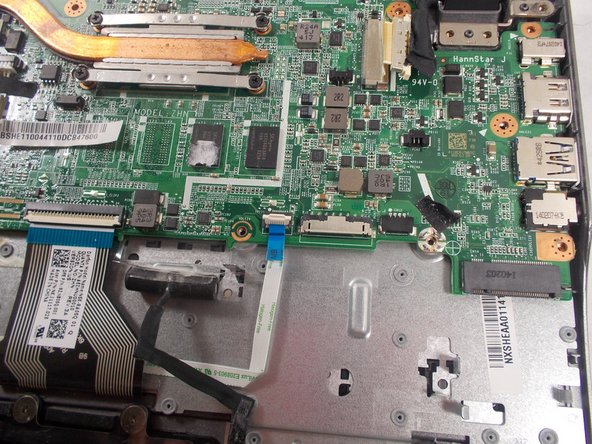
      • Place the back of the spudger under the black wire that connects the wireless card to the motherboard.

      • Flick the spudger up to disconnect the cable from the motherboard.

      Ask FixBot

      Add Comment

    4. Acer Chromebook C720-2827 Motherboard Replacement: step 19, image 1 of 2 Acer Chromebook C720-2827 Motherboard Replacement: step 19, image 2 of 2
      • Place the back of the spudger under the white coaxial antenna wire that connects the wireless card to the motherboard.

      • Flick the spudger up to disconnect the cable from the motherboard.

      Ask FixBot

      Add Comment

    5. Acer Chromebook C720-2827 Motherboard Replacement: step 20, image 1 of 2 Acer Chromebook C720-2827 Motherboard Replacement: step 20, image 2 of 2
      • Take both wires and unravel them from the CPU fan.

      Ask FixBot

      Add Comment

    6. Acer Chromebook C720-2827 Motherboard Replacement: step 21, image 1 of 2 Acer Chromebook C720-2827 Motherboard Replacement: step 21, image 2 of 2
      • Firmly grasp the red, yellow, and white cords with two fingers.

      • Pull the cords to unplug it.

      Ask FixBot

      Add Comment

    7. Acer Chromebook C720-2827 Motherboard Replacement: step 22, image 1 of 2 Acer Chromebook C720-2827 Motherboard Replacement: step 22, image 2 of 2
      • Position the spudger under the switch of the big ribbon cable.

      • Flick the spudger up to flip the switch up.

      Ask FixBot

      Add Comment

    8. Acer Chromebook C720-2827 Motherboard Replacement: step 23, image 1 of 2 Acer Chromebook C720-2827 Motherboard Replacement: step 23, image 2 of 2
      • Grab the blue tab of the ribbon cable.

      • Pull on the blue tab to disconnect the ribbon cable.

      Ask FixBot

      Add Comment

    9. Acer Chromebook C720-2827 Motherboard Replacement: step 24, image 1 of 3 Acer Chromebook C720-2827 Motherboard Replacement: step 24, image 2 of 3 Acer Chromebook C720-2827 Motherboard Replacement: step 24, image 3 of 3
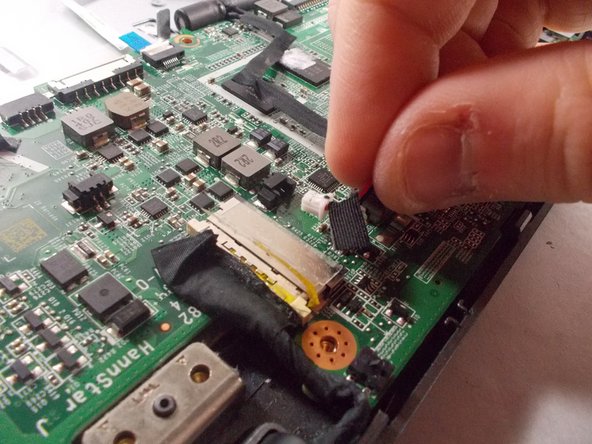
      • Grab the red and black cable near the display cables, this is the cable to the other two pin connector.

      • Pull on the wire to disconnect it from the motherboard.

      • Flip the wire and the connector up to move it out of the way.

      Ask FixBot

      Add Comment

    10. Acer Chromebook C720-2827 Motherboard Replacement: step 25, image 1 of 2 Acer Chromebook C720-2827 Motherboard Replacement: step 25, image 2 of 2
      • Position the spudger under the switch for the smaller ribbon cable.

      • Flick the spudger up to flip the smaller switch up.

      Ask FixBot

      Add Comment

    11. Acer Chromebook C720-2827 Motherboard Replacement: step 26, image 1 of 2 Acer Chromebook C720-2827 Motherboard Replacement: step 26, image 2 of 2
      • Grab the blue tab on the ribbon cable.

      • Pull on the tab to disconnect the ribbon cable from the motherboard.

      Ask FixBot

      Add Comment

    12. Acer Chromebook C720-2827 Motherboard Replacement: step 27, image 1 of 2 Acer Chromebook C720-2827 Motherboard Replacement: step 27, image 2 of 2
      • Position the back of the spudger at the edge of the tape that holds the display cable in.

      • Peel the tape back so it is out of the way.

      Ask FixBot

      Add Comment

    13. Acer Chromebook C720-2827 Motherboard Replacement: step 28, image 1 of 2 Acer Chromebook C720-2827 Motherboard Replacement: step 28, image 2 of 2
      • Position the back of the spudger on the display cable.

      • Push the display cable out using the back of the spudger.

      Ask FixBot

      Add Comment

    14. Acer Chromebook C720-2827 Motherboard Replacement: step 29, image 1 of 2 Acer Chromebook C720-2827 Motherboard Replacement: step 29, image 2 of 2
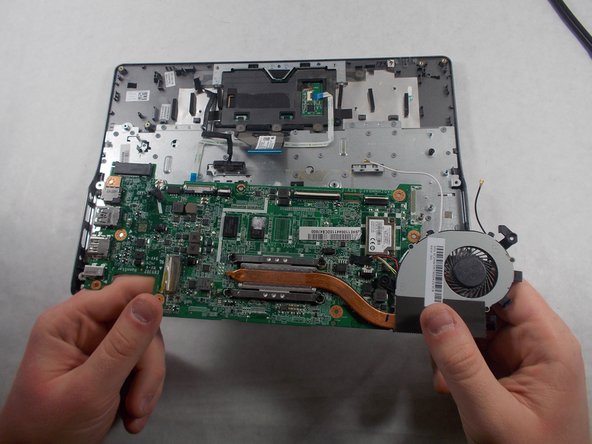
      • Lift up the CPU fan to ensure that no wires are tangled. If the black and white wires are tangles please repeat step 5.

      • Lift up the other end of the motherboard to completely remove the motherboard.

      Ask FixBot

      Add Comment

Conclusion

To reassemble your device, follow these instructions in reverse order.

Cancel: I did not complete this guide.

Jason Bechtold

Member since: 10/19/17

611 Reputation

5 Guides authored

Team

1 Guide Comment

Plz mujhy mother bother chaiya Chromebook ma ya Merry num 03487834288

Sheryer Shakeel ahmed - Reply Share

Add Comment

View Statistics:

Past 24 Hours: 3

Past 7 Days: 19

Past 30 Days: 101

All Time: 898