Free Shipping on Domestic Orders $75+

Acer Aspire M5-583P-9688 Battery Replacement

What you need

    1. Acer Aspire M5-583P-9688 Battery Replacement, Battery: step 1, image 1 of 1
      • Remove all 18 marked screws (2.12 mm) using a Phillips #1 Screwdriver.

      Ask FixBot

      Add Comment

    2. Acer Aspire M5-583P-9688 Battery Replacement: step 2, image 1 of 2 Acer Aspire M5-583P-9688 Battery Replacement: step 2, image 2 of 2
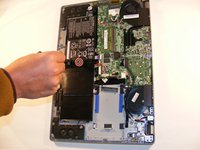
      • Use the spudger to slowly work your way around the perimeter starting at the marked location to pop the bottom cover off.

      Ask FixBot

      Add Comment

    3. Acer Aspire M5-583P-9688 Battery Replacement: step 3, image 1 of 2 Acer Aspire M5-583P-9688 Battery Replacement: step 3, image 2 of 2
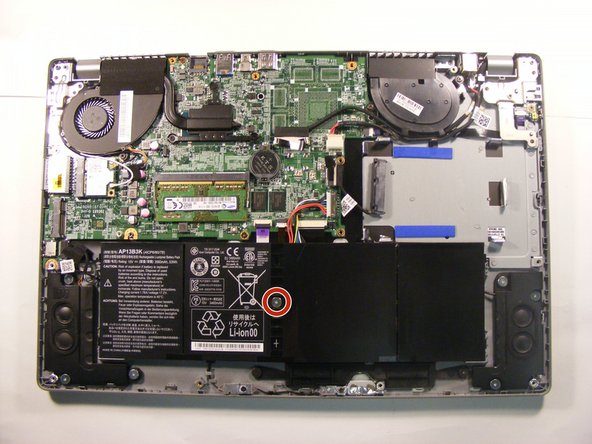
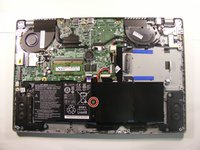
      • Remove the 1 marked screw (3.3 mm) holding the battery in place using a Phillips #1 Screwdriver.

      Ask FixBot

      Add Comment

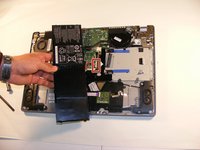
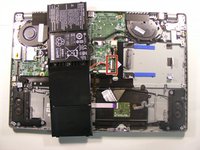
    4. Acer Aspire M5-583P-9688 Battery Replacement: step 4, image 1 of 2 Acer Aspire M5-583P-9688 Battery Replacement: step 4, image 2 of 2
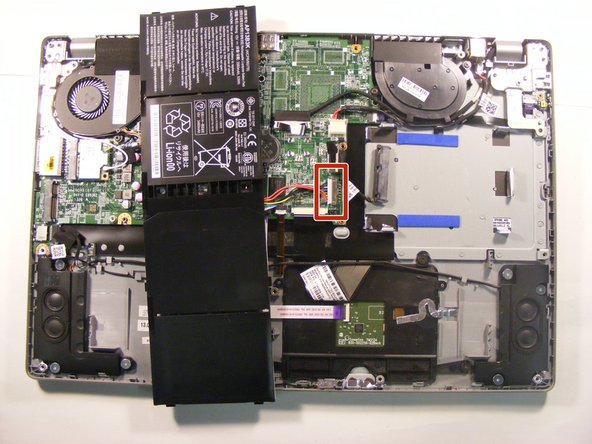
      • Unplug the marked plug from the motherboard and this will complete the removal of the battery.

      Ask FixBot

      Add Comment

Conclusion

To reassemble your device, follow these instructions in reverse order.

Cancel: I did not complete this guide.

3 other people completed this guide.

0 Guide Comments

Add Comment

View Statistics:

Past 24 Hours: 1

Past 7 Days: 16

Past 30 Days: 38

All Time: 3,153