This translation was generated by a machine and has not been reviewed by a person yet. Speak this language? Review it.
Introduction
In this guide, you will see how to replace one (or both) of the RAM modules. It is a very simple process, but you must pay attention to one detail: always remember not to touch the RAM module connectors with your bare hands, as you could damage them.
What you need
-
-
-
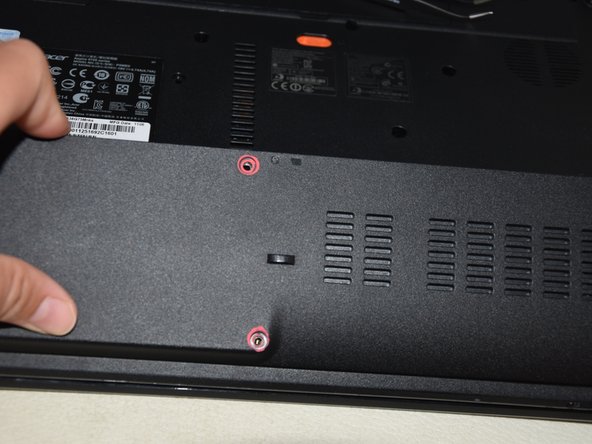
Use a Phillips screwdriver to remove the two (highlighted) screws from the main cover.
-
Now use a spudger to remove the cover by applying a little pressure.
 Ask FixBot
-
-
-
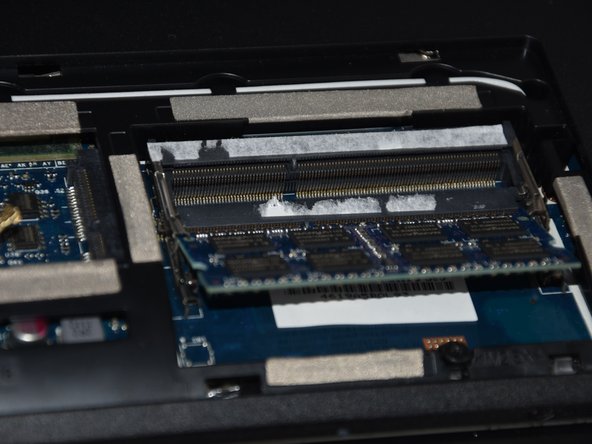
Now towards the right we will see the RAM modules, which are blue or green.
-
We will see tabs that hold the modules in place, so, still using the flat end of a spudger, we will move them outwards.
-
Perform the same step with the module underneath.
-
-
-
-
Use your hands or a pair of tweezers to remove the RAM cards from the connector.
-
-
-
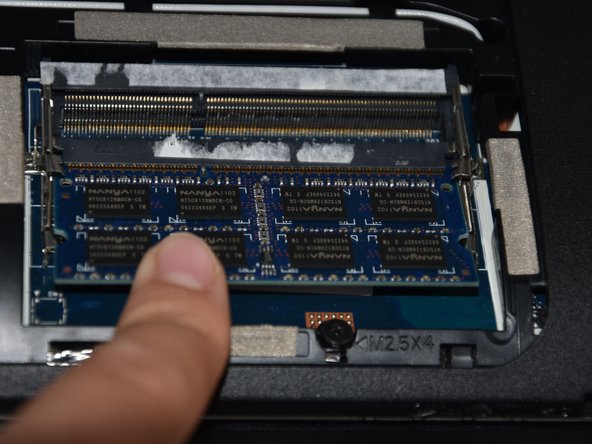
Reposition the new cards at an angle.
-
Applying a little pressure with your finger, push the card down until it clicks into place and you hear a metallic "click."
-
-
-
To reassemble, fit the bracket back into place and reinstall the screws, and you're done.
-
-