Introduction
This is a speaker replacement guide for the ASUS E210MA-TB.CL464BK, sometimes just referred to as E210MA. The part in question allows the computer to produce program sound into external sound. This will mainly be necessary if the sound becomes garbled or does not play even with the correct device selected and unmuted.
What you need
-
-
Place the laptop with the bottom side facing up. Have the front(where the mousepad is) facing toward you.
-
Start by removing the ten 7mm screws on the bottom of the laptop using a J00 JIS head screw driver
-
-


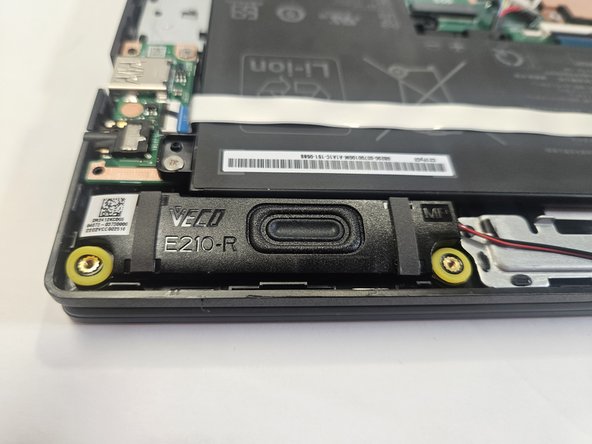
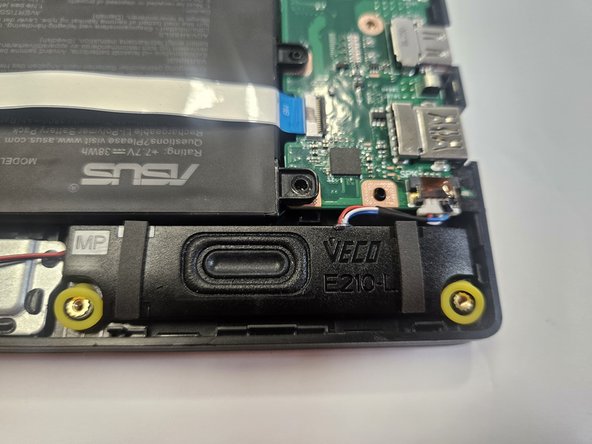

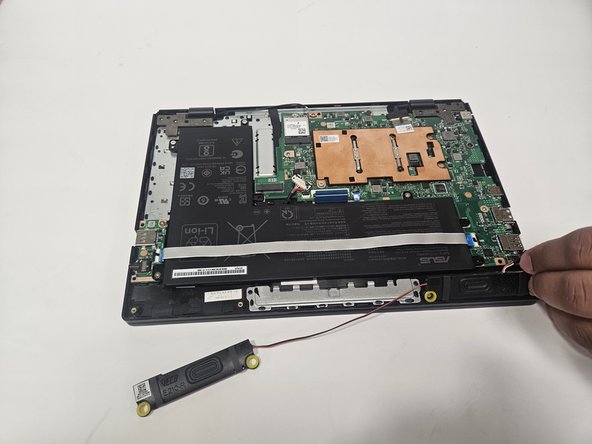
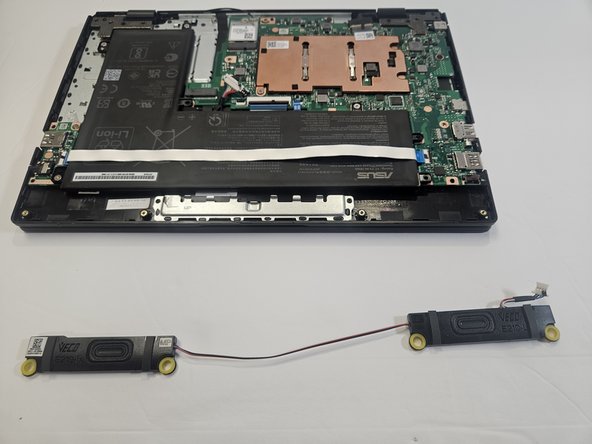
To reassemble your device, follow these instructions in reverse order.
To reassemble your device, follow these instructions in reverse order.


Team

Gateway, Team 73-6, Gonzalez Spring 2023 Member of Gateway, Team 73-6, Gonzalez Spring 2023
GCC-GONZALEZ-S23S73G6
5 Members
5 Guides authored
