Free Shipping on Domestic Orders $75+

ASUS E210MA-TB.CL464BK Battery Replacement

What you need

    1. ASUS E210MA-TB.CL464BK Battery Replacement, Battery: step 1, image 1 of 3 ASUS E210MA-TB.CL464BK Battery Replacement, Battery: step 1, image 2 of 3 ASUS E210MA-TB.CL464BK Battery Replacement, Battery: step 1, image 3 of 3
      • Place the laptop with the bottom side facing up. Have the front (where the mousepad is) facing toward you.

      • Start by removing the ten 7mm screws on the bottom of the laptop using a JIS #00 JIS screwdriver.

      Ask FixBot

      Add Comment

    2. ASUS E210MA-TB.CL464BK Battery Replacement: step 2, image 1 of 1
      • Double-check to make sure all of the screws are removed.

      • If you have a Jimmy or other flat, straight-edge object, slide it in the crack where the halves of the case meet.

      • When the parts are separated, pull them apart to expose the insides of the case.

      Ask FixBot

      Add Comment

    3. ASUS E210MA-TB.CL464BK Battery Replacement: step 3, image 1 of 2 ASUS E210MA-TB.CL464BK Battery Replacement: step 3, image 2 of 2
      • Remove the 4 mm screws around the USB port.

      Ask FixBot

      Add Comment

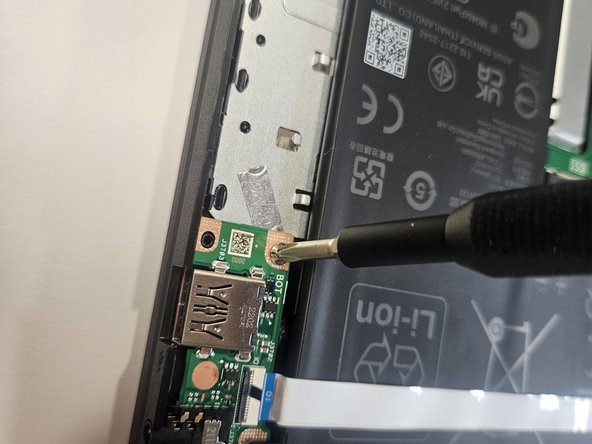
    4. ASUS E210MA-TB.CL464BK Battery Replacement: step 4, image 1 of 2 ASUS E210MA-TB.CL464BK Battery Replacement: step 4, image 2 of 2
      • Remove the 3 mm screws around the battery.

      • Carefully lift up the USB port and set it to the side.

      Ask FixBot

      Add Comment

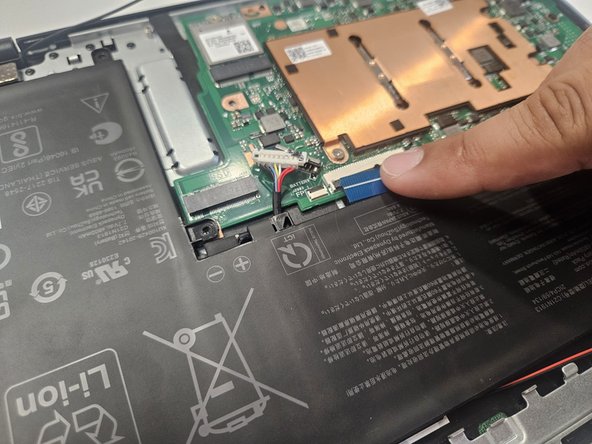
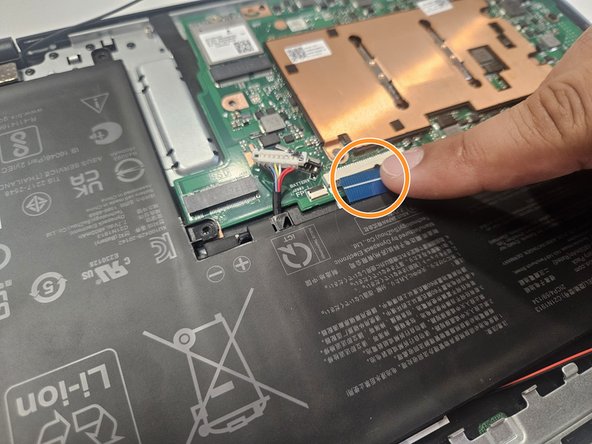
    5. ASUS E210MA-TB.CL464BK Battery Replacement: step 5, image 1 of 2 ASUS E210MA-TB.CL464BK Battery Replacement: step 5, image 2 of 2
      • Unplug the connection between the motherboard and the battery by pulling towards the speaker side.

      • Repeat the same process to remove the blue tape on the second picture.

      Ask FixBot

      Add Comment

    6. ASUS E210MA-TB.CL464BK Battery Replacement: step 6, image 1 of 1
      • Lift up and remove the battery.

      Ask FixBot

      Add Comment

Conclusion

To reassemble your device, follow these instructions in reverse order.

Cancel: I did not complete this guide.

John Hutchins

Member since: 02/07/23

763 Reputation

5 Guides authored

Team

Gateway, Team 73-6, Gonzalez Spring 2023 Member of Gateway, Team 73-6, Gonzalez Spring 2023

GCC-GONZALEZ-S23S73G6

5 Members

60 Guides authored

0 Guide Comments

Add Comment

View Statistics:

Past 24 Hours: 2

Past 7 Days: 21

Past 30 Days: 88

All Time: 1,964