Introduction
Secret Codes - one of the most important uses of these codes are to get information about your products and troubleshoot common problems.
Hidden Test Menu - lets you troubleshoot hardware issues and check your phone's functionality.
Safe Mode - If your device hang, freezes randomly, restarts, become slow over time, battery drain so quickly and any other issue then you can boot your device into the safe mode. In this mode the OS temporally turns off all user-installed apps.
Developer options - give you access to ADB settings, USB debugging, and various monitoring tools for your device. It's also the one of the first steps to rooting your device.
Screenshot - If you want to shar your home screen with friends
.
Video Overview
-
-
-
Enter the code from the phone dialer app:
-
*#06# -IMEI number
-
*#1234# - firmware version
-
*#0228# - battery info
 Ask FixBot
-
-
-
Use this code *#0*# to enter the phone into the test menu.
-
From this menu you can run tests for vibration, RGB colors, touch-screen, vibration, loudspeaker output, camera, sensor check and so on.
-
-
-
-
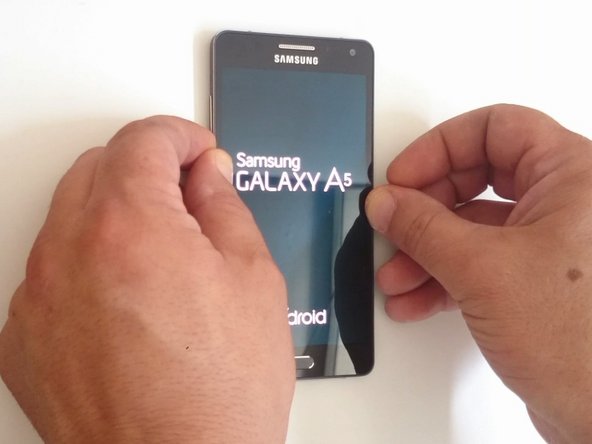
Switch off the phone.
-
Press and holdthe Volume Down and the Power buttons.
-
When you see the Galaxy logo, release only the Power button
-
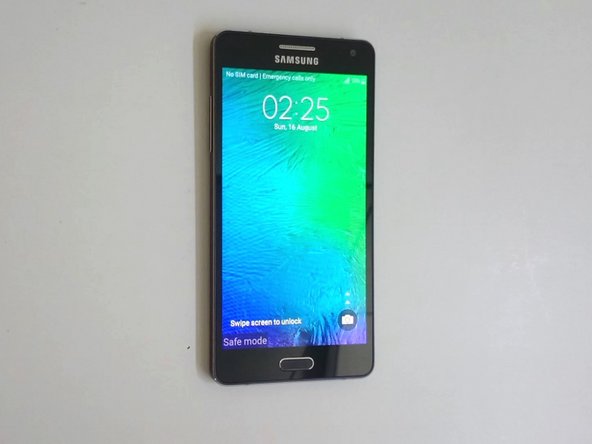
Now all third-party apps (apps that are installed by you) are disabled.
-
.
-
To exit Safe mode just tap on the Safe mode notification or restart the device manually.
-
-
-
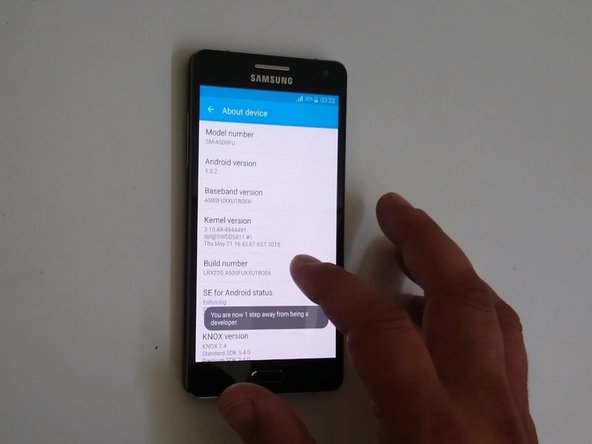
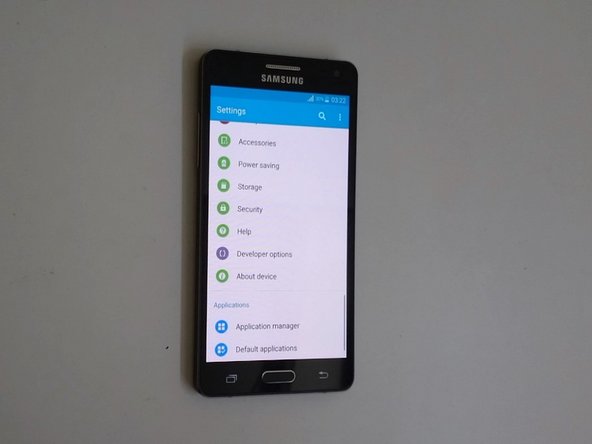
Go to >Menu >Settings >About device, Scroll down to Build number, and tap it seven times.
-
-
-
Press the Power and Home buttons at the same time until a shutter sound is heard or you see a visual indicating a picture was taken.
-
.
-
.
-
.
-
.
-
That's all. Did you like this guide?
-
-








To reassemble your device, follow these instructions in reverse order.
Cancel: I did not complete this guide.
46 other people completed this guide.

Team

1 Guide Comment
How to put mobile internet speed can you have sample code?
