Free Shipping on Domestic Orders $75+

PlayStation 4 Pro Heat Pipe Replacement

What you need

  1. PlayStation 4 Pro Heat Pipe Replacement, Hard Drive Caddy: step 1, image 1 of 3 PlayStation 4 Pro Heat Pipe Replacement, Hard Drive Caddy: step 1, image 2 of 3 PlayStation 4 Pro Heat Pipe Replacement, Hard Drive Caddy: step 1, image 3 of 3
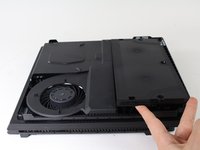
    • Flip the console upside down.

    • Use your finger to pull and snap off the plastic cover over the hard drive.

    Ask FixBot

    Add Comment

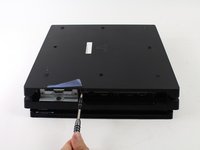
  2. PlayStation 4 Pro Heat Pipe Replacement: step 2, image 1 of 2 PlayStation 4 Pro Heat Pipe Replacement: step 2, image 2 of 2
    • Use a Phillips #1 Screwdriver to remove the single screw securing the hard drive caddy.

    • Pull the hard drive caddy straight out.

    Ask FixBot

    Add Comment

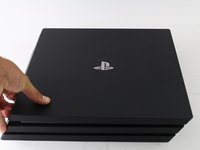
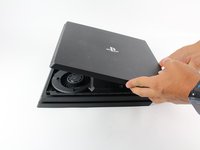
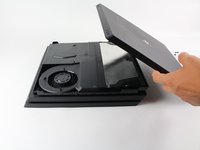
  3. PlayStation 4 Pro Heat Pipe Replacement, Power Supply Assembly: step 3, image 1 of 3 PlayStation 4 Pro Heat Pipe Replacement, Power Supply Assembly: step 3, image 2 of 3 PlayStation 4 Pro Heat Pipe Replacement, Power Supply Assembly: step 3, image 3 of 3
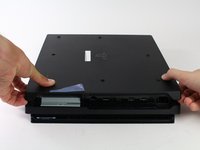
    • Flip the console right side up.

    • Grip the two corners located at the front of the device.

    • Pull upwards until a loud click is heard.

    • This may require a lot of force, so do not be afraid to get a little rough with your console.

    • After both corners detach, slide the cover backwards and lift off.

    Ask FixBot

    Add Comment

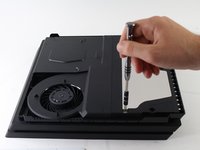
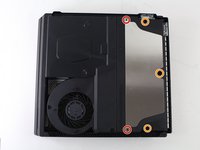
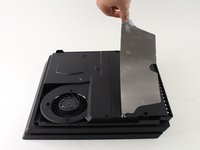
  4. PlayStation 4 Pro Heat Pipe Replacement: step 4, image 1 of 3 PlayStation 4 Pro Heat Pipe Replacement: step 4, image 2 of 3 PlayStation 4 Pro Heat Pipe Replacement: step 4, image 3 of 3
    • Use a T8 Torx Security screwdriver to remove five screws from the rear of the device.

    • Two 31mm screws.

    • Three 10mm screws for the 7000 models; Two gray 10mm screws (upper and lower screws on the illustration) if the PS4 Pro is a 7100-series model.

    • Remove the metal plate by pulling it up.

    Ask FixBot

    Add Comment

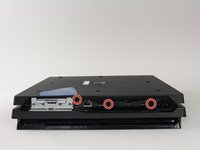
  5. PlayStation 4 Pro Heat Pipe Replacement: step 5, image 1 of 3 PlayStation 4 Pro Heat Pipe Replacement: step 5, image 2 of 3 PlayStation 4 Pro Heat Pipe Replacement: step 5, image 3 of 3
    • Flip the console over so the bottom is facing up.

    • Use a T8 Torx Security screwdriver to remove the three black 7mm screws in the back panel. (7000-series models only); or one 7mm screw (the middle one) with 7100-series models and the warranty sticker to the left.

    • Remove the bottom cover in the same way as the top cover. Grip the cover on both sides and pull up until it clicks. Then slide the cover off; With 7100-series models, pay attention to the two clips that replace the corresponding screws.

    Ask FixBot

    Add Comment

  6. PlayStation 4 Pro Heat Pipe Replacement: step 6, image 1 of 3 PlayStation 4 Pro Heat Pipe Replacement: step 6, image 2 of 3 PlayStation 4 Pro Heat Pipe Replacement: step 6, image 3 of 3
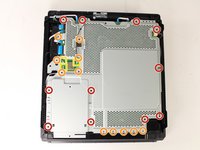
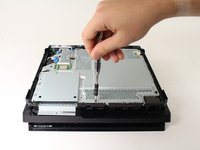
    • Use a T8 Torx security screwdriver to remove the eleven 10mm silver screws from the metal plate.

    • Use a Phillips #1 screwdriver to remove the eleven 4mm black screws from the metal plate.

    • 7200-series models have 13 additional 4mm screws around the top and right of the metal plate. These screws are are indicated with a triangle. This may apply to other models.

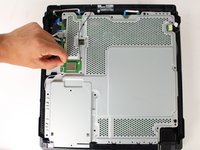
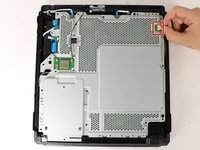
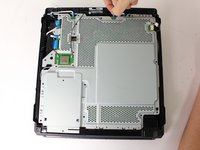
    • Use a spudger to disconnect the three antenna cables (two black and one white) by prying them straight up from their sockets.

    Ask FixBot

    Add Comment

  7. PlayStation 4 Pro Heat Pipe Replacement: step 7, image 1 of 2 PlayStation 4 Pro Heat Pipe Replacement: step 7, image 2 of 2
    • Pull the white fan connector straight out of the yellow mount on the motherboard.

    Ask FixBot

    Add Comment

  8. PlayStation 4 Pro Heat Pipe Replacement: step 8, image 1 of 2 PlayStation 4 Pro Heat Pipe Replacement: step 8, image 2 of 2
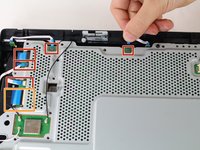
    • Pull out the five small, blue low profile cables connected to the metal plate.

    • Lift the retaining flap on the ZIF connector of the large ribbon cable.

    • Pull the large ribbon cable from its socket.

    • Do not pull on the biggest blue cable without lifting the tab first. Doing so can damage the connection.

    Ask FixBot

    Add Comment

  9. PlayStation 4 Pro Heat Pipe Replacement: step 9, image 1 of 1
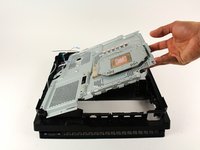
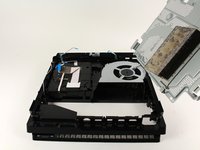
    • Pull up and remove the metal plate.

    Ask FixBot

    Add Comment

  10. PlayStation 4 Pro Heat Pipe Replacement: step 10, image 1 of 3 PlayStation 4 Pro Heat Pipe Replacement: step 10, image 2 of 3 PlayStation 4 Pro Heat Pipe Replacement: step 10, image 3 of 3
    • Flip the console over to continue working on the top side.

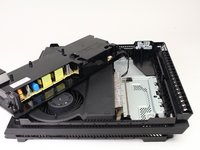
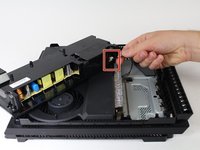
    • Pull up on the power supply unit and set it on the console.

    • Be careful not to pull too far, the assembly is still connected at one point.

    • Grip the connector behind the power supply and pull straight out.

    Ask FixBot

    Add Comment

  11. PlayStation 4 Pro Heat Pipe Replacement, Motherboard: step 11, image 1 of 3 PlayStation 4 Pro Heat Pipe Replacement, Motherboard: step 11, image 2 of 3 PlayStation 4 Pro Heat Pipe Replacement, Motherboard: step 11, image 3 of 3
    • If you are working on the 7200-series model, this metal plate will have been already removed as part of the removing the larger motherboard plate. You may skip this step if this is the case.

    • Carefully flip the console over so the bottom is facing up.

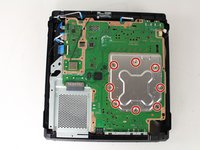
    • Use a Phillips #1 screwdriver to remove the eight 4mm screws on the metal plate with the X-like symbol.

    • Use a plastic opening tool to remove the metal plate with the X-like shape.

    Ask FixBot

    Add Comment

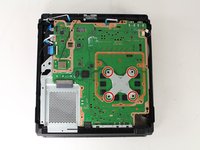
  12. PlayStation 4 Pro Heat Pipe Replacement: step 12, image 1 of 3 PlayStation 4 Pro Heat Pipe Replacement: step 12, image 2 of 3 PlayStation 4 Pro Heat Pipe Replacement: step 12, image 3 of 3
    • Use a Phillips #1 screwdriver to remove the four 13mm screws on the X-shaped metal plate underneath.

    • For 7200-series models this is instead a S-shaped metal plate with 2 screws.

    • Grip the X-shaped retaining bracket and lift straight up.

    Ask FixBot

    Add Comment

  13. PlayStation 4 Pro Heat Pipe Replacement: step 13, image 1 of 2 PlayStation 4 Pro Heat Pipe Replacement: step 13, image 2 of 2
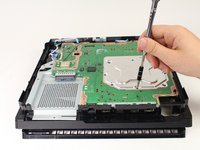
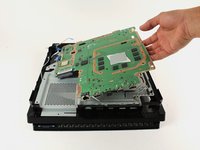
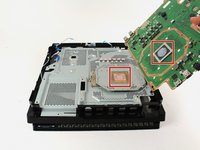
    • Grip the edge of the motherboard and slowly lift upwards to remove it from the device.

    • For reassembly, use this guide to reapply thermal paste between the motherboard and the metal plate underneath.

    Ask FixBot

    Add Comment

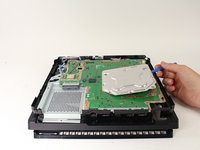
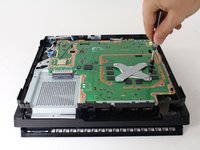
  14. PlayStation 4 Pro Heat Pipe Replacement, Heat Pipe: step 14, image 1 of 2 PlayStation 4 Pro Heat Pipe Replacement, Heat Pipe: step 14, image 2 of 2
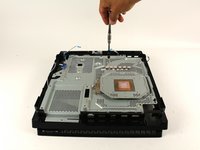
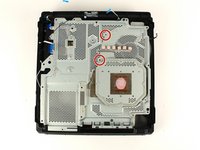
    • Use a Phillips #1 screwdriver to remove the two 6 mm silver screws from the metal plate.

    Ask FixBot

    Add Comment

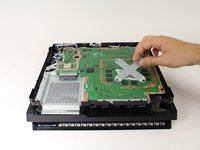
  15. PlayStation 4 Pro Heat Pipe Replacement: step 15, image 1 of 2 PlayStation 4 Pro Heat Pipe Replacement: step 15, image 2 of 2
    • Lift the metal plate that is connected to the heat pipe straight up to remove it.

    Ask FixBot

    Add Comment

Conclusion

To reassemble your device, follow these instructions in reverse order.

Cancel: I did not complete this guide.

49 other people completed this guide.

Thomas

Member since: 04/26/17

4,165 Reputation

5 Guides authored

Team

Cal Poly, Team S21-G5, Livingston Spring 2017 Member of Cal Poly, Team S21-G5, Livingston Spring 2017

CPSU-LIVINGSTON-S17S21G5

4 Members

49 Guides authored

3 Guide Comments

Ist es schlimm, wenn man die 2 schrauben von schritt 14 vergessen hat zum verschrauben?

AxoN z - Reply Share
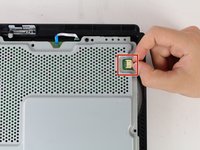
Can anyone explain what are those 5 blocks near heatsink as mine are broken when I open it 2 blocks have converted into dust plz help

rajatagg41 - Reply Share

This guide doesn't tell how to change the Heat Pipe on the later models. In my 72xx version, the Heat Pipe can be seperated from the chassis plating with 4 screws (ph#1)

TdG - Reply Share

Add Comment

View Statistics:

Past 24 Hours: 10

Past 7 Days: 104

Past 30 Days: 455

All Time: 78,881