Free Shipping on Domestic Orders $75+

Nintendo Switch Headphone Jack and Game Card Board Replacement

Archived Guide
This guide is retained solely for historical purposes. Use the updated version of the guide to perform your repair.

What you need

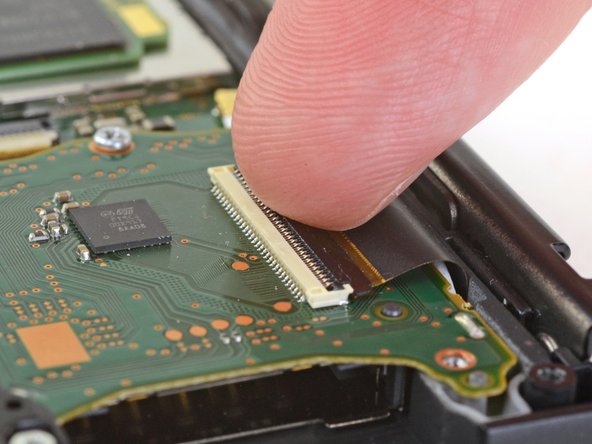
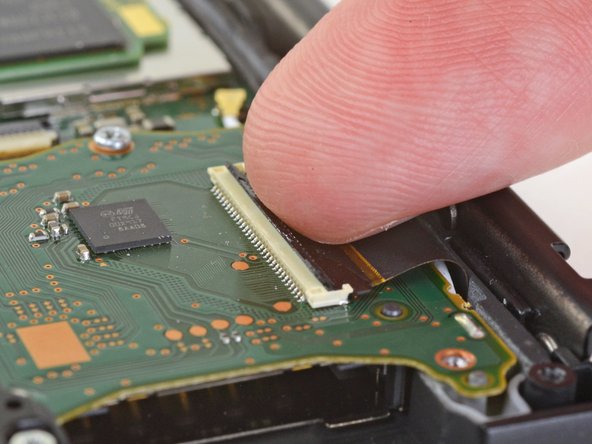
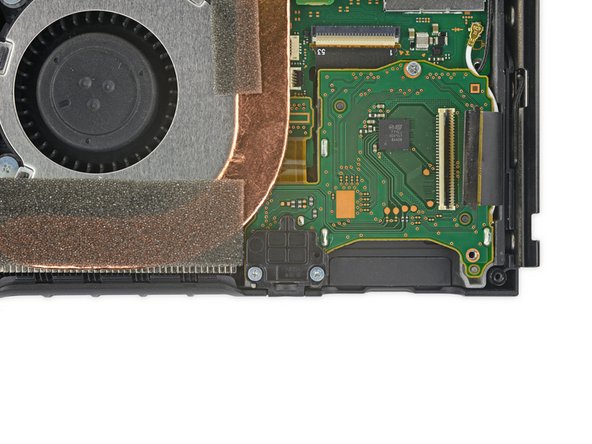
  1. Nintendo Switch Headphone Jack and Game Card Board Replacement, Headphone Jack and Game Card Board: step 1, image 1 of 3 Nintendo Switch Headphone Jack and Game Card Board Replacement, Headphone Jack and Game Card Board: step 1, image 2 of 3 Nintendo Switch Headphone Jack and Game Card Board Replacement, Headphone Jack and Game Card Board: step 1, image 3 of 3
    • Use a clean fingernail to flip open the lock on the game card reader ZIF connector by prying it straight up.

    Ask FixBot

    Add Comment

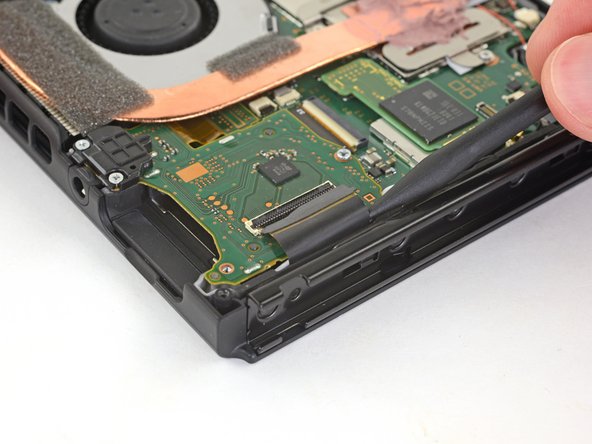
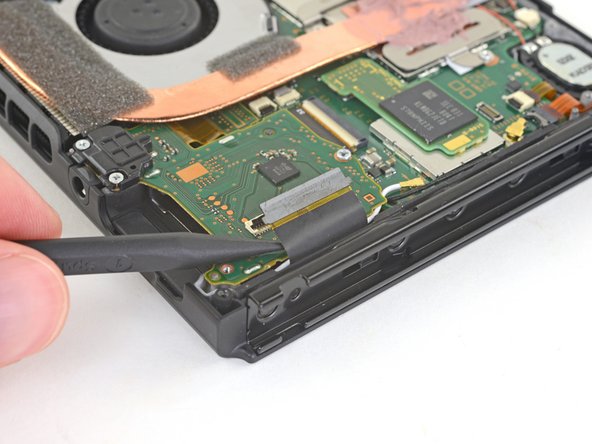
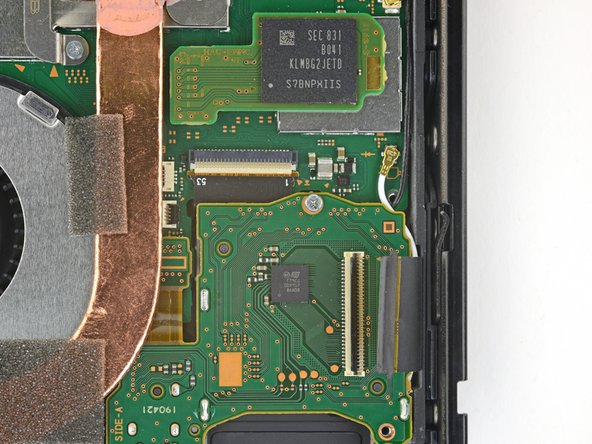
  2. Nintendo Switch Headphone Jack and Game Card Board Replacement: step 2, image 1 of 3 Nintendo Switch Headphone Jack and Game Card Board Replacement: step 2, image 2 of 3 Nintendo Switch Headphone Jack and Game Card Board Replacement: step 2, image 3 of 3
    • Use the tip of a spudger to gently slide the game card reader ribbon cable out of its socket.

    Ask FixBot

    Add Comment

  3. Nintendo Switch Headphone Jack and Game Card Board Replacement: step 3, image 1 of 2 Nintendo Switch Headphone Jack and Game Card Board Replacement: step 3, image 2 of 2
    • Use a Phillips driver to remove the two 3.1 mm screws from the headphone jack bracket.

    Ask FixBot

    Add Comment

  4. Nintendo Switch Headphone Jack and Game Card Board Replacement: step 4, image 1 of 1
    • Remove the headphone jack bracket.

    Ask FixBot

    Add Comment

  5. Nintendo Switch Headphone Jack and Game Card Board Replacement: step 5, image 1 of 2 Nintendo Switch Headphone Jack and Game Card Board Replacement: step 5, image 2 of 2
    • Use a Phillips driver to remove the single 3.1 mm screw from the headphone jack and game card board.

    Ask FixBot

    Add Comment

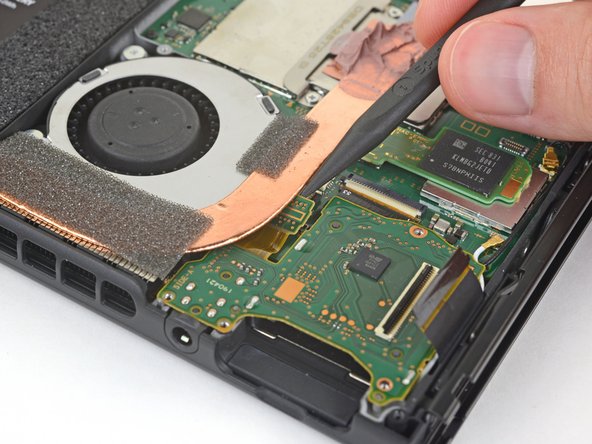
  6. Nintendo Switch Headphone Jack and Game Card Board Replacement: step 6, image 1 of 2 Nintendo Switch Headphone Jack and Game Card Board Replacement: step 6, image 2 of 2
    • Use the tip of a spudger to disconnect the headphone jack by prying its connector straight up.

    • The connector is partially obscured by the copper heat pipe. Make sure it disconnects completely.

    Ask FixBot

    Add Comment

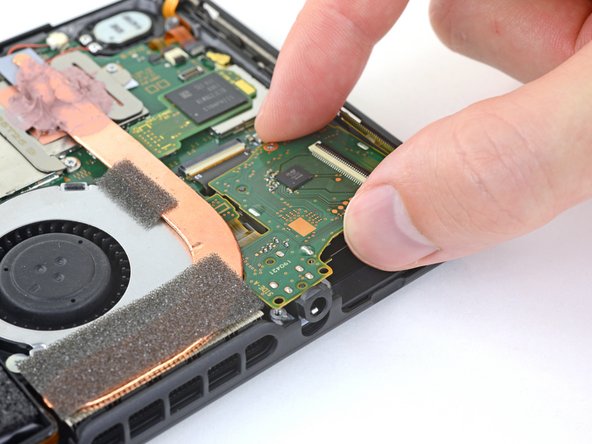
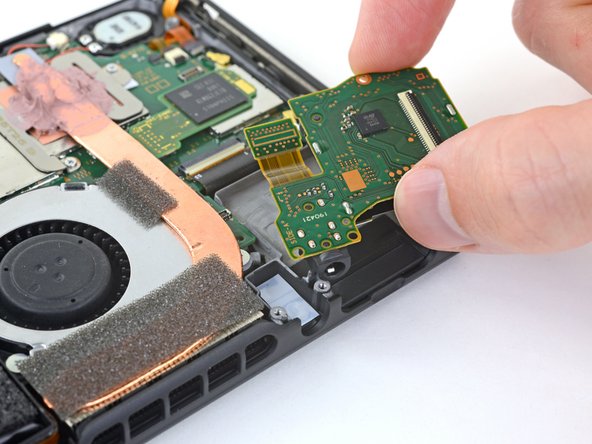
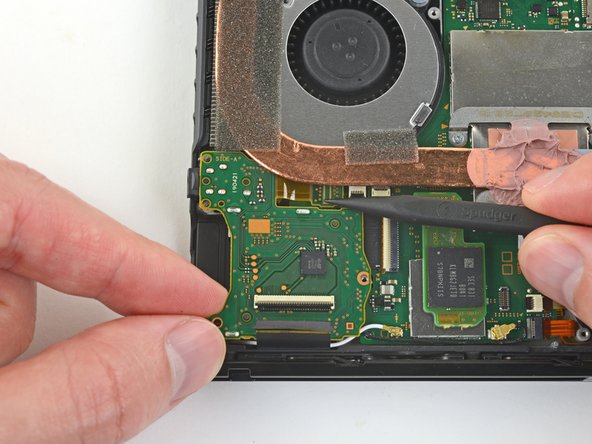
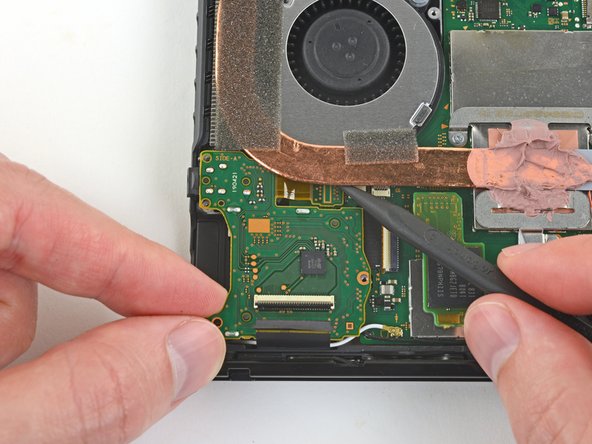
  7. Nintendo Switch Headphone Jack and Game Card Board Replacement: step 7, image 1 of 3 Nintendo Switch Headphone Jack and Game Card Board Replacement: step 7, image 2 of 3 Nintendo Switch Headphone Jack and Game Card Board Replacement: step 7, image 3 of 3
    • Gently lift the game card reader board, starting with the headphone jack.

    • Slide the game card reader board away from the copper heat pipe, and remove it.

    Ask FixBot

    Add Comment

  8. Nintendo Switch Headphone Jack and Game Card Board Replacement, Reassembly Note: step 8, image 1 of 3 Nintendo Switch Headphone Jack and Game Card Board Replacement, Reassembly Note: step 8, image 2 of 3 Nintendo Switch Headphone Jack and Game Card Board Replacement, Reassembly Note: step 8, image 3 of 3
    • During reassembly, to seat the headphone jack connector, pull the entire game card reader board slightly toward the top edge of the Switch so that the headphone jack connector lines up with its socket.

    • Use your spudger to press the connector down until it snaps into place.

    • Press all along the top of the connector to make sure it seats correctly, including the area under the heat pipe.

    Ask FixBot

    Add Comment

Conclusion

To reassemble your device, follow these instructions in reverse order.

Cancel: I did not complete this guide.

Blake Klein

Member since: 01/29/17

74,902 Reputation

50 Guides authored

0 Guide Comments

Add Comment

View Statistics:

Past 24 Hours: 1

Past 7 Days: 4

Past 30 Days: 19

All Time: 100