Battery
|
1 Answer 0 Score |
How to remove management off of a chromebook |
|
2 Answers 6 Score |
Why is my Chromebook charging light flashing blue? |
|
1 Answer 0 Score |
The left speaker does not work |
|
1 Answer 0 Score |
Power jack port broken. Who can fix this? |
These are some common tools used to work on this device. You might not need every tool for every procedure.
XE500C13
An immediate check it to see if the laptop is running ChromeOS, and then to check how much on board storage capacity it has. If the capacity is small you likely have a Chromebook, especially if the manufacture date is recent. Occasionally you will see an older laptop "revived" by installing ChromeOS onto it. The hardware demands for that OS are so much lower, especially for web browsing or using cloud based apps that many otherwise overwhelmed laptops can be used productively. A definitive check is the manufacturer's label frequently found on the underside of the unit. Your model number will allow you to know your machine's setup by checking online.
For help diagnosing what's wrong with your Samsung Chromebook 3, visit the troubleshooting page.
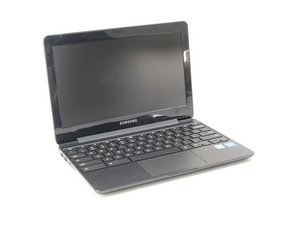
The Samsung Chromebook 3 was the fourth generation Chromebook released in early 2016. The 11.6 inch Chromebook has an LCD screen with 1366x768 resolution. It has 4GB of memory and a 32 GB eMCC drive. It runs on the Intel Celeron N3060 1.6GHz processor (with turbo boost up to 2.48GHz) and Intel HD 400 video adapter but no dedicated video memory. As far as ports go, the Samsung Chromebook 3 is equipped with 2 USB (one 2.0 and one 3.0), HDMI, auxiliary, and a micro-SD reader.
The Samsung Chromebook 3 is a small, lightweight computer running Chrome OS. This version differs from the similarly named Samsung Chromebook Series 3 by its black (rather than silver) casing, its Intel Celeron N3060 processor (instead of Exynos 5 Dual ARM Cortex), and its $100 lower price tag. It boasts an 11 hour battery life and a thin 0.7 inch body.
Samsung Chromebook 3 Wikipedia Page
Samsung Chromebook 3 on Amazon
Past 24 Hours: 5
Past 7 Days: 35
Past 30 Days: 128
All Time: 12,032