Popular Forum Questions
Ask a QuestionThere are no questions. Be the first to ask a question!
Background and Identification
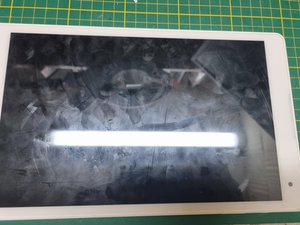
The P10506 was released by Medion in 2016. It is an Android tablet that shipped with Android 5.1 and later received an update to Android 8. The device has an IPS display with a resolution of 1920x1200 pixels. It is equipped with an Intel Atom x5-z8300. The tablet has 32GB of internal storage.
The device can be identified by the model number on the back of the device at the bottom. The MD number, MSN, etc., can be found there.
Technical Specifications
- Processor: Intel Atom x5-Z8300 processor (up to 1.84 GHz) (Intel Cherry Trail SoC), 4 cores
- RAM: 2GB DDR3L
- Storage: 32 GB internal storage (expandable with SD card)
- Display: 10.1 inch (25.7 cm) Full HD display with IPS technology (1200x1920 pixels)
- Operating system: Android 5.1 (update to Android 8 possible)
- Cameras: 2 megapixel front camera, 5 megapixel for the rear camera
- Speakers: Microphone, stereo front speakers
- Graphics: Intel HD Graphics (500 MHz)
- Battery: 7,000 mAh replacement battery
- Model number: P10506
- MSN number: 30020795
- Connections: Micro-HDMI, Micro-USB 2.0, microSD/microSDXC reader, audio out
- Wi-Fi: 802.11 b/g/n
- Bluetooth: Version 4.0
- GPS module for location tracking
- Weight: 505 g
- Dimensions: 154.0x257.0x8.20 mm
Additional Information
Medion product page for the tablet
Support page for the Medion tablet
Special Features
It uses an Intel processor (x86), whereas most Android tablets typically use ARM processors. There were unusually long security updates for the tablet, which is notable because this is unfortunately quite atypical for Android tablets. There are usually only very short timeframes for updates.
The procedure described below is performed strictly at your own risk!!!
The device has a boot menu that can sometimes be accessed by pressing certain keys while starting the tablet. The tablet must have a keyboard connected via USB for this; it involved some sort of fn keys or the ESC key, then you enter a type of menu where you can access the BIOS and so on. It is best not to change anything, as doing so can render the device unusable if incorrect changes are made; therefore, the process is performed strictly at your own risk.

