|
2 Answers 4 Score |
General disassembly strategy for new keyboard - Logitech G613 |
|
No Answers 0 Score |
How to I set keystrokes without the USB for the wireless keyboard? |
Documents
Background
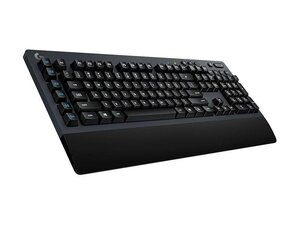
The Logitech G613 is a full-size wireless mechanical gaming keyboard focused on low-latency performance and long battery life. It uses durable ABS-plastic construction with an internal reinforced plate for long-term stability and daily gaming use. Key features include Logitech LIGHTSPEED 2.4 GHz wireless, multi-host Bluetooth pairing, six programmable G-keys for macros, and Romer‑G tactile mechanical switches. The design omits per-key backlighting to extend battery life and emphasizes reliability and responsiveness.
Identification
The Logitech G613 can be identified by the model number (M/N Y-R0062). The model label is on the underside of the keyboard. This label lists the model (M/N), part (P/N), and serial (S/N) numbers.
Specifications
- Form Factor: Full‑size (104/105-key layout) with dedicated macro keys (6 G-keys) and numpad
- Switch Type: Romer‑G Tactile mechanical switches (Logitech proprietary mechanical switch)
- Switch Manufacturer: Logitech (Romer‑G series, co-developed by Logitech)
- Connectivity: LIGHTSPEED 2.4 GHz wireless (USB receiver) and Bluetooth multi-host pairing
- Wireless Receiver: Logitech LIGHTSPEED USB receiver (included; model printed on receiver housing)
- Power / Battery: 2 × AA batteries; up to 18 months typical battery life (depends on use)
- Onboard Memory & Macros: Onboard profile storage for macros and G-key bindings (6 programmable G-keys)
- Backlighting: None (no per-key or global backlighting)
- Polling Rate / Latency: ~1 ms reporting when using LIGHTSPEED 2.4 GHz connection
- Dimensions & Weight: Full-size keyboard; weight includes batteries (approx. 1.2–1.3 kg with batteries depending on region)
Troubleshooting
Common repair-relevant faults include dead or intermittent keyboard operation (often caused by depleted/poor AA batteries or bent battery contacts) and wireless pairing/drop issues (receiver or RF interference). Diagnostic steps: replace/swap with fresh AA batteries and inspect/clean battery contacts; re-pair or reseat the LIGHTSPEED USB receiver in another USB port and test on a different host; remove keycaps to inspect/clean switches and test individual switch continuity if individual keys fail.
For additional troubleshooting help, visit: Visit https://support.logi.com for downloads, firmware updates, and step‑by‑step troubleshooting guides for the G613.
Additional Information
Warranty Info
Limited hardware warranty varies by region (typically 1 year); check Logitech support or your product paperwork for exact terms.
Logitech G613 Wireless Mechanical Gaming Keyboard Setup Instructions
Logitech G613 Wireless Mechanical Gaming Keyboard Setup Guide