How to fix blank HP Deskjet 3050A screen
|
2 Answers 8 Score |
Instructions for dismantling the printer. |
|
1 Answer 0 Score |
My ink not printing ink on paper |
|
1 Answer 3 Score |
Rollers only pulling paper on one side |
|
1 Answer 0 Score |
Display screen not working |
Hewlett-Packard (HP) manufactures consumer electronics, including laptops, desktops, printers, monitors, and more. HP originated in 1939 when Bill Hewlett and David Packard, two Stanford electric engineering alums, combined their last names and began their new company out of a garage in Palo Alto, California. Interestingly, HP was just a coin toss away from being called PH (Packard-Hewlett). Hewlett-Packard today is still headquartered in Palo Alto, but the company supplies electronics worldwide.
Among HP products is the HP Deskjet 3050A all-in-one printer and scanner. The HP Deskjet 3050A offers both black and white and color printing. It provides users with wireless printing, scanning, copying, and photo printing. The HP Deskjet 3050A is also compatible with both HP ePRINT and AirPrint, meaning users can print directly from their mobile devices. Additionally, the HP Deskjet 3050A was designed to be compact and fit in a relatively small space on a desk or table.
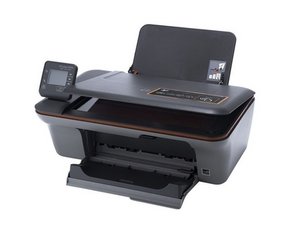
The HP Deskjet 3050A is box-like in shape. It includes paper input and output trays, a scanning surface and cover, and a control panel. The phrase “HP Deskjet 3050A” is printed on the control panel.
HP Deskjet 3050A All-in-One J611 Series Quick Start Guide (EN, ES, FR, PT)
HP Deskjet 3050A All-in-One J611 Series Instructions
HP Deskjet 3050A J611 series — Manual de usuario
HP Deskjet 3050A J611 series — Manual
HP Deskjet 3050A série J611 Guide d'utilisation
HP Deskjet 3050A All-in-One J611 Series Start Here Guide (EN, ES, PT)
HP Deskjet 3050A All-in-One J611 Series Instructions
HP Deskjet 3050A J611 series — руководство пользователя
HP Deskjet 3050A All-in-One J611 Series Instrucciones de configuración y uso
HP Deskjet 3050A All-in-One J611 Series Οδηγός έναρξης
HP Deskjet 3050A All-in-One J611 Series User Guide
HP Deskjet 3050A J611 series — 用户指南
HP Deskjet 3050A J611 series — användarhandbok
HP Deskjet 3050A J611 series – návod k použití
HP Deskjet 3050A J611 series Käyttöopas
HP Deskjet 3050A J611 series — คู่มือผู้ใช้
HP Deskjet 3050A J611 series — دليل المستخدم
HP Deskjet 3050A J611 series Handleiding
HP Deskjet 3050A All-in-One J611 Series Getting Started Guide
HP Deskjet 3050A J611 series — Felhasználói útmutató
HP Deskjet 3050A J611 series – Anleitung
Past 24 Hours: 1
Past 7 Days: 7
Past 30 Days: 67
All Time: 8,542