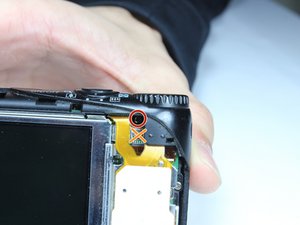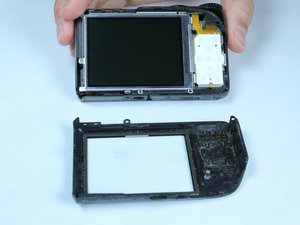
Back Cover
|
1 Answer 2 Score |
Why won't my flash work when I take pictures? |
|
2 Answers 0 Score |
Why won't my camera turn on? |
|
1 Answer 0 Score |
Black spot on the screen |
|
1 Answer 0 Score |
Screen goes black after taking a photo. |
Identify a variety of problems with the Canon Power Shot A2200 Troubleshooting Page.
The Canon Power Shot A2200 was released in 2011. Since then, there have been no known recalls or failure modes.
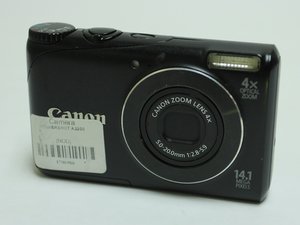
This device looks similar to later models, the PowerShot A2300 and the PowerShot A2400. The best way to distinguish the PowerShot A2200 is by looking at the color surrounding the lens. On the A2200 there is a black ring surrounding lens with a thin silver lens surrounding the black ring. On the A2300 and A2400 models, there is only silver surrounding the lens, and there is no black ring. This is the easiest way to tell the A2200 apart from the newer models.
The camera has a front cover, a back cover with a button control pad , a digital display screen, a trigger button, and a lens . The camera takes 720p HD photos and videos.
This point and shoot camera comes in a variety of colors and can be identified by the item code 4942B001. The dimensions of this model are 93.2 mm x 57.2 mm x 23.6 mm.
http://en.wikipedia.org/wiki/Canon_Power...
Canon Powershot A3300is A3200is A2200 User Guide
http://cameras.about.com/od/canoncamerar...
http://www.usa.canon.com/cusa/support/co...
Canon PowerShot A3300 IS PowerShot A3200 IS PowerShot A2200 相機使用者指南
Canon PowerShot A3300 IS/A3350 IS/A3200 IS/A2200 Kamera-Benutzerhandbuch
Canon 2011 Back To School Catalog
Canon PowerShot A3300 IS, A3200 IS y A2200 Guía del usuario de la cámara
Canon PowerShot A3300 IS、A3200 IS、A2200 カメラユーザーガイド
Canon PowerShot A3300 IS/A3350 IS/A3200 IS/A2200 Guía del usuario de la cámara
Canon Digital Camera & Camcorder Fall/Winter 2011 Product Guide
BU-WILLIAMS-S15S4G5
4 Members
72 Guides authored
Past 24 Hours: 7
Past 7 Days: 27
Past 30 Days: 109
All Time: 7,104