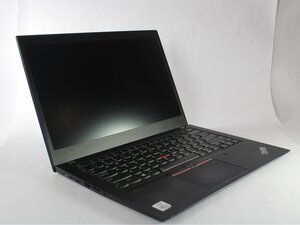
The Lenovo ThinkPad T14s Gen 1 was released June 2020, it can be Identified by model its model number 20UH001AIX. It is a slim lightweight black/silver laptop with a small T14s logo on the screen bezel.

Locating Backlight fuse, display backlight not working anymore

Hello,

I damaged the display on my T14s Gen 3 AMD and purchased a replacement panel that appears to be fully compatible (matching FRU and model). After connecting the 30-pin cable, the display works, but unfortunately, there’s no backlight on the display.

I suspect the issue might be related to the backlight fuse, but I’m unsure of its location. Do you have any suggestions or guidance on where I can find it?

Thank you in advance!

Answered! View the answer I have this problem too

Is this a good question?

Score 0
1 Comment

we need to know if your motherboard is a LCFC NM-F151 or a LCFC NM-E422 or some other board

by

Add a comment

2 Answers

Chosen Solution

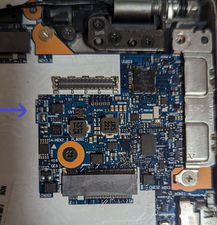
Resolved! the backlight fuse named FV1 3a 32v is here

Block Image

I replaced it and everything works again.

Was this answer helpful?

Score 0

1 Comment:

I killed my backlight by misaligning the connector whilst having the system powered on. Pretty sure the fuse was blown after seeing electrical sparks.

@greyxor45664 What model of the fuse should I buy? and do you have the boardview+schematics for it?

by

Add a comment

@greyxor45664 Explain this "I accidentally damaged the screen" a bit more. After all, if you think it is the backlight fuse we need to know how it may have gotten shorted out. The other thing that will help if you post some really good, large pictures with your Question. That way we can try and help you to identify the "fuse". Remember, there is more than the fuse that makes up the backlight. Yes, the fuse is a good start, but do not forget the display connector. I have seen more damage on those then an actual blown fuse. It is also possible that this is a backlight driver error. Just making sure you are not too focused on just one thing.

Adding images to an existing question

Was this answer helpful?

Score 0

1 Comment:

It was indeed the backlight fuse.

Thanks for your help

by

Add a comment

Add your answer

GreyXor will be eternally grateful.
View Statistics:

Past 24 Hours: 7

Past 7 Days: 35

Past 30 Days: 105

All Time: 2,169