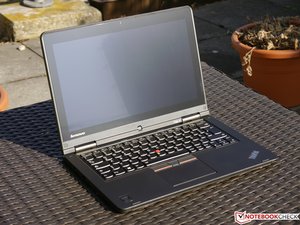
My keyboard will not work or my touchscreen. can't find help
How do i fix this keyboard issue? I've tried updating ect...
Is this a good question?
Score
0

How do i fix this keyboard issue? I've tried updating ect...
Is this a good question?

Rep: 349
 5
5
 1
1
I like jayeff's USB keyboard suggestion and would try that first. Also a USB mouse.
Perhaps you have already done so, since you say you've 'updated' etc.
Are your keyboard and touchscreen currently recognized by your Device Manager? Does it
say they have drivers and are functioning correctly?
Jayeff's device removal and reinstall suggestion is worth trying if you have not.
Have you gone to Lenovo support and let them try to detect and install drivers for your
device?
One weird thing just to try because it sometimes fixes inexplicable problems is to test
for a bad ram stick. I know that sounds unlikely, but it takes little time to test and just might be the culprit.
If you've done all this and things still aren't working, here's one more
last-ditch suggestion (a little hazardous these days in terms of malware):
You could get hold of a driver updating disk or flash drive and run that. I still use a somewhat dated
version of Snappy (thoroughly scanned for malware and not internet connected)
to recognize devices and install obscure drivers, especially when putting in a brand new OS.
Sometimes drivers can be incorrect even if Windows doesn't catch that. (Ebay lists DVDs and flash
drives you can buy preloaded with Snappy drivers, btw.)
If everything is recognized and running the 'right' drivers correctly and things
still aren't working, you may have a hardware problem. But I'd only move onto that
after trying every possible software fix.
Was this answer helpful?
Past 24 Hours: 0
Past 7 Days: 0
Past 30 Days: 1
All Time: 48

Hi @tamamahoney,
By "... tried updating ect......" did you also uninstall the drivers and then restart the laptop and then let Windows reinstall them?
Not sure if this was included in the etc.
Have you tried plugging in a USB keyboard and checked if that works OK?
by jayeff