Introduction
Trick-or-Treat! While making our yearly October 31st rounds, we came across something interesting: a brand new iPad Mini! All hopped up on sugar, we eagerly tore into Apple's first small tablet. Smaller than an iPad, larger than an iPod, and able to leap tall buildings in a single bound: we'd heard mighty claims about the Mini. It was finally time to crack it open and take a look for ourselves.
This iPad was delivered a bit early a ways up the road from us in Berkeley. We'd like to thank friend-of-iFixit, the ever perspicacious Jeff Atwood, for helping us get our hands on it. Jeff started Stack Overflow, which runs a pretty neat Q&A community for Apple software.
Want to follow along with all the newest Mini and mighty news? Follow us on Twitter, or like us on StalkerBook.
What you need
-
-
What do you get when you cram an iPad into a smaller and lighter frame?
-
7.9" 1024 x 768 pixel (163 ppi) multi-touch display
-
Dual-core A5 processor
-
5 megapixel rear-facing and 1.2 megapixel front-facing cameras
-
Bluetooth 4.0
-
Lightning connector
-
16, 32, or 64 GB capacity
-
-
-
Comparison time! With the introduction of the Mini, Apple now offers iDevices fit for any budget. Let's take a look at how they stack up.
-
From bottom to top:
-
The iPad Mini has not one, but two speaker grilles to pump out mini beats. Don't let the iPhone 5's dual grilles fool you; the Mini is the first handheld iDevice to house stereo speakers.
-
-
-
Few things get us more excited than finding a new model number on an Apple device. Though the new model number is only two off from the last iPad we tore down, we quite literally could not be more thrilled.
-
Model Number: A1432. Fun fact: the year 1432 was a leap year!
-
Apple's kerning on our iPad's serial number seems a little questionable. Did they have to squeeze in an extra digit at the last minute?
-
-
-
No, it's not an iPad Halloween costume; it's the iOpener!
-
Thanks to our trusty iOpener, a microwave, and half an hour's worth of time, the adhesive is warmed to the perfect temperature for us to free the glass/digitizer assembly to the spooky tune of our iFixit guitar picks.
-
The iPad Mini continues Apple's repair-impeding practice of keeping iPads together with copious amounts of adhesive. This is one area in which the friendly-to-open Nexus 7 and Kindle Fire HD are clear winners.
-
-
-
The touchscreen still functions with the glass separated from the LCD.
-
We were pleasantly surprised that this round of glass removal was easier than previous ones, requiring less patience and a near-zero fear-factor.
-
With the glass removed, we are ready to get at the guts of this pint-sized iPad (or gallon-sized iPod, depending on how you look at it.)
-
-
-
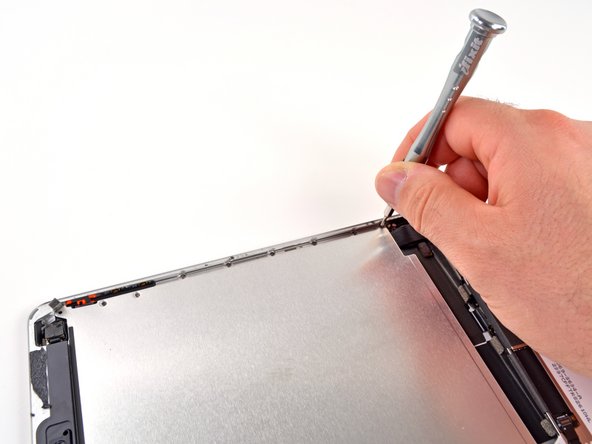
So far it looks like Apple has more tricks than treats for us with a hidden screw securing the display.
-
After dispatching two hidden screws and two exposed screws with our 54 Bit Driver Kit, we are able to lift the LCD.
-
Pulling up the display reveals a large metal plate, held in with no fewer than 16 screws.
-
We found similar plates in the iPod Touch 5th Generation, and the iPhone 5, so this seems to be a new iDevice design convention.
-
-
-
Time to remove some metal. With the inner frame and the connector covers, there is enough metal here to forge at least two—maybe three—paperclips.
-
All this prying and disconnecting is reminding us a lot of our recent iPod Touch teardown. But remember, the Mini and the Touch are, in fact, different devices.
-
-
-
Our first exposed IC is one we've seen before, in the iPhone 5.
-
In fact, you might say we've got a pretty close relationship with the Murata 339S0171 Wi-Fi module.
-
More tricks, fewer treats! With plastic opening tool in hand, we disconnect the display connector, but there's still something holding the LCD in…
-
-
-
-
…and the culprit is found. Insulating tape holds the display to the rear case and protects the Lightning connector cable.
-
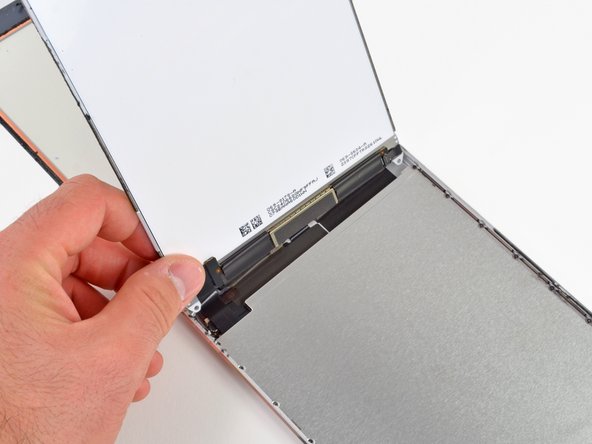
With the tape peeled up, we remove the display assembly and can turn our attention to the interior.
-
Bad news: due to the placement of connectors, you'll need to remove the LCD prior to removing the digitizer. Great news: the LCD and front glass are two separate components. This contrasts the fused glass-LCD assemblies in both the Kindle Fire HD and Nexus 7. Thanks for the repairability, Apple!
-
-
-
Peeling the tape and EMI shield off the display reveals the ICs controlling the 1024x768 unit:
-
Samsung W1235 S6TNMR1X01 Display Driver
-
Silicon Mitus SM4031 DA1232 SMCP043, Display PMIC
-
416R 8227
-
HDU 2YC 34
-
Though the markings on the back of the LCD don't turn up much information, the Samsung display driver IC reveals that Apple once again went with Samsung in its display manufacturing.
-
Apple has reportedly been working to move away from Samsung as a primary supplier, so it's somewhat surprising to see a Samsung LCD inside. With that said, Apple often relies on multiple suppliers for a single component, meaning there's quite likely other LCD manufacturers lurking inside other iPad Minis.
-
-
-
Fortunately, the iPad Mini inherited the connector-fastened battery from its larger sibling, not the soldered-in battery found in the iPod Touch.
-
A plastic card makes a nice tool to pry the battery up from the rear panel, but it's still a very difficult task to break through all of the adhesive securing it to the rear case without puncturing the cells.
-
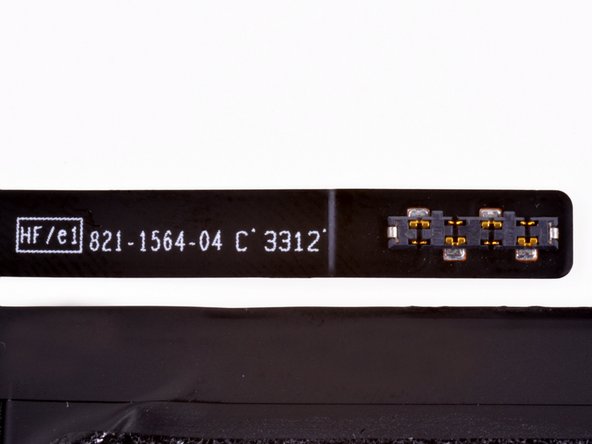
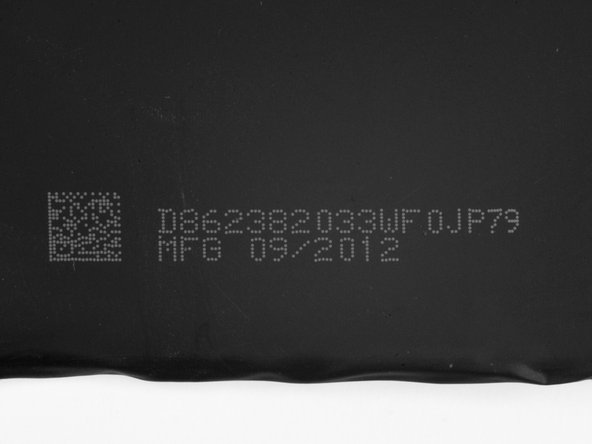
A close-up of the battery connector exposes the numbers 821-1564-04 C 3312.
-
-
-
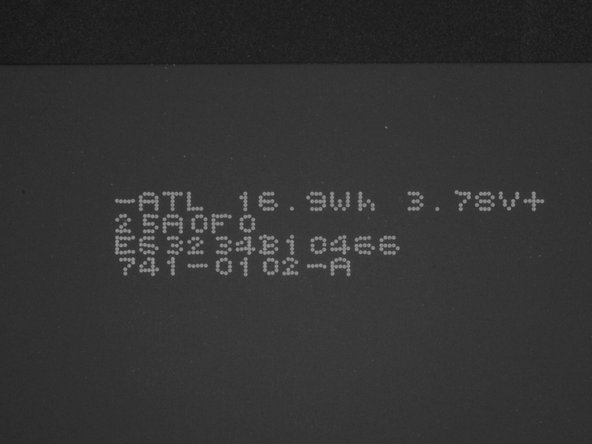
We get a good look at the battery, and find ourselves scratching our heads a bit.
-
This is a 3.72 V, 16.5 Whr, 4440 mAh battery.
-
Or maybe it's a 3.78 V, 16.9 Whr, 4400 mAh battery?
-
Or maybe it's a 3.72 V, 4400 mAh battery?
-
Or maybe, according to Apple's tech specs, it's only 16.3 Whr.
-
Whatever the capacity, it's decidedly mini when compared to the massive 43 Whr battery in the iPad 3. Even the venerable iPad 2 sports a 25 Whr package, 50% more than the iPad Mini.
-
-
-
Next off is the digitizer.
-
Hiding on the connector are a couple of Broadcom touch controller ICs marked BCM5976C0KUB6G.
-
This chip looks familiar…oh yeah, we saw them in the MacBook Air.
-
-
-
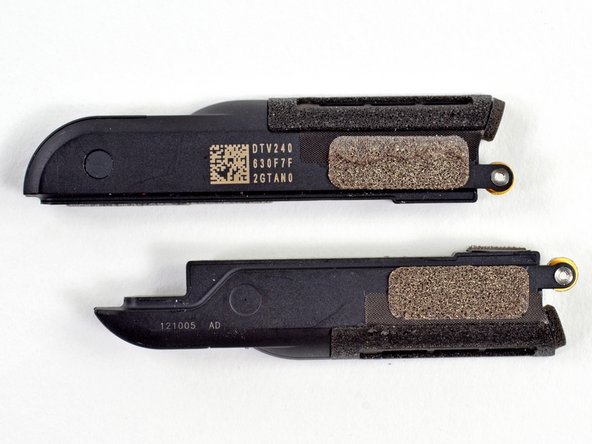
An antenna sits on top of each speaker, presumably Wi-Fi and Bluetooth.
-
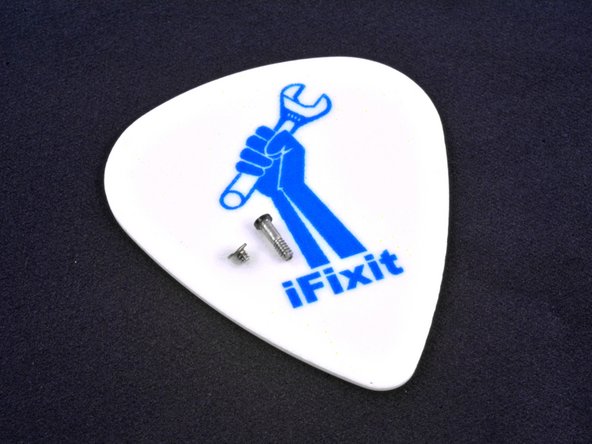
For comparison, the screw on the right is from the bottom of an iPhone 5, where the screw on the left is from the Mini.
-
-
-
The folks at Amazon doubted, but we can confirm the Mini does indeed sport stereo speakers. In this one regard, the Mini outdoes the still-mono Retina iPad.
-
The reduction of connector size (30-pin to Lightning) has left just enough space to squeeze a second speaker into the device, allowing for sound quality that is anything but mini.
-
-
-
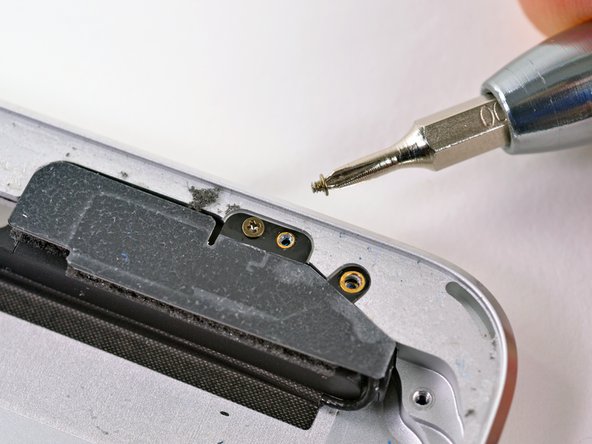
Two hidden screws secure the Lightning connector to the rear case.
-
They've been around less than two months, but Lightning ports are spreading like wildfire across nearly the entire iOS lineup. However, the iPad 2, iPhone 4/4S, and iPod Shuffle are still Lightning-less…for now.
-
As badly as we want to completely remove the Lightning port ribbon cable, we will have to wait, as it appears to be soldered to the logic board.
-
-
-
The endless battle with adhesive rages on as we heat the backside of the rear case in hopes of loosening the adhesive securing the logic board to the rear case.
-
Applying heat to an aluminum frame like this makes it too hot to touch—luckily we keep a silicone pot holder on hand just for this sort of thing.
-
Once the adhesive is loose, we arm ourselves with a spudger to dislodge the logic board from the rear case.
-
-
-
Nothing to see here.
-
Unlike the iPad 3's dock connector, the Mini's lightning port is permanently soldered to the logic board. That design decision will make certain repairs very expensive.
-
-
-
The A5 processor has 512 MB RAM, just like the processor in the latest iPod Touch.
-
How do we know? The package markings E4064P3PM-8D-5 indicate the A5 has two 2 Gb, LP DDR2 RAM dies inside, according to Chipworks.
-
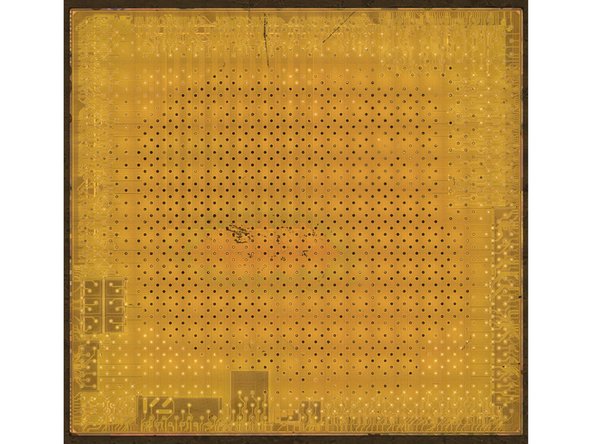
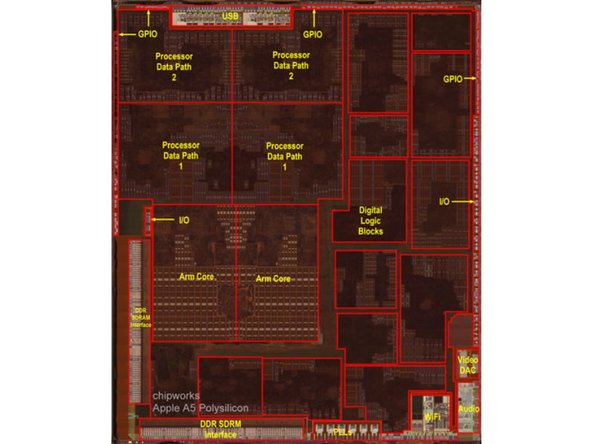
These die photos from Chipworks shows the inner workings of the A5. Care to see the die in all its gory glory? Check out the high-res version.
-
-
-
The top side of the logic board houses all of the ICs:
-
Hynix H2JTDG8UD2MBR 16 GB NAND Flash
-
Apple 343S0593-A5
-
Apple 338S1116 Cirrus Logic Audio Codec
-
Fairchild PCHPS FDMC 6676BZ
-
Fairchild BC7BE F0MC 6683
-
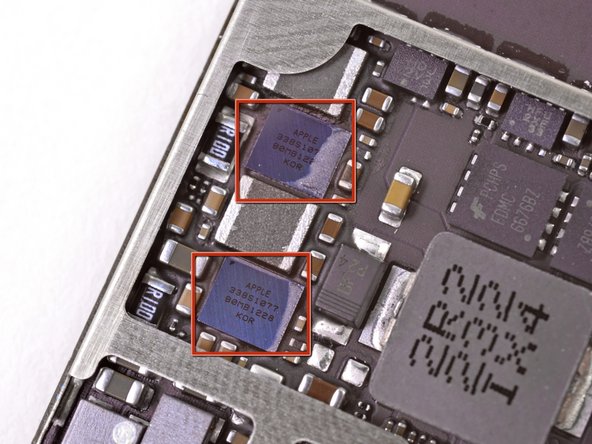
Apple 338S1077, aka Cirrus Logic Class D Amplifier (thanks Chipworks!)
-
STMicroelectronics L3G4200D Three-Axis Gyroscope and LIS331DLH Three-Axis Accelerometer
-
-
-
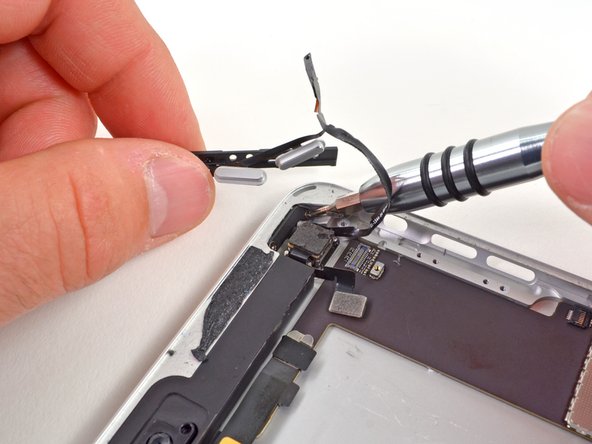
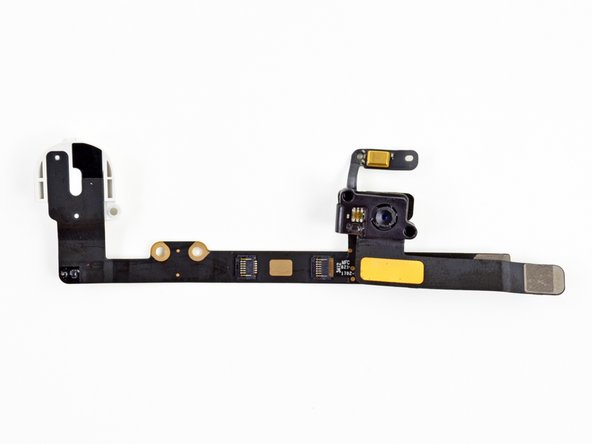
Strong adhesive continues to slow our advance, so another hit with the heat gun is prescribed to pry the headphone jack and front facing camera assembly out of the rear case.
-
The iPad Mini does well in the camera department. While most hardware specs closely match the aging iPad 2, its cameras match those found in the the Retina iPad. Its front-facing FaceTime HD camera delivers 1.2 MP photos, and the rear-facing iSight camera delivers 5 MP resolution and HD video.
-
-
-
iPad Mini Repairability: 2 out of 10 (10 is easiest to repair).
-
The LCD and glass are not fused together and can be replaced independently.
-
The battery is not soldered to the logic board or other components.
-
Teeny-tiny screws can be easily misplaced if you're not careful. Don't sneeze too hard while taking them off.
-
Copious amounts of adhesive hold many components in place -- front glass, logic board, battery, front camera, back camera, ribbon cables -- making repair extremely difficult.
-
The Lightning connector is soldered to the logic board, so don't bend its pins.
-
Hidden screws mean you'll need to be very diligent when trying to remove internal components.
-





















12 Comments
Wonder who made the camera modules?
china made them
i think that guy is kinda late (btw i also am)
It’s ok. I am a bit late as well
Awesome!!! Thanks for the tear down!!!!!!
