Introduction
We're doing a teardown of the newest (and largest) iMac in Apple's line-up -- the 27" Intel iMac! We disassembled this iMac on October 21, 2009.
Want up-to-the-minute updates? Follow @ifixit on twitter.
Check out the super-fast video slideshow of the teardown! It has banjo music!
What you need
-
-
We spared no expense to bring you the latest and greatest. We have in our studio the biggest iMac money can buy.
-
The new iMac dwarfs the 20" iMac we took apart earlier this year.
-
The most obvious feature of this new iMac is the new 27" LED backlit display. The display boasts a 2560x1440 resolution, 16x9 full HD.
-
Also in the box is a brand new Magic Mouse. We already tore it apart.
-
-
-
Nine ports. These are identical to the previous revision, but the Mini DisplayPort has a new trick up its sleeve.
-
This iMac sports a cool new feature that allows you to display video from external sources on the internal display. Apparently, that's to hook up your Blu-ray player externally since the machine still doesn't include an internal Blu-ray drive.
-
Unfortunately, this feature requires an adapter. Where is the adapter? Not in the box. The manual says "Required cables and adapters are sold separately" Not that we're surprised, all you get in the way of cables is a power cable. Yes, Apple thinks cables are from the devil.
-
-
-
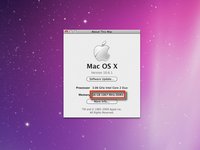
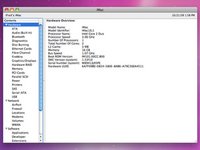
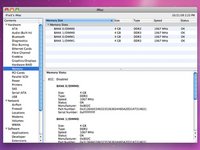
You can now install a whopping 16 GB of RAM in your iMac! In a very welcome move, Apple doubled the number of slots, enabling you to install four 4 GB PC3-8500 chips.
-
Naturally, we just had to see for ourselves. Apple's not kidding, if you have the cash, you really can have 16 GB of RAM in your iMac! 16 GB will set you back $1,400 from Apple, or $400 from us.
-
-
Tool used on this step:Heavy-Duty Suction Cups (Pair)$14.95
-
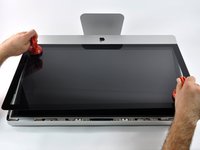
The new iMac features an edge-to-edge glass. This is different from the 4 mm aluminum bezel that surrounded the glass on the previous iMac. Hopefully Apple's got some pretty strong magnets to keep the glass where it belongs. After upgrading the RAM in our iMac, we noticed the glass was slightly out of alignment on one side.
-
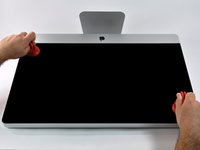
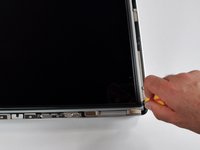
Two suction cups, two steady hands, and the enormous glass panel lifts up.
-
-
-
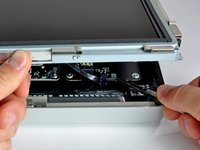
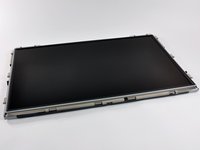
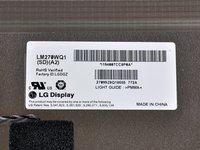
The LG manufactured LCD panel weighs in at nearly 11 lbs! Then again, it is a massive 27" beauty.
-
The resolution is a very impressive 2560x1440. That's the same horizontal resolution as a 30" Apple Cinema Display!
-
This display uses In-plane switching (IPS) technology, providing a wider viewing angle and better color reproduction than cheaper Twisted nematic (TN) technology.
-
The panel is very glossy. It's great for spying on those behind you, as well as watching movies.
-
-
-
-
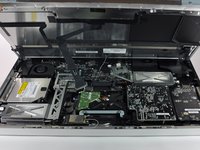
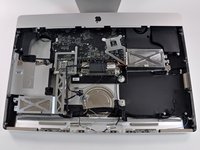
Ever wonder what was behind that monolithic black display? Here you go: 27" of display-less iMac. (Actually, we're pretty sure the 27" measurement is completely meaningless now that the display is gone.)
-
Notice how the stand is pivoted fully upward. Without the added weight of the LCD panel, there's not nearly enough force against the spring to maintain the normal neutral buoyancy.
-
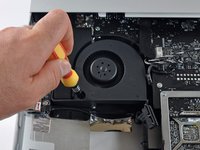
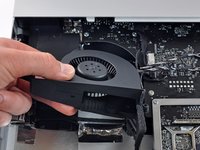
The hard drive occupies the center of the unit, while the optical drive and fan are clearly visible on the right.
-
-
-
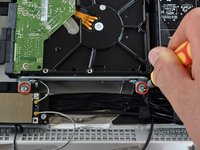
Two T10 Torx screws hold the hard drive in place.
-
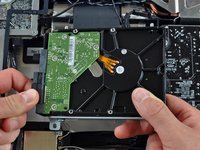
Once they're removed, the hard drive easily pivots up and out of the system.
-
There isn't really room in here for a second drive, but you could certainly swap this one out yourself. You could hypothetically install an SSD, but this seems like such a good a media computer that it would be a shame to limit it to current SSD capacities.
-
-
Tool used on this step:T6 Torx Screwdriver$9.99
-
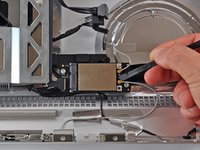
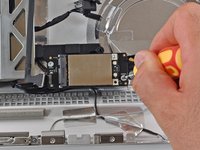
Disconnecting antennas and removing the AirPort Card.
-
A single T6 Torx screw secures the standard PCI-e wireless board to the custom board it's mounted on.
-
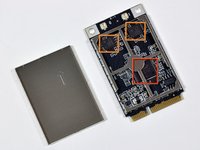
Even after removing the silver EMI shield, it's challenging to read the main Wi-fi chip. It's an Atheros AR9280.
-
The two identical chips near the antenna connectors are SiGe Semiconductor 2593A20 power amplifiers.
-
-
-
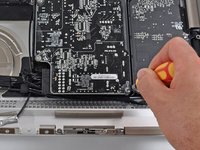
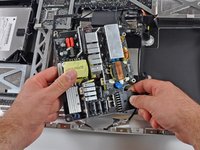
A few screws later, and....
-
The power supply is out.
-
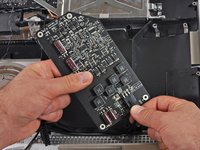
Oooh, pretty colors!
-
Both the blue and red parts are capacitors. Unfortunately they didn't have enough markings on them for us to identify their capacitance.
-
Their Capacitance is 27.5 for both reds, the one blue against the board is 15, and the other two visible blue ones are 20. (all in micro-farads)
-
-
-
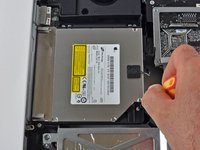
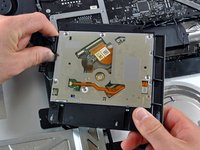
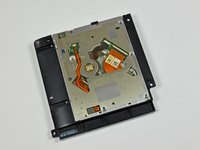
This may be the most underwhelming component in this iMac, the 8x SuperDrive.
-
The fact that there is no Blu-ray drive in here is a bag of hurt.
-
C'mon Apple, iMacs in 2005 had 8x SuperDrives. The SuperDrive just doesn't seem so super anymore.
-
The good news is, it's a standard 12.7 mm, slimline SATA optical drive. The drive Apple should have included is this Panasonic UJ-135 Blu-ray drive.
-
Apple lacks software support for playing copy-protected Blu-ray movies, so if you install a Blu-ray drive, you'll have to boot into Windows to enjoy the show.
-
-
-
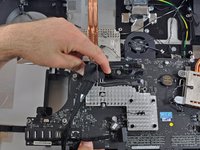
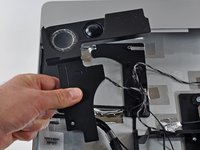
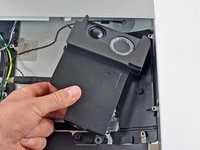
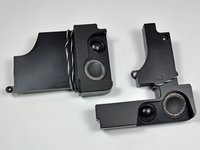
Speakers! Big speakers.
-
We tested the sound before we disassembled it, and were quite impressed. Apple has super-sized the iMac's audio in proportion to the increased screen size.
-
While the speakers are in the bottom corners of the iMac, Apple has wisely placed the microphone at the top (near the iSight). That should make it possible to use the internal audio setup for video chats.
-
-
-
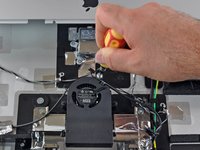
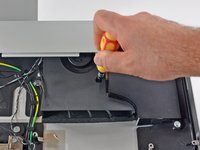
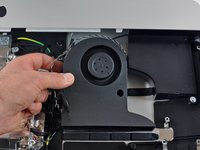
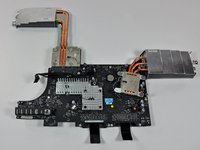
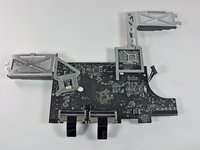
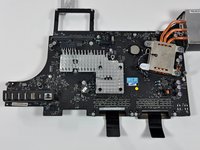
I can has heat dissipation? To keep the iMac cool and happy, Apple's included six temperature sensors, three fans, and two gigantic heat sinks.
-
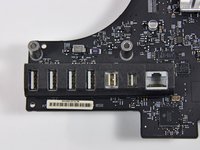
To put the massive size of the heat sinks in perspective, check out the relative size of the USB ports on the bottom left of the board.
-
Notice the PRAM battery on the logic board (circular silver disc) for storing date and time when the power is disconnected. When changing the battery be careful to not to force the plastic top that holds the battery into place.
-
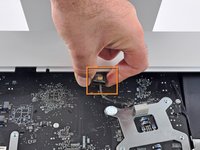
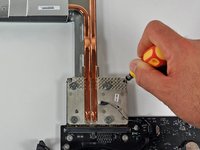
The processor is socketed, but there's a "Warranty void if removed" sticker above one of the heat sink's screws.
-
-
-
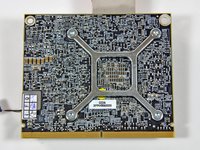
Removing the GPU daughterboard.
-
Our low-end 27" model ships with an ATI Radeon HD 4670 graphics processor packing 256MB of GDDR3 memory.
-
The sheer quantity of labels on the back of the graphic card daughterboard is overwhelming. What were they thinking?
-
(It's obvious that Apple's engineers didn't design that daughterboard. It's a standard card used in a number of products.)
-
-
-
Is this an antenna leading into the back Apple logo? We think it is...wonder why?
-
The Apple logo is no longer just for looks, it now has a job to do. Earlier aluminum iMacs had an aluminum front and a plastic back. In contrast, this iMac features an all-aluminum enclosure, which is great for looks, but terrible for Wi-Fi. The Apple logo is the only plastic area on the back of the iMac, and Apple has integrated an AirPort antenna into that space.
-
-
-
After such a tedious teardown, you can't blame us for just piling everything up into one ginormous heap of parts.
-
However, curse our guilty conscience, being the nice and awesome professionals we are, we felt an urge and a slight sense of responsibility to do it right.
-
The final layout picture for all to see. Enjoy!
-
If you're feeling this teardown wasn't enough to satisfy your craving, indulge yourself in the Magic Mouse teardown, courtesy of your friendly neighborhood iFixit.
-


































21 Guide Comments
Quote from elurker:
Cannot wait for the mac mini server teardown.
We're not planning on doing a teardown of the Mac mini server (we're already done three teardowns this week), but our friends over at macminicolo.net did a teardown of the new mini.
Awesome pics... I'm craving one of these iMacs, big time.
It wasn't mentioned: what's the brand of the internal HD?
Apple western digital/seagate depending on the location
