Introduction
We disassembled this computer on October 15, 2008.
What you need
-
-
Apple boasts that, "The new MacBook packaging is 41 percent smaller than the previous generation" and is made from recycled material.
-
Smaller packaging, they say, means fewer planes to transport the same number of products.
-
Follow our updates on twitter.
-
-
-
It looks like a MacBook Air from the top, but it's about 25% thicker than the thickest part of the Air, and almost 6 times thicker than the thinnest part.
-
To be fair, though, it's about 12 percent thinner than its predecessor (0.95 in vs. 1.08 in) and 10 percent lighter (4.5 pounds vs. 5 pounds).
-
-
-
The hard drive is on the left, and the battery is on the right.
-
The new MacBook uses the same hard drives as previous MacBook models.
-
Shameless plug: If you're not ready for a new machine, you can upgrade the hard drive in any Apple laptop. We have free guides for most models that make hard drive replacements easy.
-
-
-
-
The top of the logic board. (Click on the image for a larger version.)
-
Part numbers found thus far:
-
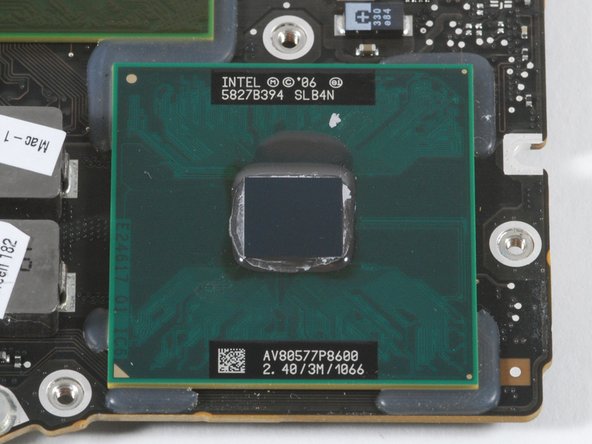
Penryn Intel Core 2 Duo Mobile Processor P8600 5827B394 SLB4N AV80577P8600 2.40/3M/1066
-
Cypress USB Controller CY7C638 33LFXC 0825 KOR 633013
-
K0328 8F1 50C8 & K0305 8F5 5022
-
F2117LP 20H V AF03370 0824JPN
-
REALTEK RTL8251CA 86085S2 G831 TAIWAN
-
Compare this to the previous MacBook logic board.
-
-
-
The bottom of the logic board.
-
Part numbers found thus far:
-
Cypress PSoC Mixed-Signal Array CY8C24794-24L FXI 0831 A 04 KOR CYP 637569
-
Realtek HD Audio Codec ALC885 87J24A1 G83283
-
TDK 6T213HF 0838 d
-
ISL95O4 BHRZ H0832BB49
-
APP001 928 3T 0829A
-
SN 802043 TI 87K JR7C G4
-








7 Comments
While disassembling my MacBook 2008-11 model as seen in these pictures, I was careful to lay out and label each part to reassemble after attempting to repair from water damage. When I lifted the hard drive a small black rectangular bracket about 1/2 wide with a small square on the back and an extruding piece against the black hollow square tha appears would go over a screw hole; dropped to the floor. It has part number ZYI-4 as best I can make out. Does anyone know where this goes? I cannot figure it out. Thanks!!!!
Hi Label beetween keyboard a lil bit part i dont see in my macbook. This part is ? Because my macbook dont turn on.
