Upgrading iMac Intel 21.5" EMC 2544 RAM Memory

User-Contributed Guide

User-Contributed Guide

An awesome member of our community made this guide. It is not managed by iFixit staff.

  • Author: jimenezser
  • Time required: About 1 Hour
  • Difficulty: Difficult
  • Add Note x
  • x 4

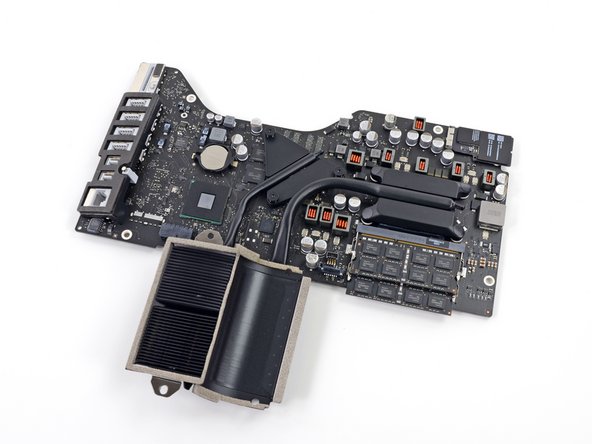
Upgrade up to 16 GB of RAM memory in your 21.5" iMac

All photos are property of iFixit

Image #1

Add Note Edit Step 1 — Unglue the screen  ¶ 

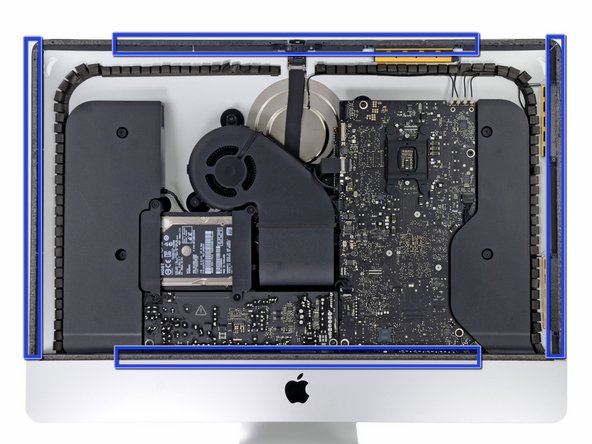
  • First you need to remove the glue from the edge of the iMac

  • Use a Guitar Pick around the screen to remove the glue

  • Be careful not to damage the iSight camera

Image #1 Image #2

Add Note Edit Step 2 — Screen  ¶ 

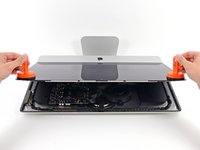
  • Once you are sure the adhesive is removed, use two heavy suction cups to lift the screen

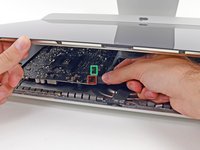
  • Unplug these cables:

    • DisplayPort Cable

    • Power Cable

  • Lift the screen from the iMac

Image #1 Image #2

Add Note Edit Step 3 — Adhesive  ¶ 

  • Remove the gray tape from the iMac and the screen itself

  • When reassembling the iMac, put double sided tape on the screen and the iMac

Image #1 Image #2

Add Note Edit Step 4 — Hard drive  ¶ 

  • Remove the four Torx T10 screws

  • Unplug the SATA cables and remove the hard drive

Image #1 Image #2

Add Note Edit Step 5 — Fan  ¶ 

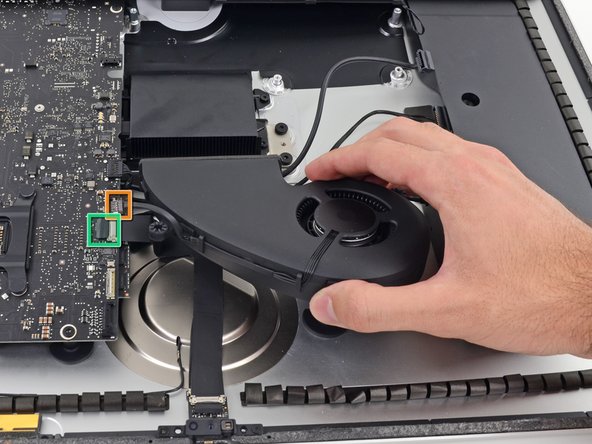
  • Remove these 3 Torx T10 screws

  • After you remove the screws, remove these cables

    • Fan Cable

    • Unstick and unplug the camera cable

  • After you remove the fan, remove the hard drive bay removing a single Torx T10 screw

Image #1 Image #2 Image #3

Add Note Edit Step 6 — Power board  ¶ 

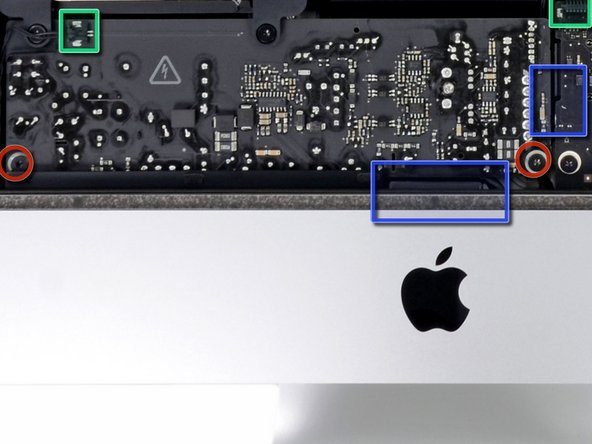
  • Remove these 2 Torx T10 screws

  • Unplug these 2 cables

  • Unplug 2 more cable below the power board by pressing the clip

  • The power board is hard to remove from its place, remove it carefully

Image #1

Add Note Edit Step 7  ¶ 

  • Remove the cables out of the clip

Image #1 Image #2

Add Note Edit Step 8  ¶ 

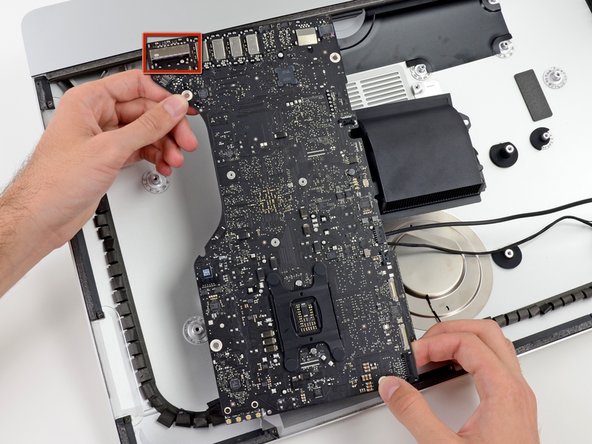
  • Unplug these 4 antenna connectors

    • When reassembling be sure that the connectors are in the same place

  • After that, remove these two Torx T10 screws

  • Move the speaker and unplug the cable from the logic board

  • Remove these other cables

  • For finish, remove these four Torx T10 screws

Next » « Previous

Required Tools

T8 Torx Security Bit Screwdriver

$6.95 · 44 In stock

Spudger

$2.95 · 50+ In stock

T10 Torx Security Bit Screwdriver

$6.95 · 29 In stock

Heavy-duty Suction Cups (Pair)

$14.95 · 50+ In stock

Related Products

PC3-12800 2 GB RAM Chip

$44.95 · 2 In stock

PC3-12800 4 GB RAM Chip

$54.95 · 9 In stock

Comments Add Note Comments are offturn on