Introduction
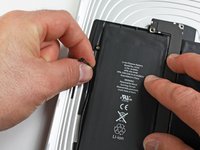
Use this guide to replace your iPad's battery.
What you need
-
-
If your display glass is cracked, keep further breakage contained and prevent bodily harm during your repair by taping the glass.
-
Lay overlapping strips of clear packing tape over the iPad's display until the whole face is covered.
-
Do your best to follow the rest of the guide as described. However, once the glass is broken, it will likely continue to crack as you work, and you may need to use a metal prying tool to scoop the glass out.
-
-
-
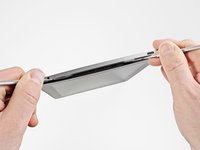
Insert a metal spudger between the top edge of the display assembly and the rear panel assembly.
-
Rotate the spudger away from you to release the tabs along the top edge of the display.
-
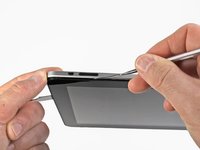
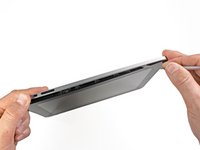
Insert a second metal spudger between the top edge of the display assembly and the rear panel assembly to keep the tabs from snapping back into place.
-
-
-
With one spudger, work your way along the right edge of the iPad.
-
The front panel is held to the aluminum back by metal clips on the top, bottom, and left sides. The right side has plastic tabs which slide into recesses in the backplate.
-
Once the clips are released, lift the left side of the front panel up and slide it to the left to clear the tabs from the aluminum backplate.
-
-
-
-
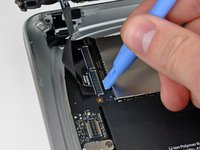
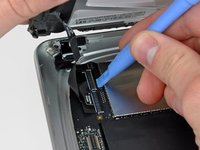
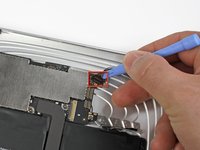
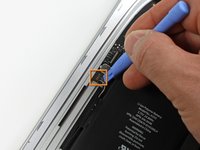
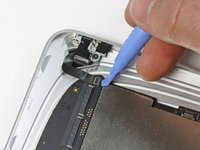
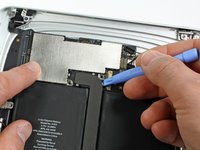
Use the edge of a plastic opening tool to:
-
Pry the side button connector up off the logic board from underneath the wires.
-
Pry the speaker connector up off its socket on the logic board from beneath the speaker wires.
-
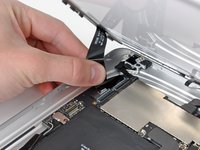
Carefully flip up the ZIF ribbon cable retaining flap on the socket near the headphone jack.
-
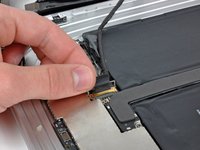
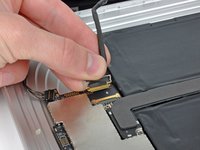
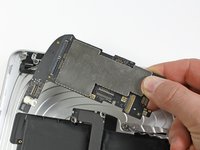
Pull the headphone jack ribbon cable toward the left side of the iPad to disconnect it from its socket.
-
-
-
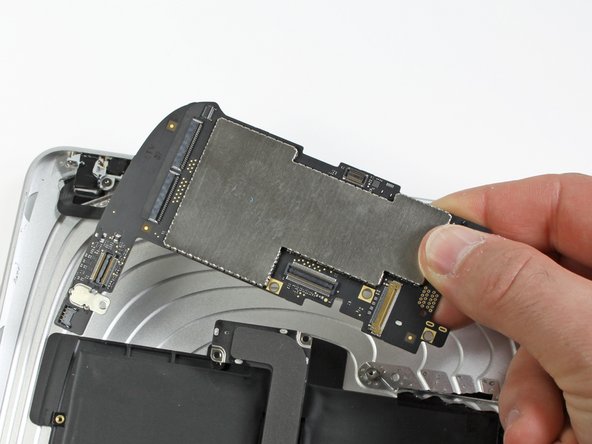
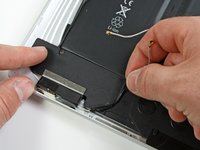
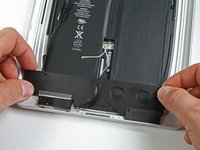
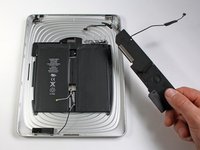
Remove the two 2.84 mm T5 Torx screws securing the speaker assembly to the rear panel assembly.
-
Remove the single T5 Torx screw securing the middle of the dock cable to the rear panel assembly.
-




















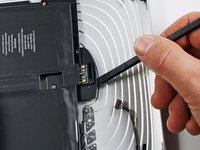
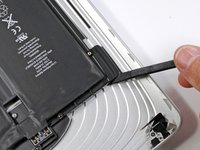


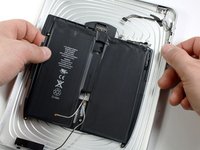
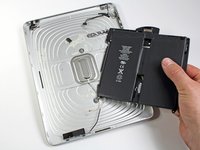
To reassemble your device, follow these instructions in reverse order.
Cancel: I did not complete this guide.
119 other people completed this guide.


14 Guide Comments
Tried this with 2 ebay "OEM" cheapo batteries. Both failed- wouldn't charge, reboot every few minutes.
Solution: Dissected both new and original batteries. Snipped out old LI-ION cells from original Apple battery pack frame. Soldered new LI-ON cells into original battery frame.
Success!
The battery pack includes both LI-ION cells and an small circuit board. The cheapo replacement battery packs don't work (with newer IOS versions? are they actively blocking 3rd party battery replacements?)
Using the circuit board from the original battery pack with new LI-ION cells seems to fix everything.
Be ready to peel off a lot of adhesive label stickers and maybe use a bit of electrical tape to produce a renovated battery pack that works- original Apple battery frame + new LI-ION cells..
Thanks for letting us know that battery PCB takes LiIon cells replacement. I have the same problem with reboot using cheap ebay replacement battery. Going to test new LiIon cells for capacity and if OK - will resolder them.
Paul G -
PS: just replaced two cells, it works. Just in case, to prevent the charging PCB to loose the power (some LiIon controllers can lock because of power loss) I did it one by one. First I removed one cell, soldered replacement, then second one. I estimated capacity of new cells using Imax B6 charger - both of them were around 3100mah, not bad for noname $12 battery from ebay.
Paul G -
I am new to this. Does the iPad need to be kept powered up by an external battery while changing out the battery pack to prevent loss of apps and data? I don't mind so much losing data, it is backed to cloud. But apps are a problem as many of mine are no longer available.
