Introduction
Steady your aim by replacing the analog stick grips on the Xbox 360 wireless controller.
What you need
-
-
Depress the battery release button on the top of the controller.
-
Remove the battery holder from the controller.
-
-
-
Use a pair of tweezers to peel the barcode sticker from the battery compartment.
-
-
-
-
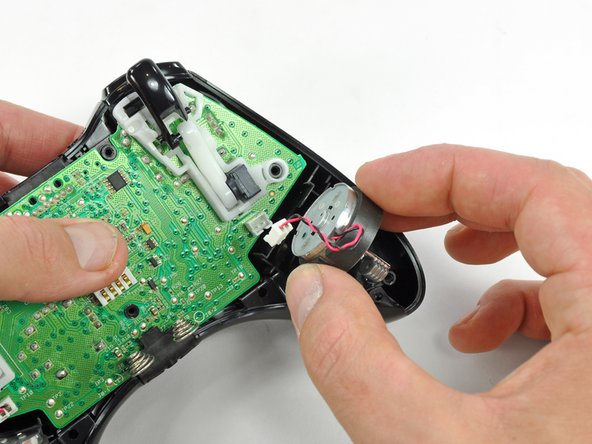
Use the flat end of a spudger to remove the vibration motor cable, moving it upward from its socket on the logic board.
-
Lift the vibration motor out of the front case.
-
-
-
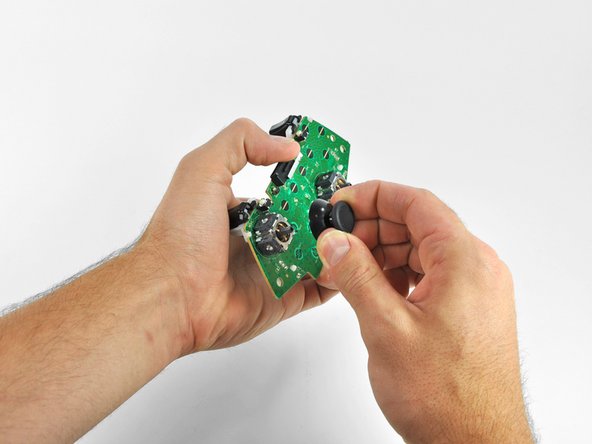
Lifting from the headphone jack and power plug, remove the logic board from the front case.
-




To reassemble your device, follow these instructions in reverse order.
To reassemble your device, follow these instructions in reverse order.
Cancel: I did not complete this guide.
97 other people completed this guide.



3 Comments
unnecessary steps.
3 steps:
remove all 7 screws.
flip upside down remove top plate
pull stick caps off
reinstall in reverse.
you may have to slide the vibration motors into the slots on the top half when putting back together.
