Introduction
Save money by replacing just the LCD rather than the whole display assembly.
What you need
-
-
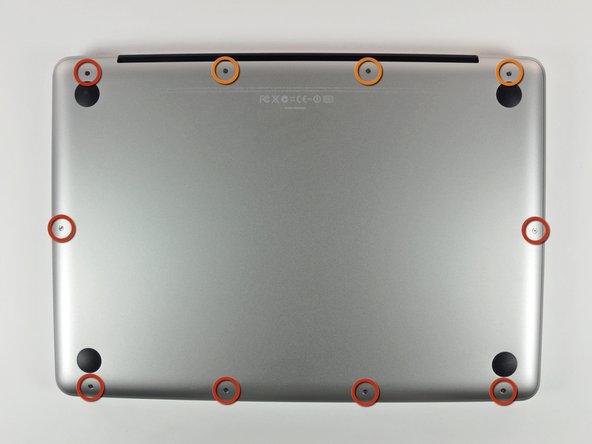
Remove the following 10 screws securing the lower case to the MacBook Pro 13" Unibody:
-
Seven 3 mm Phillips screws.
-
Three 13.5 mm Phillips screws.
-
-
-
Slightly lift the lower case and push it toward the rear of the computer to free the mounting tabs.
-
-
-
Use the flat end of a spudger to lift the battery connector up out of its socket on the logic board.
-
-
-
Use the flat end of a spudger to pry the subwoofer/right speaker cable connector up off its socket on the logic board.
-
-
-
Disconnect the camera cable by sliding it horizontally out of its socket.
-
If you see a small plastic retainer stuck to the logic board that prevents the camera cable from sliding out, peel it up carefully from the logic board. Apply a little heat from a hair dryer or heat gun if necessary to help soften the adhesive holding it in place. Do not attempt to forcibly disconnect the cable with the retainer in place.
-
If you still have trouble, use the point of a spudger to push at each side of the connector and "walk" it slowly from its socket.
-
-
-
-
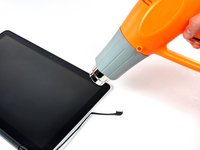
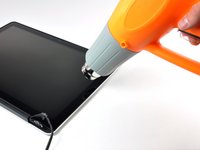
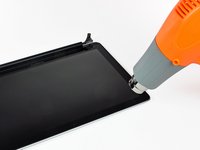
With the heat gun set to low, start by heating the outer black border near the upper right corner of the glass panel.
-
-
-
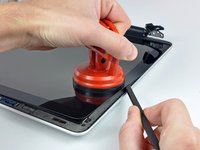
Gently lift the corner of the display glass enough to insert a spudger between it and the display assembly.
-
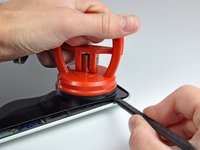
Use the flat end of a spudger to gently pry up the adhesive securing the front glass to the display.
-
Pry up the glass panel a few inches away from the upper right corner along the top and right edges of the display.
-
-
-
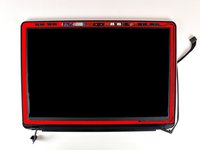
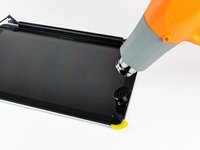
Use a heat gun to soften the adhesive under the black strip along the right side of the front glass panel.
-
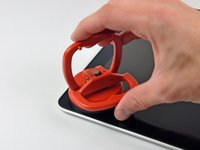
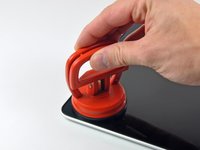
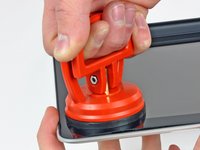
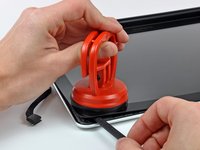
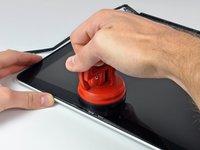
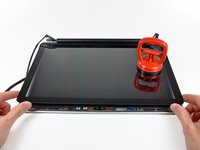
Attach a suction cup along the right side of the front glass panel.
-
Pull up on the glass panel while you use the flat end of a spudger to separate it from the rest of the display assembly.
-
Continue working along the right edge of the front display glass until it is separated from the display.
-
-
-
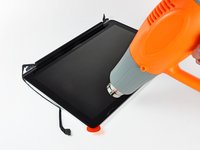
Use your heat gun to soften the adhesive under the black strip along the top edge of the glass display panel.
-
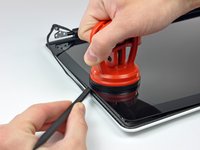
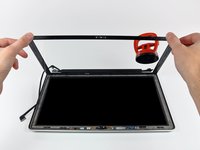
Attach a suction cup near the top edge of the glass display panel and use it to pull the glass panel up off the display.
-
Work along the top edge of the glass panel, carefully using the flat end of a spudger to separate the adhesive if necessary.
-
-
-
Use a heat gun to soften the adhesive under the black strip near the upper left corner of the glass display panel.
-
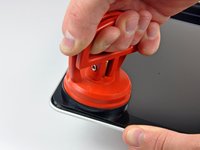
Attach a suction cup near the upper left corner of the glass display panel.
-
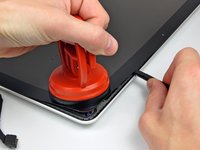
Pull up on the suction cup and use the flat end of a spudger to carefully pry the glass display panel out of the display assembly.
-
-
-
Use a heat gun or hair dryer to soften the adhesive under the black strip along the left side of the front glass panel.
-
Attach a suction cup along the left side of the front glass panel.
-
Pull up on the glass panel while you use the flat end of a spudger to separate it from the rest of the display assembly.
-
Continue working along the left edge of the front display glass until it is separated from the display.
-
-
-
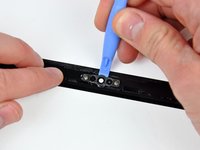
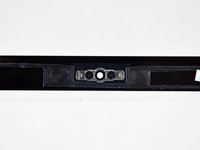
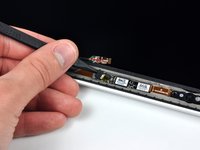
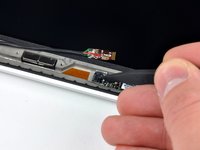
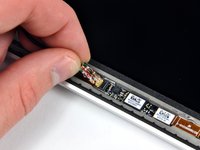
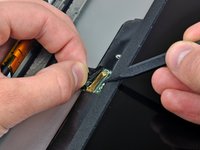
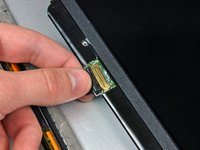
To reconnect the cable, first use the tip of a spudger to remove the piece of foam tape over the camera cable ZIF socket.
-
Use the tip of a spudger to flip up the ZIF cable retainer on the camera cable socket.
-
Insert the camera cable into its socket on the camera board and use the tip of a spudger to snap down the ZIF cable retainer, locking the cable in place.
-
-
-
Starting at its far right end, rock the clutch cover along its long axis while pulling it away from the clutch hinge.
-
Working from right to left, carefully continue to release and lift the clutch along the lower edge of the display assembly.
-
Lift the clutch cover up off the front bezel and set it aside.
-
-
-
De-route the display data cable from its retaining bracket near the lower left edge of the display.
-






















To reassemble your device, follow these instructions in reverse order.
Cancel: I did not complete this guide.
117 other people completed this guide.


6 Guide Comments
When I removed the glass, the adhesive pulled up the camera left side gold ribbon cable. I removed the screw securing the small circuit board to the left of the camera and flipped it over. There's a tiny connector there. I had to pull back the gold tape (on the ribbon cable) and carefully feed the end of the gold mylar ribbon cable into the connector. The gold tape then falls over the top of the connector and would normally hold it place if it hadn't lost it's adhesive.
As the glass may be broken on these, I found that putting Duct tape across the broken screen helped keep it together better for easier removal. Also you might want to watch the small suction cup that comes in the kit as the metal pull ring melts right out, I had to use my bigger suction cups.
consider removing clutch plate before heating, it will melt if your not careful
Suggest asking if they purchased a refurbished model. My last client's glass was held on with 30lb 3M shelf tape. No amount of heat or alcohol would remove it. Thank goodness the glass was already broken. I had to work for 2 hours to remove all of the glass, and old adhesive is not wanting to come off with elbow grease and alcohol. Going to try using tiny, careful amounts of goo-gone. Don't want anyone else to ever have to deal with this on future repairs (Client is a traveler, and accident prone)
