Introduction
Use this guide to replace a broken screen for your iPhone 4.
After successfully replacing the screen, protect your new display from scratches by installing a screen protector.
What you need
-
-
Power off your iPhone before beginning disassembly.
-
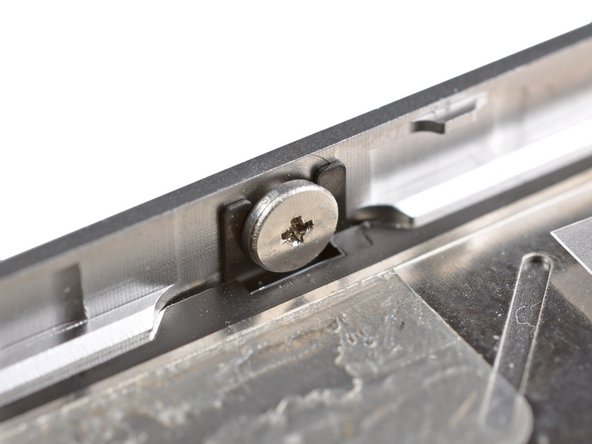
Your phone's rear cover may have two #000 Phillips screws or Apple's 5-Point "Pentalobe" screws. Check which screws you have, and ensure you also have the correct screwdriver in order to remove them.
-
Remove the two 3.6 mm Pentalobe or Phillips #000 screws next to the dock connector.
-
-
-
Remove the single 1.5 mm Phillips screw securing the battery connector to the logic board (if present).
-
-
-
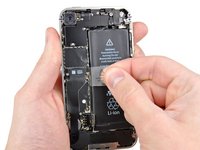
Pull up on the exposed clear plastic tab to peel the battery off the adhesive securing it to the iPhone.
-
If there's any alcohol solution remaining in the phone, carefully wipe it off or allow it to air dry before installing your new battery.
-
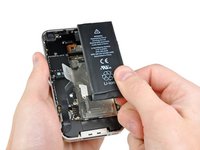
Remove the battery.
-
Before reassembly, clean metal-to-metal contact points with a de-greaser such as windex. The oils from your fingers have the potential to cause wireless interference issues.
-
Perform a hard reset after reassembly. This can prevent several issues and simplify troubleshooting.
-
-
-
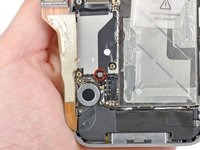
Remove the two 1.8 mm Phillips screws securing the dock connector cable to the logic board.
-
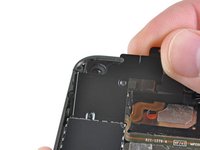
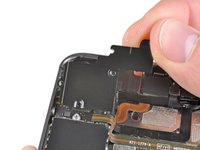
Remove the thin metal dock connector cable cover.
-
-
-
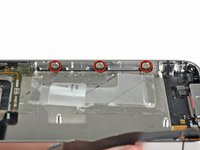
Remove the following five screws:
-
Three 1.3 mm Phillips screws
-
One 1.5 mm Phillips screw
-
One 2.4 mm Phillips screw
-
-
-
-
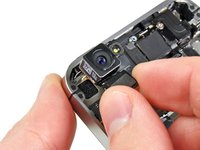
Disconnect the five cables near the top of the logic board in the following order:
-
Headphone jack/volume button cable
-
Power button cable
-
Front facing camera cable
-
Digitizer cable
-
Display data cable
-
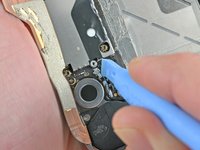
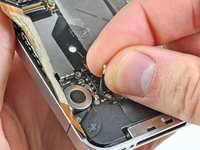
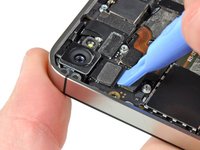
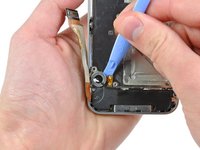
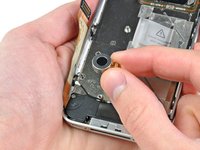
To disconnect the cables, use the edge of a plastic opening tool to gently lift their connectors up and out of the sockets on the logic board.
-
-
-
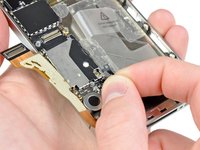
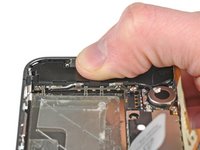
Use the edge of a plastic opening tool to pry the vibrator off the adhesive securing it to the frame of the iPhone.
-
Remove the vibrator.
-
-
-
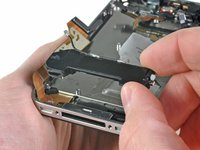
Remove the two 2.4 mm Phillips screws from the sides of the speaker enclosure assembly.
-
-
-
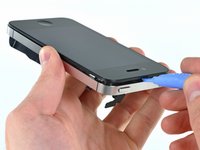
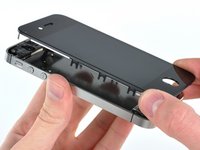
Use the edge of a plastic opening tool to gently pry up the display assembly around its perimeter.
-
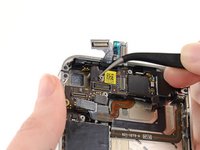
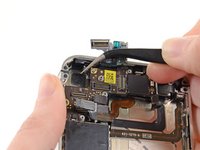
De-route the digitizer and LCD cables through the steel inner frame.
-
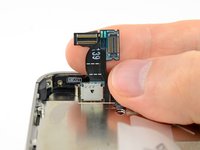
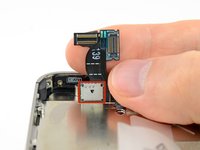
When the front panel has been correctly installed, both the LCD and digitizer cables should be immediately next to one another and should be the same length, as shown in the second photo.
-
During reassembly, do not touch the metallic area at the base of the LCD data cable, as this can cause problems with the LCD. If you do touch it accidentally, clean it gently with an alcohol wipe before continuing.
-
-
-
Remove the display assembly from the iPhone.
-
You may have to reuse the earpiece grille and the clear plastic ring around the front facing camera from the old/damaged assembly. This will depend on where you buy the replacement part.
-
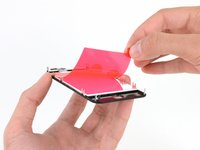
Your replacement display may come with colored plastic film on the back of the LCD. If so, use the pull tab near the home button to peel the plastic film from the LCD before installing the new display in your iPhone.
-
After reassembly, note the following:
-
Clean the touchscreen surface with an alcohol wipe prior to turning the iPhone back on. The alcohol helps dissipate any lingering static electricity, which can cause problems with the display.
-






















To reassemble your device, follow these instructions in reverse order.
Cancel: I did not complete this guide.
623 other people completed this guide.


44 Guide Comments
Thanks guys' u are always awesome!!!
I could not remove the logic board because it will not release at the top left. Have I missed something.
Their are only 3 things that are holding down anything in the cell phone world screws adhesive or clips their are 5 screws connecting the board make sure all 5 are removed theirs also kinda a clip it fits under be careful not to brake that when taking it out
Had it done in1.5hrs exact. Very helpful as always, thanks IFIX IT.
Its a good note to posted's and label where the screw is from, since they are so small and a pain to remember where its going.
