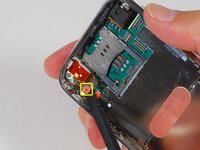
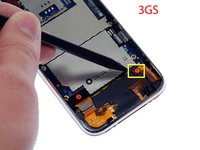
Installing iPhone 3GS Logic Board

  • Add Note x
  • x 89

The motherboard of your iPhone controls everything in the iPhone.

Image #1

Add Note Edit Step 1 — Logic Board  ¶ 

  • Remove the two Phillips #00 screws from the dock-connector end of the iPhone.

Image #1

Add Note Edit Step 2  ¶ 

  • Remove the metal handle from the suction cup. It's easier and safer to grip the suction cup's base instead of the metal handle.

  • Be very careful when opening the iPhone so that the cables under the display are not severed.

  • There is a rubber gasket between the silver front bezel and black display assembly. A bit of force is required in this step to separate the iPhone's display assembly.

  • Use a small suction cup near the Home button to gently pull up the bottom portion of the iPhone's display assembly.

  • If the display assembly is too damaged to allow the suction cup to adhere, tape with a strong adhesive such as duct tape, or thick, clear packing tape may be used.

Image #1

Add Note Edit Step 3  ¶ 

  • The display assembly is still connected to the iPhone by several cables, so don't try to remove it entirely just yet.

  • Rotate the display assembly up until it is at an angle of approximately 45 degrees.

Image #1

Add Note Edit Step 4  ¶ 

  • Continue to hold the display assembly with one hand, and use your other hand and a spudger to disconnect the black ribbon cable labeled "1."

Image #1

Add Note Edit Step 5  ¶ 

  • Rotate the display assembly up until it is roughly vertical. This will allow easier access for disconnecting the remaining cables.

  • Use a spudger to disconnect the black ribbon cable labeled "2."

Image #1

Add Note Edit Step 6  ¶ 

  • Use a spudger to flip up the white plastic tab holding the remaining ribbon cable in place. The white tab will rotate up 90 degrees, releasing the ribbon cable.

  • Slide the black ribbon cable out of its connector, and remove the display assembly from the iPhone.

Image #1

Add Note Edit Step 7  ¶ 

  • Insert your SIM eject tool or a paper clip into the hole next to the headphone jack.

  • Press down on the tool until the SIM card tray pops out.

  • Grasp the SIM card tray and slide it out of the iPhone.

Image #1

Add Note Edit Step 8  ¶ 

  • Use a spudger to disconnect the ribbon cable labeled "4."

Next » « Previous

Required Tools

Spudger

$2.95 · 50+ In stock

Phillips #00 Screwdriver

$4.95 · 50+ In stock

Small Suction Cup

$2.95 · 50+ In stock

Recommended Tools

Universal Drive Adaptor

$29.95 · 50+ In stock

iFixit Lock Pick Set

$29.95 · 17 In stock

Inspection Scope

$39.95 · 38 In stock

Frictionless Ratchet

$24.95 · 48 In stock

Portable Anti-Static Mat

$24.95 · 16 In stock

Popular Device Products

iPhone 3G and 3GS Volume Button

$4.95 · 44 In stock

iPhone 3G and 3GS Power Button

$4.95 · 27 In stock

iPhone 3GS Front Panel Kit

$39.95 · 38 In stock

iPhone 3GS Replacement Battery

$19.95 · 50+ In stock

Comments Add Note Comments are offturn on