Introduction
The iMac G3 Uses a 3.5" IDE Hard Drive. It supports data partitions no larger then 128GB and boot partitions no larger then 8GB (The 8GB limit only applies to iMac G3 tray loaders).
What you need
-
-
The iMac G3. This was a great computer for the time, and had plenty of features.
-
-
-
-
Remove the two phillips #00 screws.
-
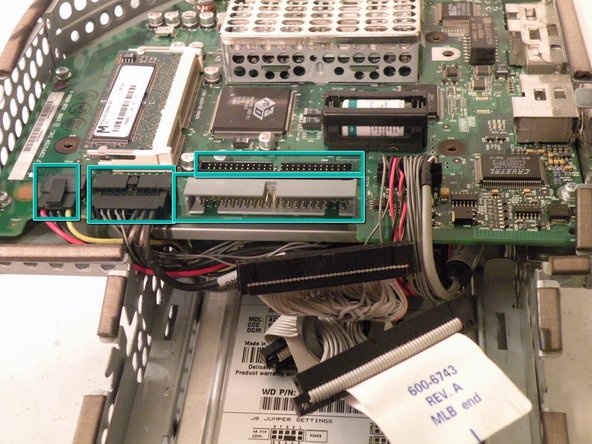
Then remove the board. This will reveal that it is a standard PATA drive.
-
Congrats, the drive is free! You can use any PATA-tray loading drive in the iMac G3 which means you can install a CDRW to burn CDs in OS9 or X(if using OSX,install that DVD writer) but, of course only original drives will match the great look of the iMac).
-




To reassemble your device, follow these instructions in reverse order.
To reassemble your device, follow these instructions in reverse order.
Cancel: I did not complete this guide.
39 other people completed this guide.


Team

8 Comments
great description, great photos
Many thanks. Worked perfectly.
is the hard disk on a mac interchangeable to iMac 4984 from iMac M5521? Power supply failed on M5521. thx
Çok güzel. Makul bir para ödemesi yapabilirim.
Thank you so much! My grandmother finally decided to throw hers away but she wanted the hard drive and I got it for her with your help!!!
