Introduction
Things heating up inside your MacBook Pro with Retina Display? Could be trouble with the heat sink. Use this guide to show you how to remove the heat sink in the Mid 2012 MacBook Pro with Retina display.
What you need
-
-
Remove the following P5 pentalobe screws securing the lower case to the MacBook Pro:
-
Eight 3.0 mm
-
Two 2.3 mm
-
-
-
-
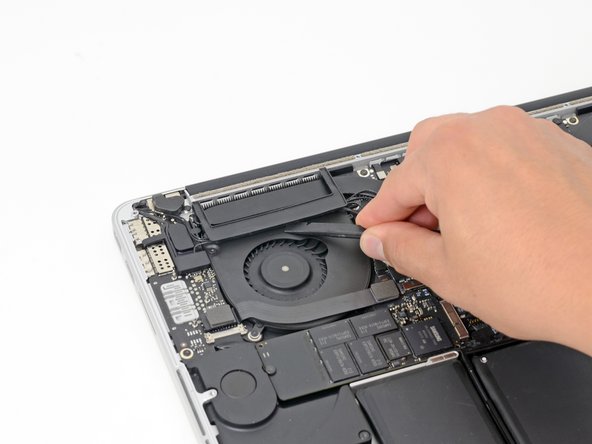
Insert the flat end of a spudger underneath the rubber heat sink cover on the right fan.
-
Slide the spudger underneath the length of the cover, releasing the adhesive.
-
Lift the cover and rotate it off of the heat sink.
-




To reassemble your device, follow these instructions in reverse order.
To reassemble your device, follow these instructions in reverse order.
Cancel: I did not complete this guide.
40 other people completed this guide.



7 Comments
Hello everybody!!! I tried to follow this guide... I removed the bottom case, no problem... but when it was the time to remove the upper 2.4mm T5 torn screw... it stripped and now i cannot remove it! How can i remove that screw?
And if this is not enough one of the 3mm pentalobe screw of the bottom stripped too! so what can i do?!? please help me!
Sorry for my bad english
I'm sorry to hear that! Try checking out this stripped screw guide and reading through this Answers post. Hope this helps with your repair!
I won't call this moderate but rather easy instead, seems like ifixit expect that easy is something you just unplug without even open the computer
