Antenna Cover
|
3 Answers 2 Score |
How do I unlock? |
|
9 Answers 2 Score |
An alternative to a dental pick? |
|
3 Answers 3 Score |
One of the antenna cables cutted and solded. No WiFi connectivity. |
|
9 Answers 4 Score |
Battery life less than expected |
These are some common tools used to work on this device. You might not need every tool for every procedure.
A1203 16GB, A1203 4GB, A1203 8GB
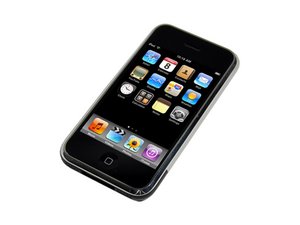
The iPhone 1st Generation was the first in the series of the revolutionary iPhone. The iPhone 1st Generation was first introduced in 2007 with a 4GB and 8GB hard drive.
The first iPhone can be identified by the model number A1203 etched onto the back case. It features a curved aluminum back with a black apple logo and black plastic section on the bottom. It has a SIM tray and power button on the top side and volume buttons on the left side.
Announce date: January 9, 2007
Model: A1203
Developer: Apple Inc.
Operating system: iPhone OS 1.0 through OS 3.1.3
Display:
Camera: 2.0 MP with geotagging
Processor: Apple-branded 412 MHz 32-bit Samsung ARM 11 with PowerVR MBX-Lite GPU
RAM: 128 MB eDRAM
Sensors: Accelerometer, Proximity, Ambient Light
Storage: 4, 8, or 16 GB Flash Memory
Wireless Connectivity:
Battery: 3.7 V, 1400 mAh lithium-ion polymer
Dimensions: 4.5 x 2.4 x 0.46 in (115 x 61 x 11.6 mm)
Weight: 135 g (4.8 oz)
Colors: Black
Past 24 Hours: 26
Past 7 Days: 239
Past 30 Days: 892
All Time: 1,016,916