
AirPort Antenna
|
2 Answers 1 Score |
Worth replacing the Graphics thermal pad? And is it 0.5mm? |
|
2 Answers 3 Score |
Can I reset the password on OS X 10.4.11? |
|
5 Answers 1 Score |
How to get out 2 CDs? |
|
3 Answers 2 Score |
Can not Install OSX on upgraded MacMini Hard Drive |
These are some common tools used to work on this device. You might not need every tool for every procedure.
1.25 GHz, 1.33 GHz, 1.42 GHz, 1.5 GHz
There are no troubleshooting guides for the Mac mini (PowerPC) at this time.
You can cost-effectively upgrade a number of components in the Mac mini (PowerPC).
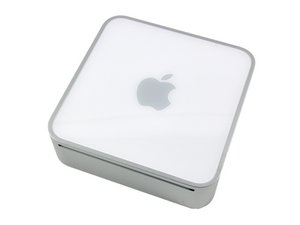
You can verify that you have a Mac mini (PowerPC) by checking the model number on the bottom of your mini. All PowerPC Mac minis are Model number A1103.
Use the Mac mini identification system to help you identify your machine. Mac minis tend to look very similar, and it's important to know which machine you have before ordering any replacement parts.
It is uncommonly small for a desktop computer and its external power supply is roughly one third of the size of the computer itself. It was introduced in January of 2005 and has been updated with newer processors and other expansions several times since.
Past 24 Hours: 9
Past 7 Days: 83
Past 30 Days: 285
All Time: 281,684


