
1

Score

Avatar
Robert Page
13

Asked

Can not Install OSX on upgraded MacMini Hard Drive

History

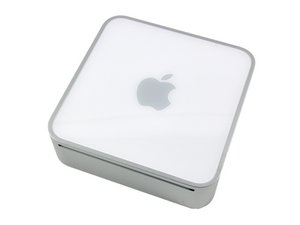
I just upgraded my MacMini from the original hard drive (40G Ultra ATA) to a 320G Western Digital Scorpio Blue Hard Drive. I used the original install disks and partitioned the disk once into one volume and tried to install the original OS X version: 10.3.7. The installer would not allow installation onto the drive. I tried 2 partition system, one 40G partition and 280G partition and no luck. Any idea what is wrong here. I beginning to suspect the installer is snooping for a 'standard' configuration somehow.

Edited by: Kyle Wiens ( ) , rab777hp ( )

Post Answer

1

Score

Avatar
ablaumeise
13

Answered

PermalinkHistory

Are you sure the HD format (or whatever you call that in english) is right?

It needs to be APM (Apple Partition Map) if you try to install 10.3.

Go to Disk Utility -> Partition -> Options and then select APM, partition the drive again, and install OS X. That should work - I had a similiar problem on a PB G3 some time ago and this solved it.

Edited by: ablaumeise ( )

I have always used "Mac OS Extended (Journaled)". This is the way it was partitioned before. I have done this multiple times now and not luck. In Disk Utility I do not see a APM option and I have never used this before.

Robert Page,

Figured it out. I don't do this enough to remember this silly little details. With the new HD installed but not formatted, the system boots not recognizing the drive. I had to reboot from the CD to allow the boot code to recognize the newly formatted Mac drive, then I am allowed to install. Found the details on MacIntouch with a search for Mac Mini hard drive upgrade.

Robert Page,

0

Score

Avatar
nick
15.7k

Answered

PermalinkHistory

Format it in the aple partition map and you can

heres how

Go to Disk Utility -> Partition -> Options and then select APM, partition the drive again, and install OS X. That should work.

Edited by: nick ( )

0

Score

Avatar
Donald Todd
221

Answered

PermalinkHistory

The G4 AGP (400MHz) that I previously used is limited to drives of 120GB capacity. I notice that "MacUpgrades" only recommend drives of that capacity for the G4 Mini. It may be a similar limitation, although my 1.25GHz Mini has been upgraded with a 160GB drive.

Edited by: Donald Todd ( )

Add Your Answer