0

Score

Avatar
Chris
1

Asked

How do I fix the media speaker attached to the back?

History

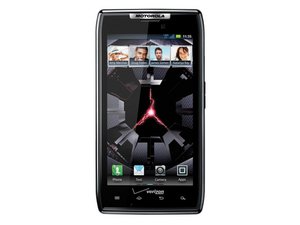
Recently, my Droid Razr's media speaker on the back has been cutting out. I've discovered that when you push on the back where the speaker is, it will start playing again for a short time. This leads me to believe it has something to do with the contacts the speaker connects to.

What can I do to fix this problem?

Any help would be greatly appreciated :)

Post Answer

0

Score

Avatar
David Hodson
37.3k

Answered

PermalinkHistory

As you can see here, the loudspeaker connects to the motherboard via pressure contacts, which is probably why pushing on them helps the connection. I can think of two fixes:

1. Your phone is less than a year old, so it should still be covered by a manufacturer's warranty. Contact them and have them "fix it" (they'll probably send you a new phone).

2. Remove the rear case and clean the speaker contacts with a high concentration alcohol. Also inspect them for any damage. The problem that lies here, though, is that if you find out that there's any damage Motorola won't honor the warranty, since you opened it. Option 1 seems like the way to go.

0

Score

Avatar
H M
13

Answered

PermalinkHistory

They are known to go out on the Droid Razr and the Razr Maxx. You can find a replacement Droid Razr Loud Speaker

Edited by: oldturkey03 ( )

Now you are starting to spam....

oldturkey03,

Add Your Answer



