
0

Score

Avatar
SimonArmstrong
1

Asked

No video output, however appears to be booting up?

History

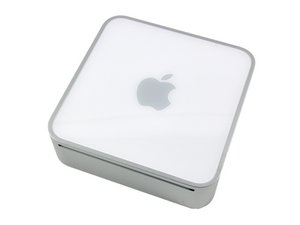
Hi, I went to use my mac mini one day recently, to find that although still switched on there was no video output. I have tried two different adapters, three cables and three screens. I have tried resetting it by plugging it in with the power button depressed, and also holding the power button until the power light flashes rapidly and then the startup chime sounds. Is there anything else I can try before I replace the logic board?

Regards

Simon

Is your screen black or white?

mayer,

Post Answer

3

Score

Avatar
rdklinc
16.6k

Answered

PermalinkHistory

I would test for a bad RAM slot by powering on with one slot empty, and then the other. Removing and re-seating the upper part of the assembly from the main board (which you'll do in order to get to the RAM) also couldn't hurt, in case something is not connecting right.

A PRAM reset never hurts either, in case it's stuck in a funky resolution or some odd video mode.

I'd also blow out the inside with compressed air while you're in there.

Edited by: rdklinc ( )

Thanks rdklinc, just tried all your suggestions, unfortunately it is still the same. Thank you though Regards Simon

SimonArmstrong,

I happened to look up your model number on eBay, and there seem to be a number of people advertising logic board repairs for it, which I assume means this model probably has frequent video issues, probably due to the Nvidia chipset. I haven't personally dealt with video issues on this model, but if it was my machine, I would probably try to diagnose the issue by pressing on the video chip while powering on, in hopes that the video is restored temporarily, proving it's a video issue.

rdklinc,

Add Your Answer