
0

Score

Avatar
VicenzoReturn
97

Asked

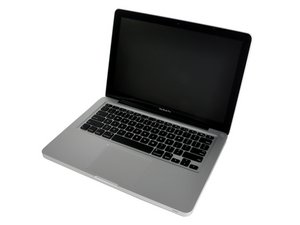
The touchpad on MacBook Pro doesn't work

History

Hi everybody ! As my title say new day new problem =)

New macBook pro and the problem after do a desoxydize ( don't know if it's the good words in english sorry ) so everything work except the touchpad i show you a picture for you so perhaps you can help me! the CLICK work well but when you want to move the "mouse" it's impossible ! THX for your help

http://www.hostingpics.net/viewer.php?id...

http://www.hostingpics.net/viewer.php?id...

Edited by

Please give us the last three figures of your serial number so we know exactly which MBP you have.

mayer,

MacBook Pro 13.3" Processor:2.26GHz Core 2 Duo (P7550 or P8400) Serial #:W89262LZ66H Model #:A1278

VicenzoReturn,

The two pins (bottom left of the connector) seems to have a problem. What do you mean by "deoxidize" ? Did you work on this connector ?

lemerise,

i use a product to clean the motherboard when she have take a swim!

VicenzoReturn,

anyone to help me plz ?

VicenzoReturn,

Show 2 more comments

Post Answer

1

Score

Avatar
ABCellars
13.2k

Answered

PermalinkHistory

As lemerise mentioned you have problems with the 2 pins on the bottom left of the socket/connector/header. I will elaborate a little further on the matter. The pin on the end is missing. The next one in isn't soldered to the pad on the board. The socket needs replaced or repaired. It will take someone with above average soldering skills and good optics to replace the socket/header. Repairing the socket/header, judging from the provided pictures, could be more difficult than replacing it. Since this has experienced liquid damage, it is uncertain that either will fix the problem. There could be more problems with components on the board or in the sub-layers of the board. Finding a replacement socket/header should be something that can be accomplished. The majority of the computer/laptop sockets/headers are manufactured by Foxconn, including the ones on Apple products, and are available through a number of sources. You may be better off using an external USB mouse.

0

Score

Avatar
mayer
121.8k

Answered

PermalinkHistory

Just the trackpad can be replaced. It's Apple part number 922-9063

0

Score

Avatar
Dennis Cirricione
1

Answered

PermalinkHistory

Personally I had a problem with my trackpad and later found out that directly underneath is my batter. Well my battery was swelling which made it difficult to click down on the pad.

Add Your Answer
