
0

Score

Avatar
GEORGE HARRISON
1

Asked

Dead Display, Everything Else Working

History

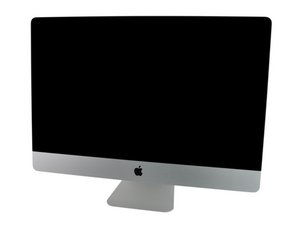
This is on a late 2009 iMac 27" A1312.

Was replacing the ODD. When I put it back together there is no display at all. It chimes and boots, I got into it via Screen Sharing with my laptop. I am currently backing it up.

Checked all cables and temp sensors, they appear fine though the Vsync cable is looking a little worn.

My main question, since the display is completely dark, no faint image, no lED bars, nothing at all on screen, does it sound like a power supply problem, or if the connector on the logic board right over the video card is boo booed, and not letting any video signal in to the monitor will it prevent startup of the lcd itself.

I don't know the order of steps for power up of the LCD. Also does the front plastic have any sensors on it that might prevent the kid from powering up?

Thanks,

George Harrison III

Edited by: Walter Galan ( ) , mayer ( )

Thanks Guys, I figured it all out thanks to your information. What happened is while I was removing the main video cable it broke a pin on the logic board portion. I am using the second display now until I have time to solder a new bracket on there. Now my second problem, how do I switch my bootcamp over to the mini display port? I cannot boot into my windows and get to my work stuff. Thanks!

GEORGE HARRISON,

Post Answer

5

Score

Avatar
mayer
150.7k

Answered

PermalinkHistory

To help isolate the problem hook it up to an external monitor. Check the diagnostic lights to the right of the RAM and let us know your results.

OK will do, Going to have to run to Bestbuy and pick up a display adapter. And thanks for the info on the lights, I didn't know they existed! As soon as I get back from Bestbuy I will post again.

GEORGE HARRISON,

I went ahead and looked at the lights beside the memory. If I am facing the computer the only lights I see are to the left of the ram. Looks like two steady green lights. There is nothing to the right of the ram lit up.

GEORGE HARRISON,

3

Score

Avatar
ABCellars
13.7k

Answered

PermalinkHistory

Depending on the iMac model, it has either three or four built-in diagnostic LEDs on the main logic board that can help you to troubleshoot the computer. The LEDs are located either to the right of the battery or to the right of the RAM and may be covered with black tape.

LED #1

Indicates that the trickle voltage from the power supply has been detected by the main logic board. This LED will remain ON whenever the iMac is connected to a working AC power source. The LED will remain on even when the computer has been shut down or put to sleep. The LED will turn off only if the AC power source is disconnected or the power supply is faulty.

LED #2

Indicates that the main logic board has detected proper power from the power supply when the computer is turned on. This LED will be ON when the computer is turned on and the power supply is working correctly.

LED #3

Indicates that the computer and the video card are communicating. This LED will be ON when the computer is communicating properly with the video card. If LEDs 1 and 2 are ON and you heard the startup sound, but LED 3 is OFF, then the video card might be installed incorrectly or need replacement. Note: this LED is not used on systems with the integrated graphics

LED #4

Indicates that the computer and the LCD display panel are communicating. This LED will be ON when the computer is turned on and video signal is being generated. If the LED is ON and there is no image on the LCD display panel, the LCD display panel or inverter might be installed incorrectly or need replacement.

_

I noticed you already checked it with an external display and found a picture. Please tell us what LEDs are lit. I think I left you a good enough explanation of what they indicate.

Edited by: ABCellars ( )

Add Your Answer
