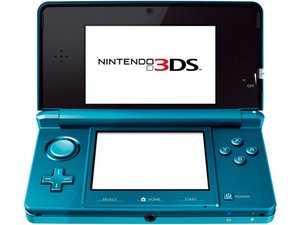
japanese region 3ds how do I change to english
have a Nintendo 3ds bought in japan it however is in Japanese, how do i switch it into English?
Is this a good question?
Score
20

Rep: 241
 2
2
 2
2
 1
1
have a Nintendo 3ds bought in japan it however is in Japanese, how do i switch it into English?
Is this a good question?

Rep: 345
5
5
1
You cant change it, and also, you cannot transfer data between a Japanese 3DS and a English 3DS. Gamestop CANNOT do that either. Plus, data saved on the SD Card of the Japanese 3DS also cannot be transferred to ANY 3DS what so ever, besides the music and pictures you put on it yourself.
Was this answer helpful?

Rep: 13
1
You Can't Change It. But I would suggest changing it at gamestop and get all the memory you had on the japanese one transfered to the english one. I Hope this helps
Was this answer helpful?
Why can't you change it? My daughter bought a new 3DS off of Amazon. Her old one is broken. It didn't say it was from Japan. We didn't know until it arrived. What are we supposed to do now? We've had bad luck trying to ship things back overseas before. That puts her out over $!30 bucks. She can't do anything on it.
Her games won't work on it, either.
Her games dont work>>>?
Of course her games don't work. The 3ds is region-locked. You have a Japanese 3ds trying to play NA games on it. I'm sorry that you guys lost money on this, HOWEVER, there is a market stateside for Japanese 3DS's. I can almost guarantee you that she won't get 130 for it. But if you can't get it returned one place I can recommend is posting on reddit.com/r/MonsterHunter . Monster Hunter Cross came out and people who couldn't get CFW to work or won't install CFW (Custom FirmWare) may buy it off you.
You can hack and downgrade the firmware, read my previous answers to this post. You better hurry because nintendo will release 10.4 firmware soon to patch the new exploits

Rep: 55
3
1
If you're willing, and have the tools and know-how, you could probably just swap the motherboards of a Japanese 3DS with that of any other region's. I can't swear it'll work, but I did the very same with my old DSi. Like the 3DS, it's region locked too. It works just fine. Plus, you get to keep any previously installed software and whatnot.
Was this answer helpful?
Memory is stored on the Mother board, and if you change the motherboard, that memory is gone. Also, you WONT be able to use any software thats on the sd card that was from the old motherboard due to anti-copying precautions.
Don't know why I care, but I can say for a fact that it DOES work. I've swapped several 3DS motherboards over the years. They all work fine. With these recent "New Nintendo 3DS and New Nintendo 3DS XL/LL" counsels, its a whole new ball game. If you want one of those, go with your own country. That's my opinion. The faceplates are compatible with any regions system (excluding XL/LL).

Rep: 13
2
Trying a CFW (Custom Firmware) might be an option. I don't know how far the mod scene has come with the Japanese version though. You'll have to do a great deal of digging on Google.
Was this answer helpful?
It works! https://3ds.hacks.guide/ is the place and also going on the nintendo homebrew discord server. barely any digging required.

Rep: 13
1
I was able to change area and version by Good Mode
Was this answer helpful?
How did you change it?
I mean what's a Good Mode?
Yes please help; what is good mode bc the Japanese consoles are so much cheaper. As long as I can change it to english I would love to purchase all my games and stuff from Japan bc it's much cheaper than the U.S.
I think he's talking about GodMode9, a home brew firmware that the folks over at nintendo homebrew made to let you do all sorts of things that nintendo doesn't let you do normally. give it a google!
Rep: 1
2
So, actually you can change the region, and play region locked games on your Japanese 3ds. However you’re going to have to void your warranty (which…. at this point you’re gonna buy it used so who cares?) go look for nintendo homebrew https://3ds.hacks.guide/ (there’s the link) and the guys in the discord server will walk you through anything you don’t understand! very nice community.
Was this answer helpful?
Where can I find this Nintendo homebrew discord server?
It's in the link that he posted.
It says something about if you have questions join the discord, which discord is hyperlinked.

You can't change it. Also, you can't modify it to English. Even games for English or any other region cannot be play for Japanese. You can only play japanese version of games.
Was this answer helpful?

I am will to use the Japanese 3ds games > only need to change lanuage to english. Can I change the lanuage to English for a region locked Japanese 3ds?
Was this answer helpful?
not without CFW. use 3ds.hacks.guide to install b9s and luma, then follow the region changing guide to switch to another region
Past 24 Hours: 3
Past 7 Days: 46
Past 30 Days: 197
All Time: 173,524

5 Comments
That Japanese 3ds is still useable and you can play online with any games you want after hacking it, you just need to downgrade the firmware, here are keywords to get you started: 3dsiso.com , cia files, gbatemp.net , homebrew channel, downgrade firmware from 10.3 to 9.2, memchunkshax, and rxtools/custom firmware
by rn050990
how do i hack it?
by grim mercury
watch a tutorial on luma3ds.
by Nintenmod
Look up this on YouTube Changing the 3DS REGION - UPDATED GUIDE 2020
by Coben Spoonster
Look up Changing the 3DS REGION - UPDATED GUIDE 2020 on YouTube
by Coben Spoonster