
2

Score

Avatar
Danny
35

Asked

iPod disabled for 21+ million minutes (can't restore)

History

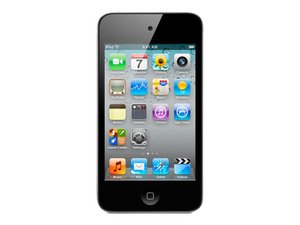
So the other day i just randomly pickup up my ipod, and it showed the lock screen that typically shows up when someone guesses the wrong password too many times except this time it read "Ipod is disabled, try again in 21,741,428 minutes." now the last thing i wanna do is wait 40 years to use my ipod again. Now I know the common solution to this problem is to simply restore it, but the problem is that i have not backed up any of my files, or synced it to any computer yet. I havn't had it too long, and have just been buying songs off the device. The last thing i wanna do is loose all the money i had put into it by restoring, and erasing the files. when I try to pull it up on itunes is says, "itunes cannot connect with ipod because it is locked please enter code and try again." I've been told to take it in to the apple store. can they do anything? please help!

Edited by: qpunk ( ) , Danny ( )

I plugged it in, enabled hidden files, and the ipod didn't show up on my computer atall. what should i do? p.s. (im using a PC with Windows 7)

Danny,

what can i do to unlock my ipod

Thompson Dooley,

What have you tried?

oldturkey03,

Danny, if you found a solution to this; please tell me. I'm having the same problem.

mmafighter88,

Post Answer

3

Score

Avatar
oldturkey03
88.6k

Answered

Accepted Answer

PermalinkHistory

Danny, the only way that I know how to do that is in the Windwos environment. Not sure how to do it with a Mac OS. There is a way to erase the password without erasing your files. Plug in your iPod. Open My Computer (or Computer for Vista). Click on Folder options and enable to view hidden files. Next go to iPod_control and click on the folder named Device. If your iPod is locked, there will be a file _locked . Rename the file to _unlocked. Remove your iPod and it should be cleared. This is the only way that I am aware off, other then a total restore where you will of course lose your data. Good Luck and let us know if it works.

Edited by: oldturkey03 ( )

I plugged it in, enabled hidden files, and the ipod didn't show up on my computer atall. what should i do? p.s. (im using a PC with Windows 7)

Danny,

Danny try the Apple "solution" first http://support.apple.com/kb/TS1538 and see if that makes a difference and just to clarify.It did work before, right? your computer did see the iPod before all this happened?

oldturkey03,

2

Score

Avatar
nick
15.3k

Answered

PermalinkHistory

Put it in DFU mode and restore it

To do this, plug in the iPod to the computer, reset the iPod by holding Home and reset together, and let go of the power button until it is in DFU/Recovery mode

If you want to do this,check for a backup or sync what you want on the iPod/iPhone/iPad if possible

Edited by: nick ( )

1

Score

Avatar
Chris
439

Answered

PermalinkHistory

I have seen relative success with Apple's support staff being understanding off such issues and allowing you to essentially re-download your music onto another device (preferably this time a computer).

1

Score

Avatar
Will Budney
1.2k

Answered

PermalinkHistory

If you bought the songs from the iTunes store then all of your music is okay and you just have to re-download it on your phone. The songs are linked to your account. So if you sign in on itunes and go to the store, you should see a list of purchased songs. If you didn't purchase from the iTunes store I would try previous answers.

0

Score

Avatar
christianvaldez1
7

Answered

PermalinkHistory

hold power button and home button for 10 seconds with itunes open, after ten seconds let go power button and keep holding home for another 10 sec. after that your ipod will appear in itunes ready to be restored...(only ipod touch or iphone)

That is DFU mode as previously suggested by nicksmacandpchelp

oldturkey03,

that was my suggestion, -

nick,

that is what I said...:-)

oldturkey03,

0

Score

Avatar
Thomas
37

Answered

PermalinkHistory

There are ways of getting in and out of recovery without a restore... ( I think if I remember right you go into dfu and then do the steps in reverse)

Sounds more like a prank app to me though....

You can try (but I dont know what this will do) getting your phone into force restore mode and then taking it out- its pretty dangerous though but it saved me from restoring mine. 1. Press and hold the home button and the sleep/wake button. (the power off option will appear, ignore it) 2. When the apple logo appears let go of the sleep/wake button (keep holding the home button.) 3. After a few seconds you should see the connect to iTunes image (you can now let go of the home button.) then follow the steps in reverse to get out WARNING: THIS MAY NOT WORK AND COULD RESORT IN RESTORING THE IPOD AS A LAST RESORT

Thomas,

0

Score

Avatar
dcIII
1

Answered

PermalinkHistory

Hey I had the same problem and all i did was hook it up to my computer, open the files onmy computer [windows] and it worked. Not profound, but works. My name is danny too and i feel for you bro

0

Score

Avatar
kres
1

Answered

PermalinkHistory

Kindly please help that how to open ipod_control files..as in my case its iphone 3Gs which is jailborken unlocked and never been backup to my pc. I dunt want to lose my data and can I take it our from being disables for millions of minuts :(

0

Score

Avatar
Mason Schmidgall
13

Answered

PermalinkHistory

I asked the same question

I have Windows 8 and my computer doesn't even detect it. vista and xp are old and stop including them in your answers

Add Your Answer








